

Screen time the whole family agrees on.
Every family with a tablet knows the evening negotiation. Most parental-control apps answer it with more control. We built TimeNest around agreement instead: the family sets the rules together, the phone keeps them, and children can earn extra time by reading and learning rather than by pleading.
- 1Tap to lock a child's iPhone or iPad
- 15Minutes a child can ask for, approved with one tap
- 4Ways to earn time: reading, videos, photo tasks and chores
- 0Ads, and no tracking
What parents asked for
Parents wanted limits that hold, without turning screen time into a daily fight.
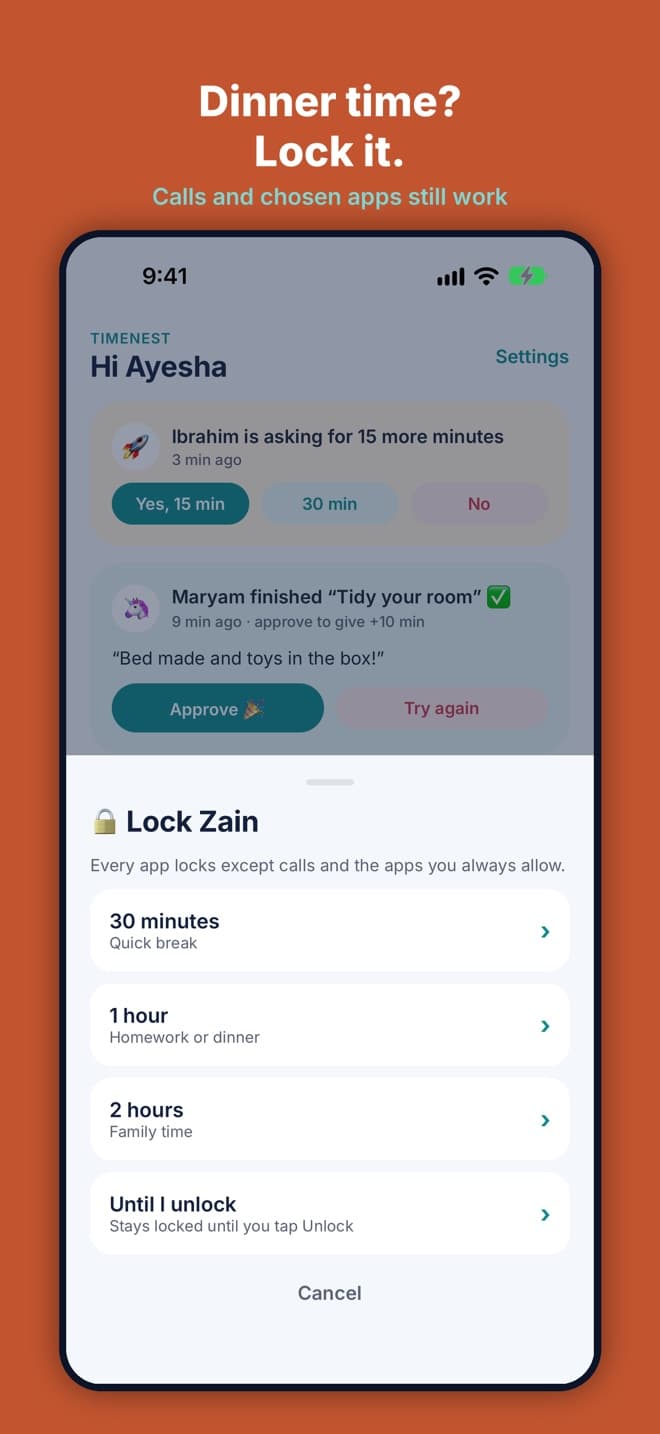
- Lock a device instantly, and lock it automatically at bedtime and school time.
- Limit games and video without blocking everything.
- Let children ask for more, and answer from anywhere.
- Reward reading and learning with time.
- Keep it free of ads and tracking.
How we built it
Apple's own controls
TimeNest uses Apple's Screen Time and Family Controls, approved by Apple, so locks and limits are enforced by the device itself.
Ask, don't argue
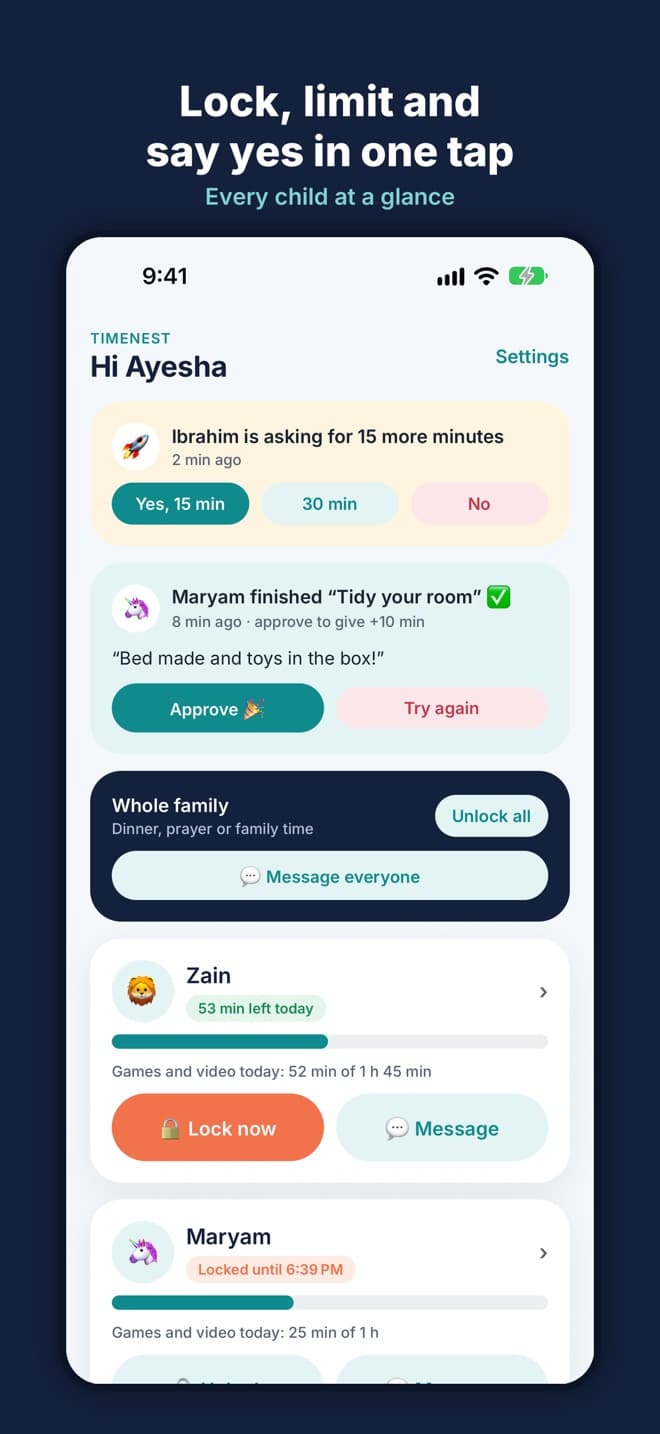
A child taps to ask for 15 more minutes, and the parent's phone gets a yes or no button.
Learn to earn
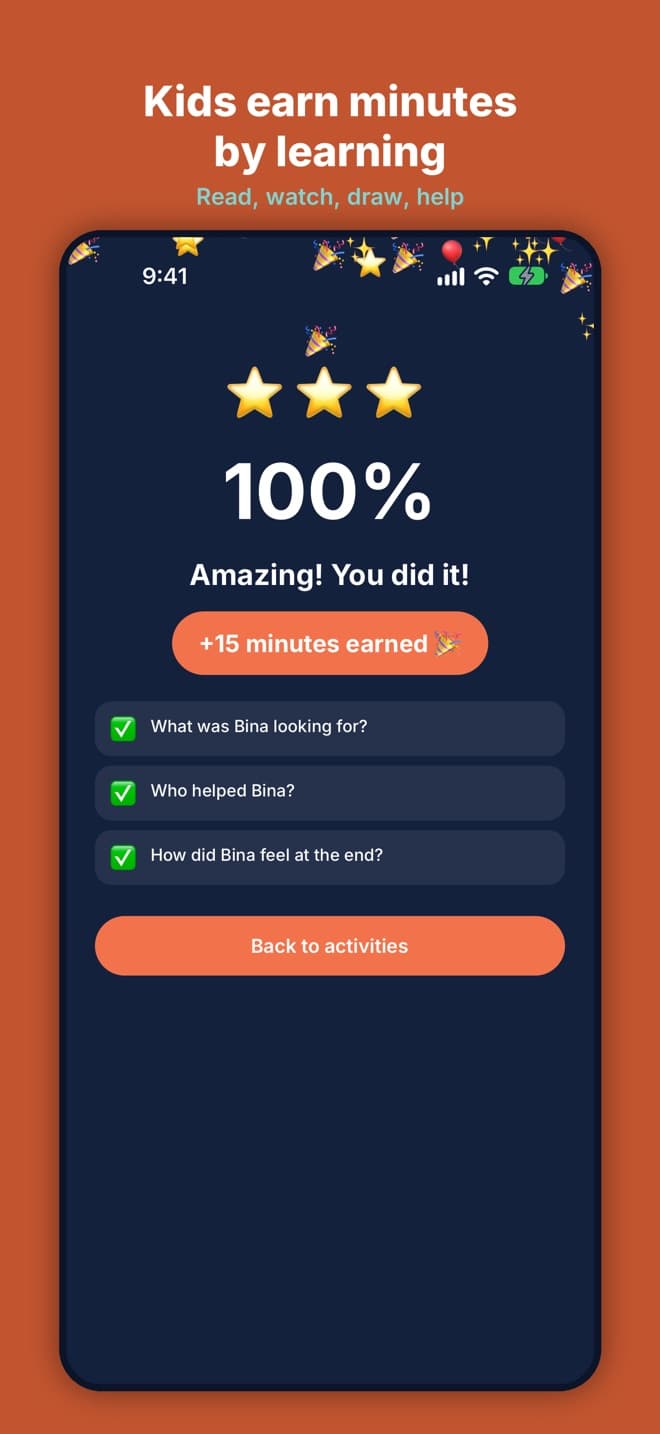
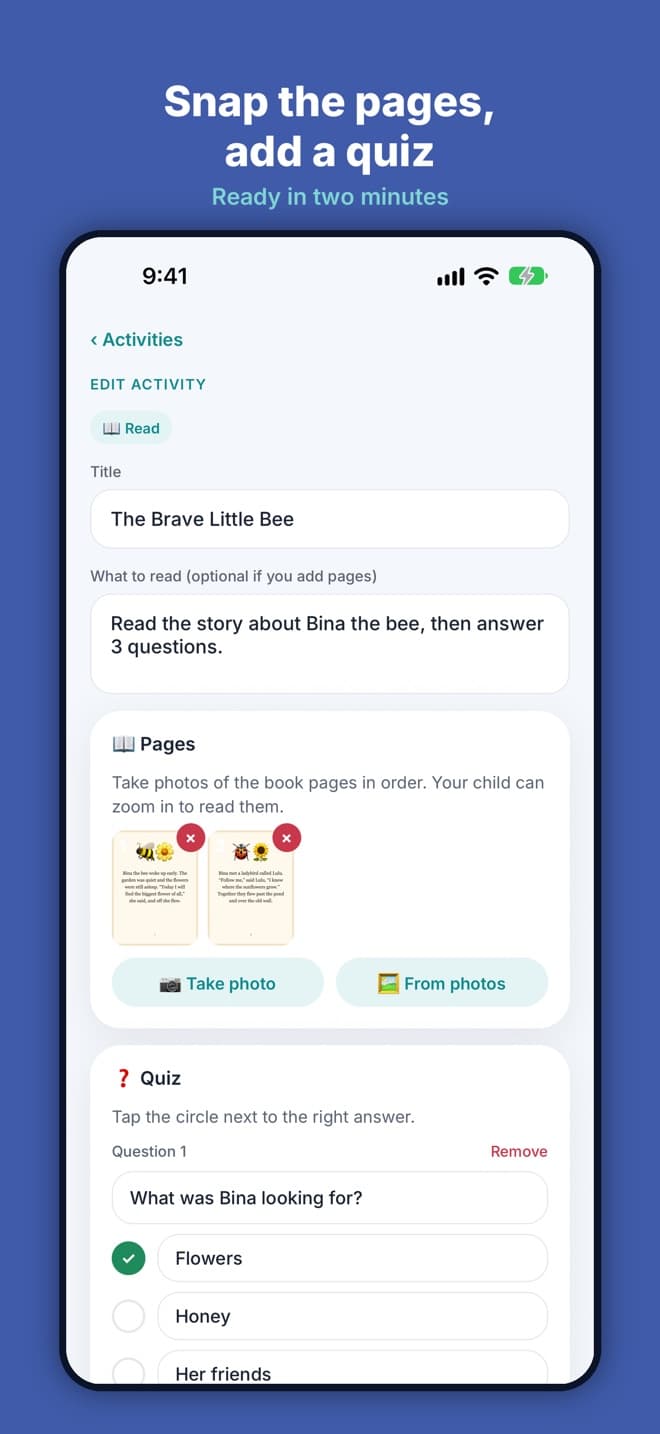
Reading with a quiz, a learning video with a quiz, photo tasks and chores turn screen time into a reward.
A family agreement
Devices link with a QR code, and the family agrees the rules together before they start.
What we built
The parent's phone
Requests for more time, tasks to approve, Lock now and quick messages, all on one screen.
Earning time
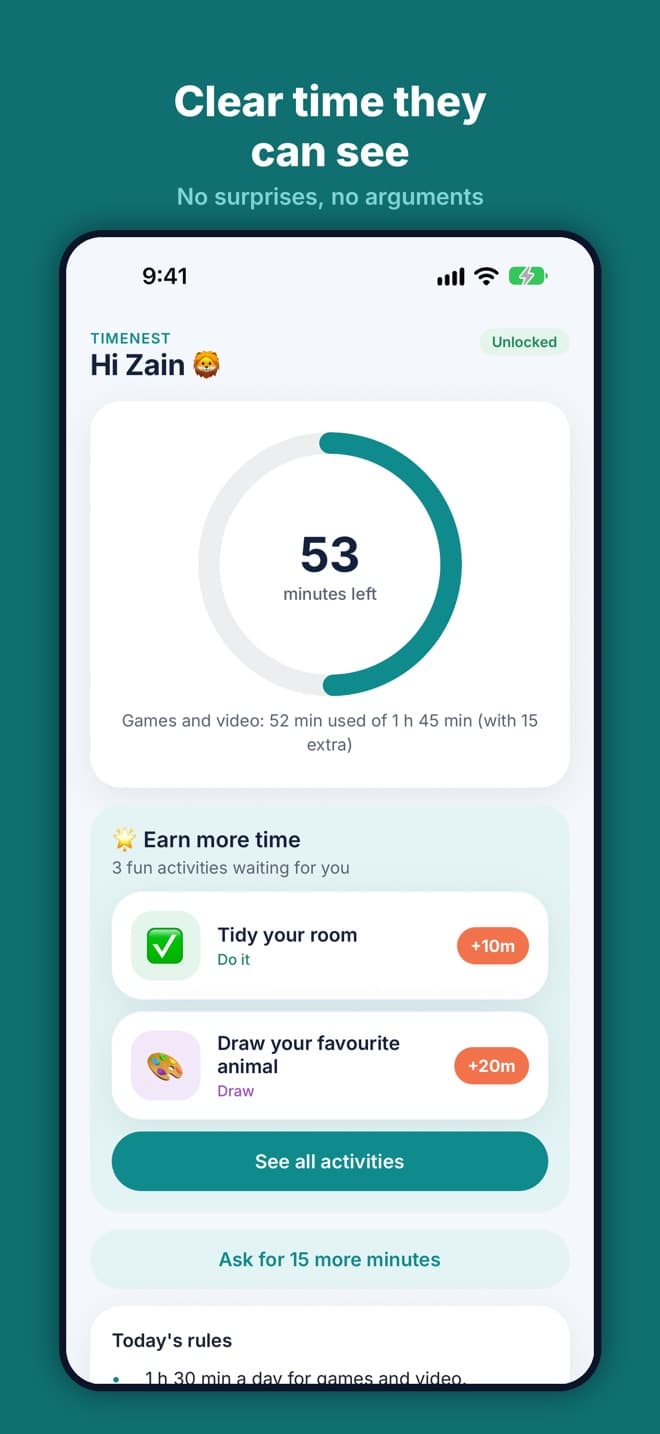
Children see what they can do to earn extra minutes, from reading to chores.
A quiz after reading
A short quiz checks the reading before the minutes are added.
More screens
The child's home screen
Locked, with a way to ask
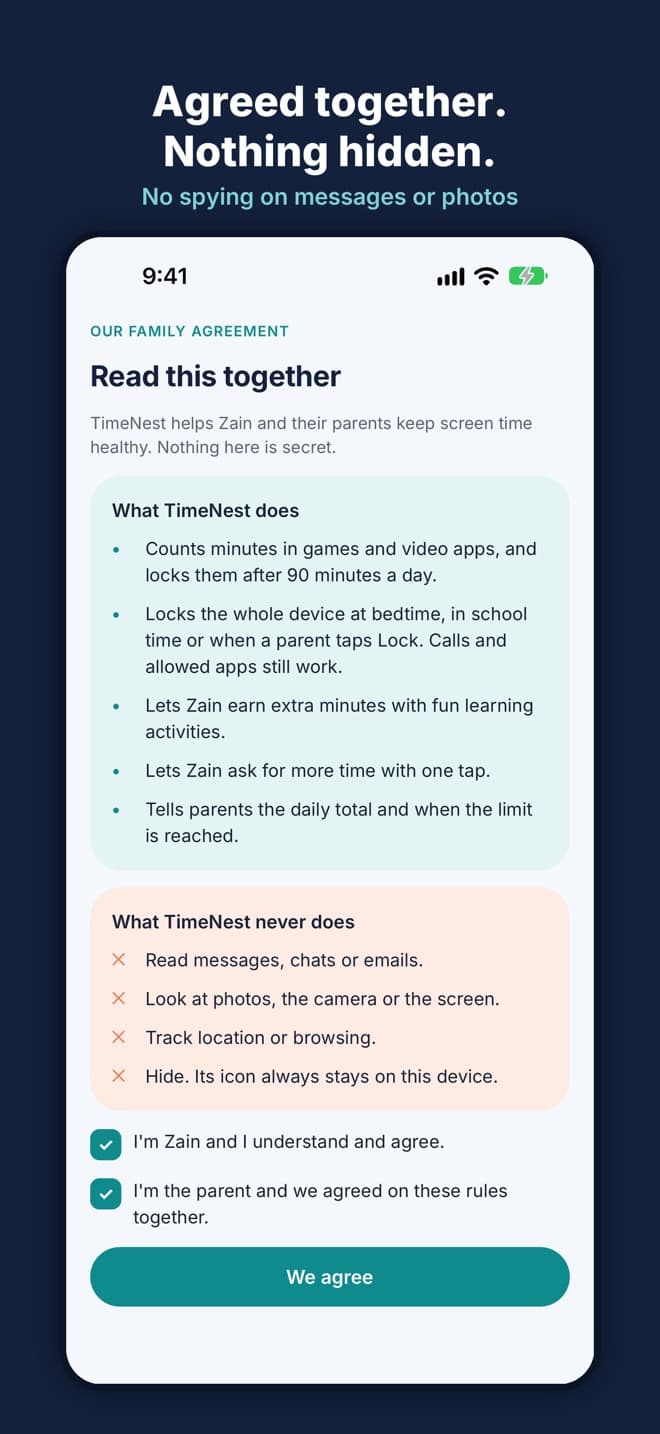
The family agreement
Built with
- Expo
- React Native
- Apple Screen Time API
- Node.js