

Import
DXF and SVG from CorelDRAW and other CAD tools, or trace a PNG, JPG or WebP picture into a cut shape.
Products / Operations
True-shape nesting for CNC router, laser and plasma cutting, with CorelDRAW-ready output.
Kerfwise packs your parts onto as few sheets as possible, right in the browser.
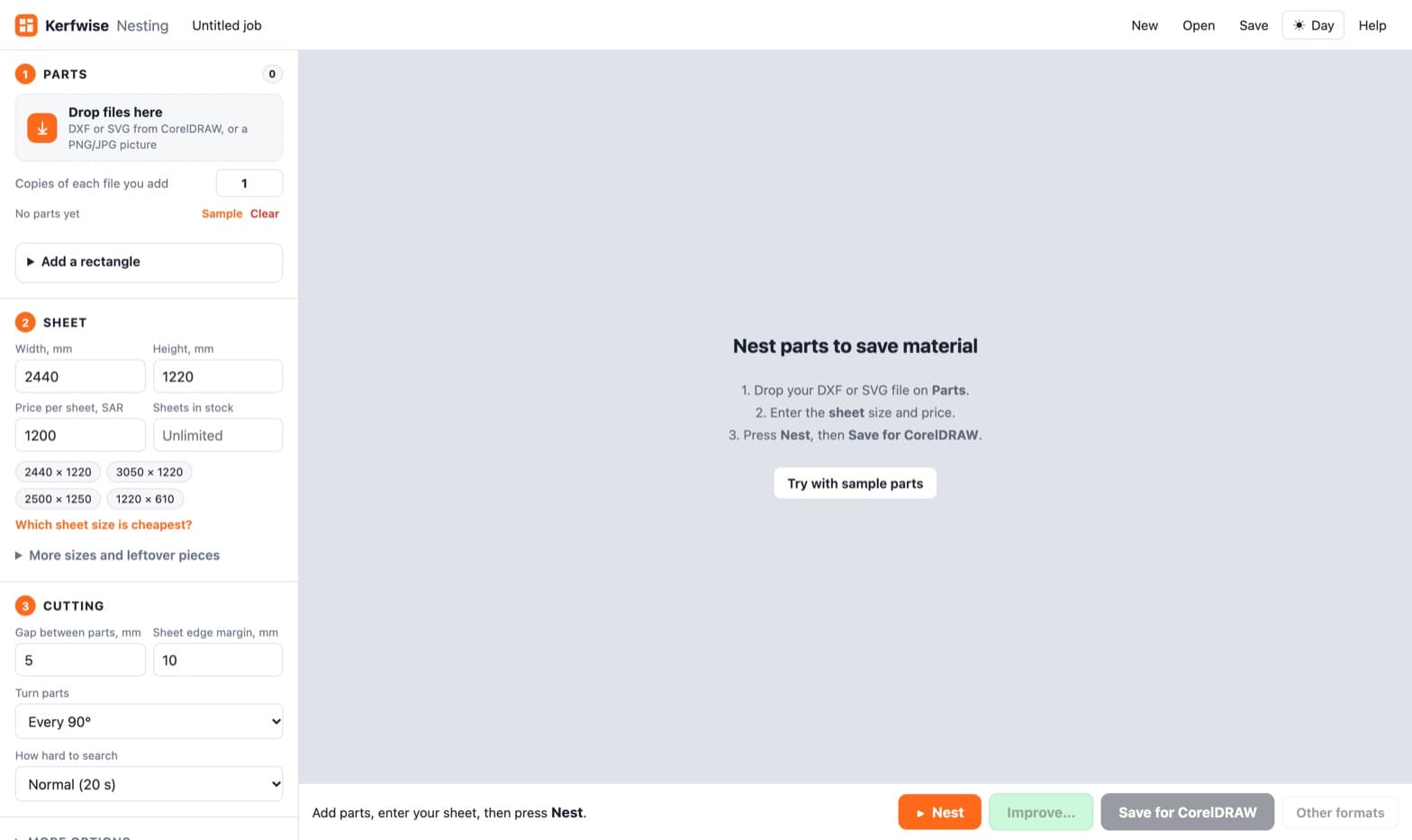
Drop in DXF or SVG files from CorelDRAW, or even a photo of a shape, set the quantities, and Kerfwise fits them onto your sheets, filling holes and gaps the way an experienced operator would. It shows sheets used, material cost and the offcut left, tells you which sheet size is cheapest, and exports back to CorelDRAW, DXF or PDF. It runs in the browser, works offline, and your files never leave your computer.
Read the Kerfwise case study →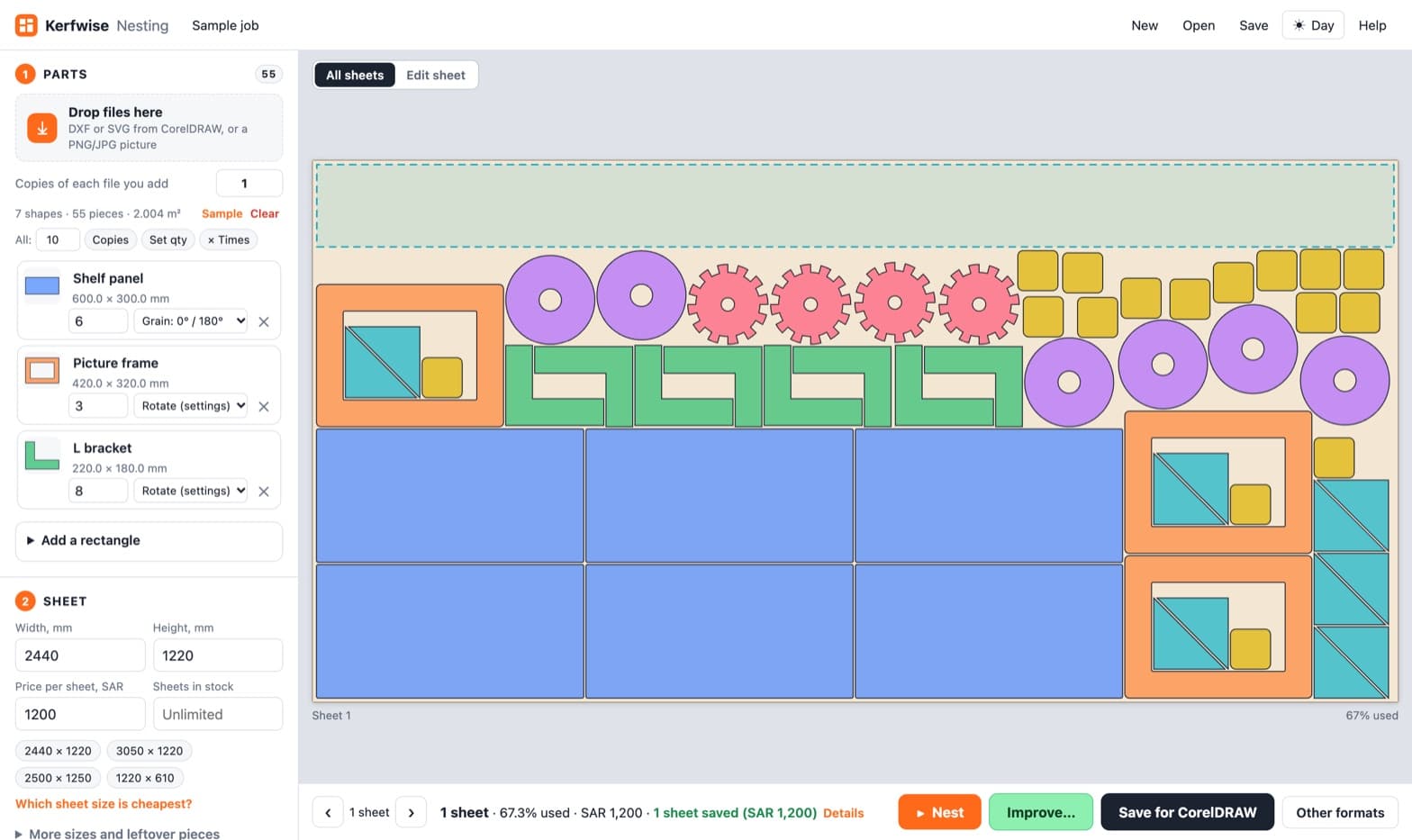
Industrial nesting software costs thousands of dollars
Nesting by hand in CorelDRAW wastes sheets
No easy way to get a nested layout back into Corel
Offcuts thrown away because nobody records them
How it fits together
DXF and SVG from CorelDRAW and other CAD tools, or trace a PNG, JPG or WebP picture into a cut shape.
Quantity, rotation, grain lock, mirroring, spacing and margin per part, with small parts placed inside holes and gaps.
Several sheet sizes plus leftover stock, so offcuts get used first.
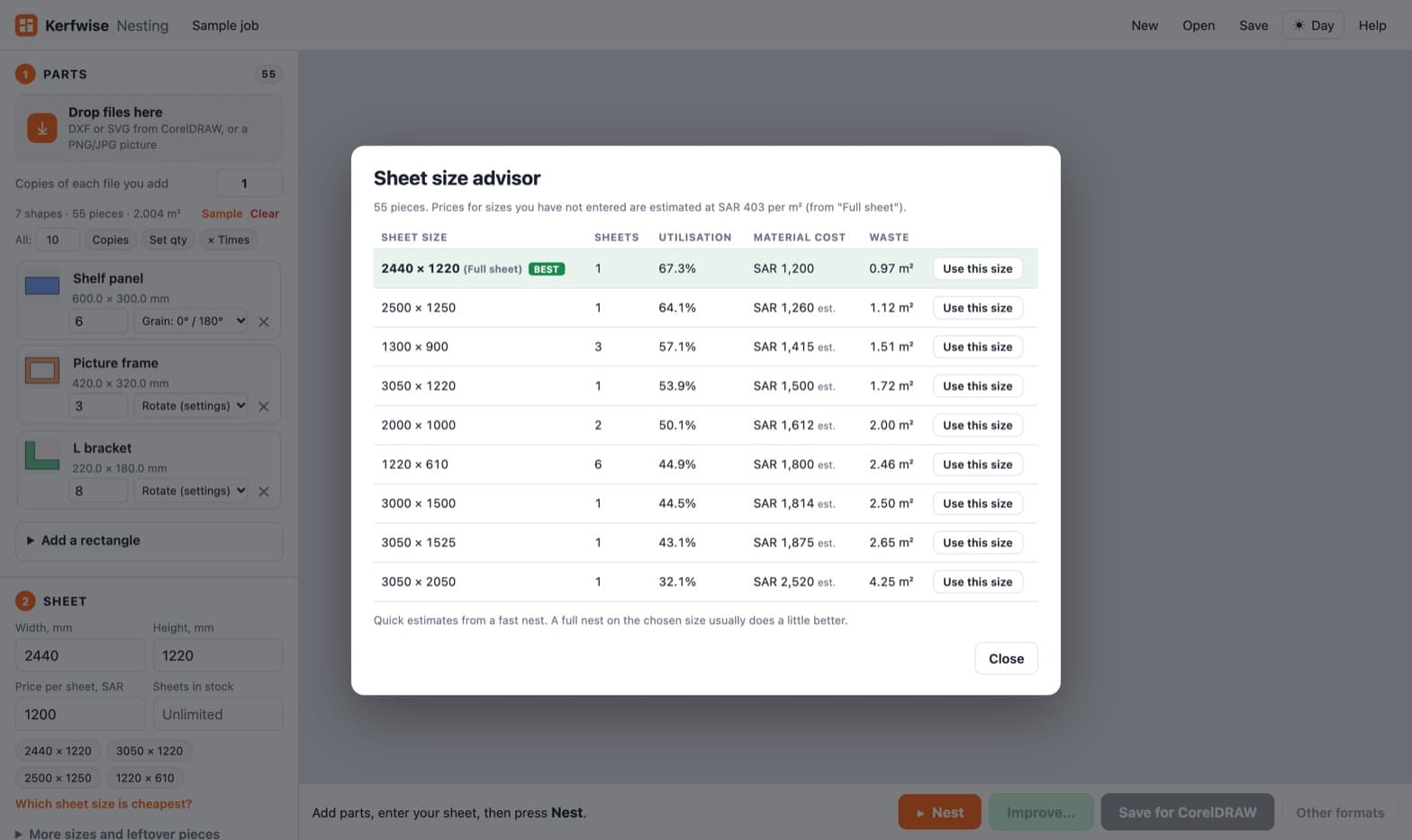
Compares nine common sheet sizes by sheets needed, use, cost and waste, and marks the cheapest.
Common-line cutting, tabs and bridges, and true arcs for smoother cuts and smaller files.
Multi-page PDF for CorelDRAW, SVG, layered DXF R12, a ZIP of everything and a CSV cut list.
14features, ready on day one
What Kerfwise Nesting does out of the box. Anything missing can be added for your business.
Who runs Kerfwise Nesting, and what they use it for.
In our tests on 2440 × 1220 sheets, 728 letters went from 12 sheets to 10, mixed shop signs from 7 to 5, and a name-and-number job from 4 to 3. Results depend on your parts.
Yes. Import DXF or SVG exported from Corel, and export a multi-page PDF that opens back in CorelDRAW, or DXF and SVG.
No. Everything runs in your browser, and your designs never leave your computer.
Yes. Picture tracing turns a PNG, JPG or WebP into a cut shape you can nest.
Explore it yourself right now, or book a 30-minute guided walkthrough, online or on-site.
Related products