

Work / Case study
Al-Azhar Quran Academy
One-to-one Quran classes with a live video classroom built into the website
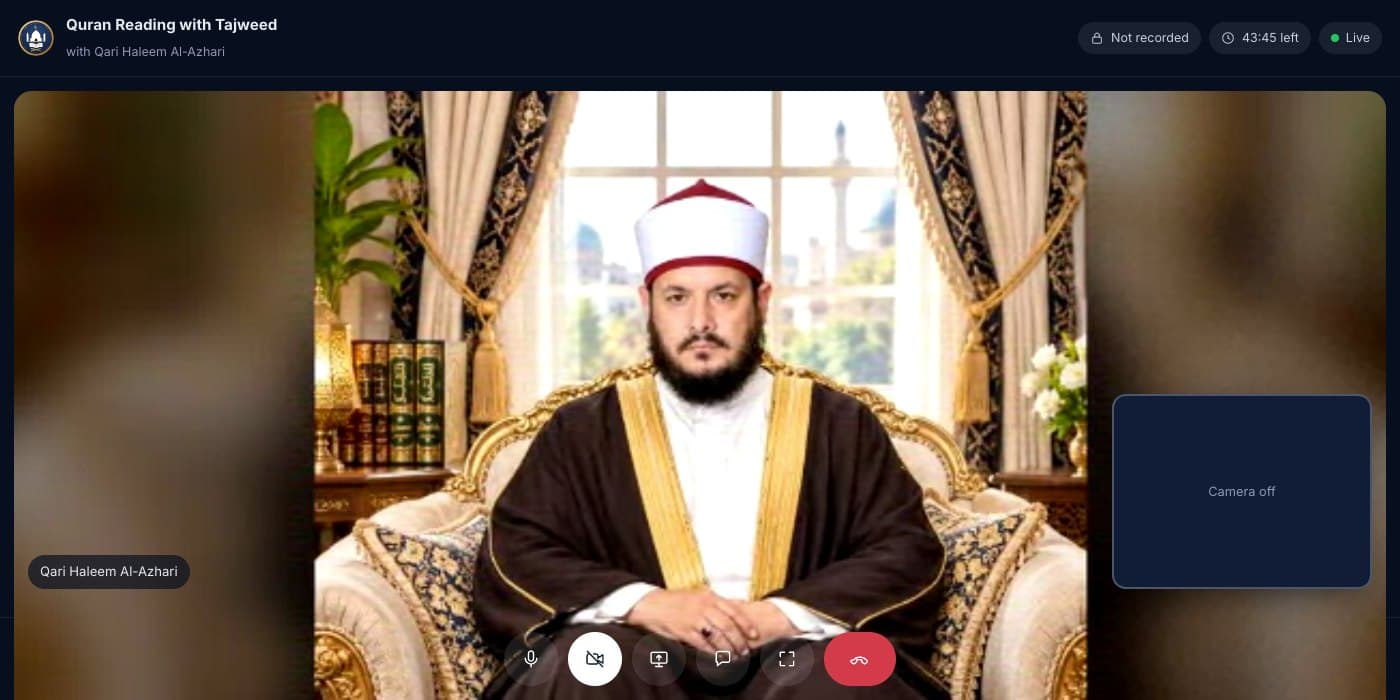
Qari Muhammad Haleem Al-Azhari teaches children and adults around the world, one student at a time.
He needed a website that does more than describe his classes. Families find a course, book a free trial in their own time zone, and on the day open a private classroom right in the browser, with no Zoom account and nothing to install. Behind it, the Qari runs his week from one dashboard.
- 0Apps to install: the classroom runs in the browser on a phone, tablet or computer
- 5Courses, from Noorani Qaida for beginners to Hifz and Qira'at
- 4Steps to book a free trial, with times shown in the student's own time zone
- 1:1Every class is private between the Qari and one student, and never recorded
What the Qari needed
Teaching online meant juggling WhatsApp messages, time zones and video links from different apps. Parents wanted something simple and safe for their children, and the Qari wanted his time back for teaching.
- Let students and parents book a class themselves, without back-and-forth messages.
- Show every class time in the student's local time, while the Qari keeps Pakistan time.
- Give each class its own private link that only that student and the Qari can open.
- Keep recitation clear even on a weak connection, because the Qari has to hear every letter.
- See the day's classes, students and attendance in one place.
Our solution
Booking that does the maths
Open times come from the Qari's teaching hours, with Friday kept free for Jumu'ah. Students see them in their own time zone and pick a free trial or a 30, 45 or 60 minute class.
A classroom in the browser
Video goes straight between the Qari's browser and the student's, peer to peer, so there is no meeting app in the middle and nothing is recorded or stored.
Built for recitation
Sound gets priority over the picture. When a connection struggles, the video steps down first so the student's recitation stays clear, and the call reconnects on its own.
A dashboard for the week
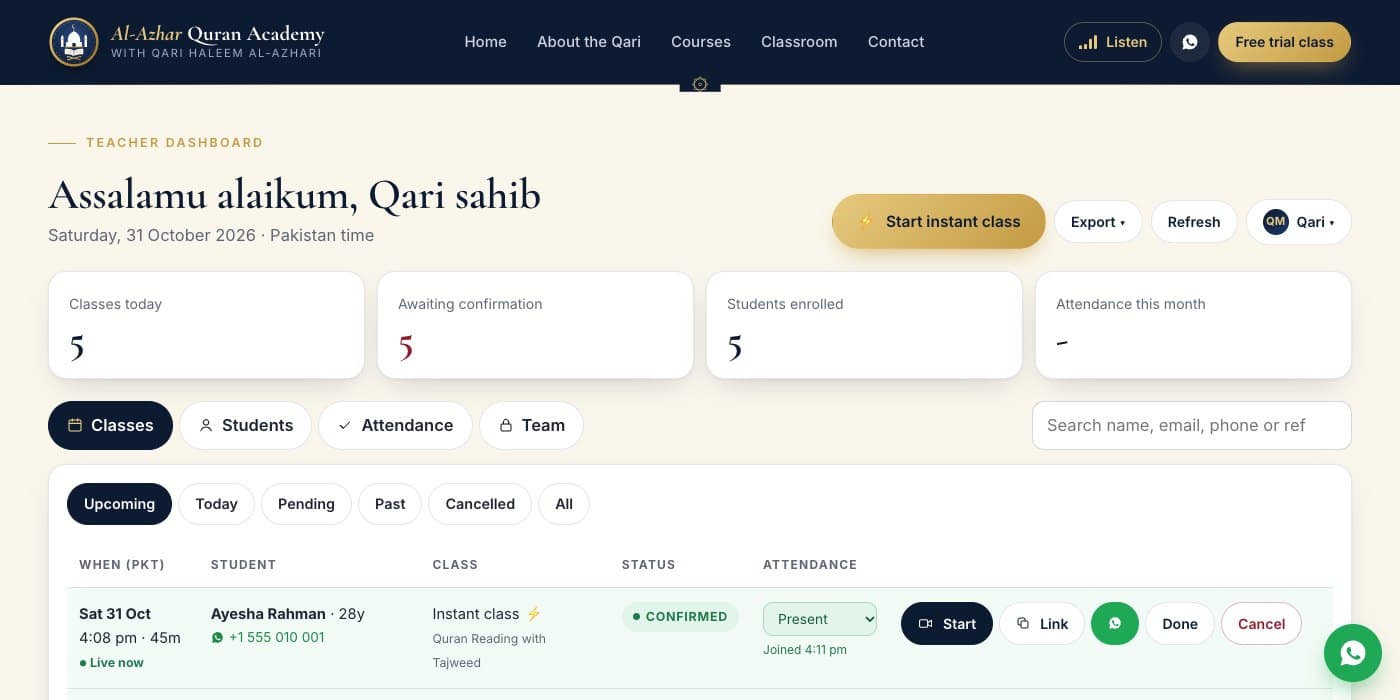
The Qari sees today's classes, students waiting for confirmation and attendance, starts an instant class in one click, and adds staff with their own access.
What we built
The classroom, seen by the student
The student sees the Qari full screen with their own picture in the corner. They can keep their camera off, mute, share their screen, chat and go full screen, all from one row of buttons that works on a phone too.
- Peer to peer, never recorded
- Class timer and live status at the top
- Works on phones, tablets and computers
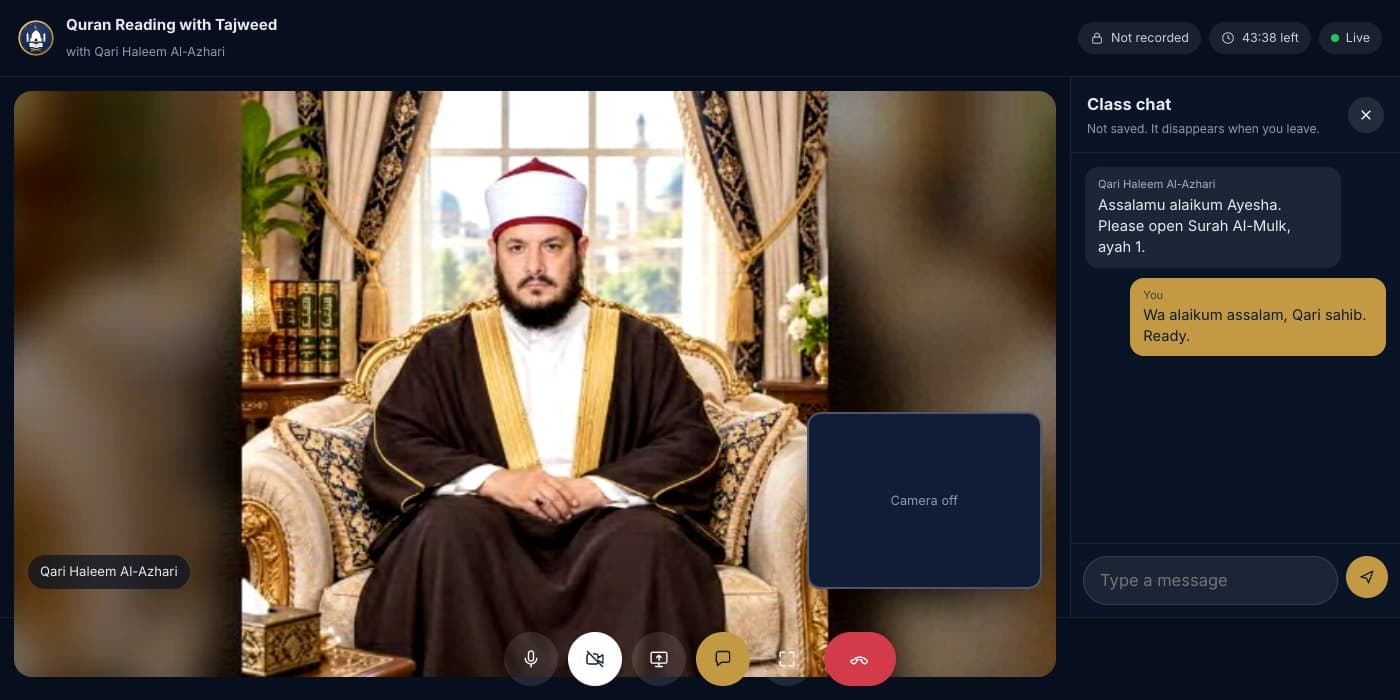
Chat during the class
Teacher and student can type to each other during the lesson, for an ayah number, a page or a link. The chat is not saved and disappears when the class ends.
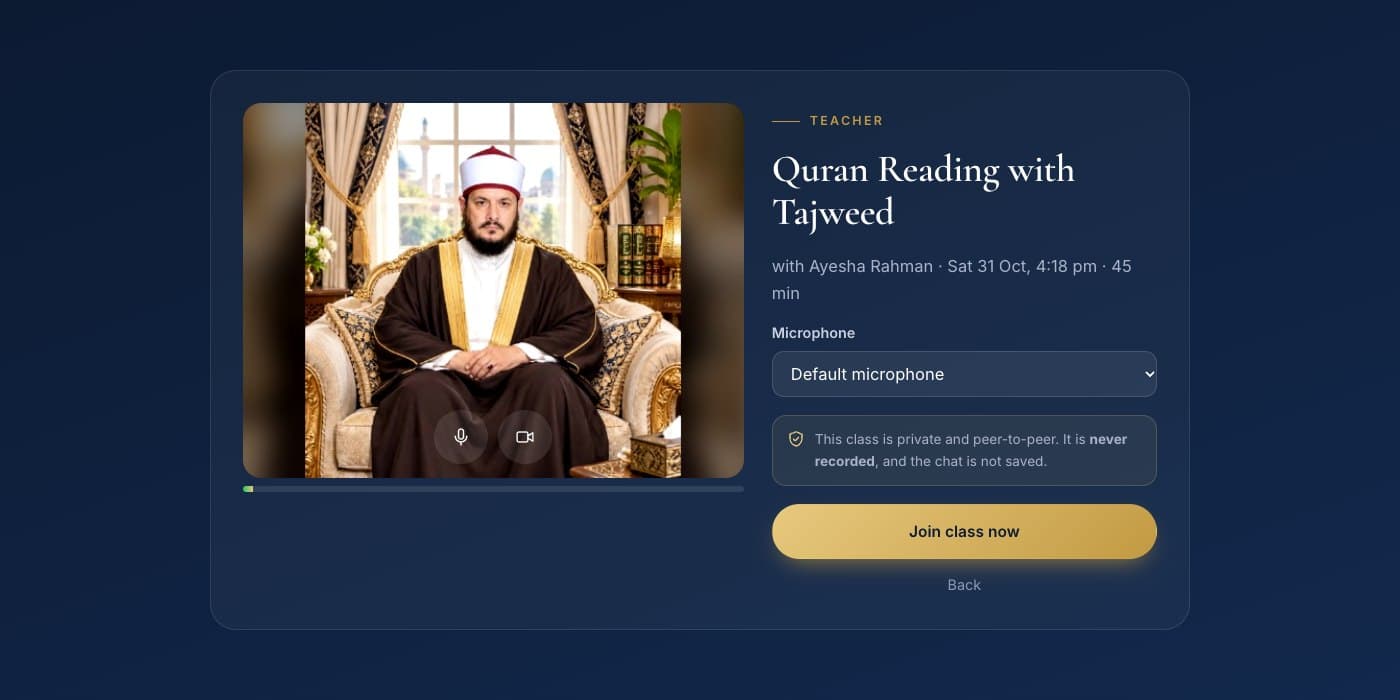
Check your camera and microphone first
Before joining, everyone sees their own camera and picks a microphone. The room opens 15 minutes before the class, and the join time marks attendance as present or late.
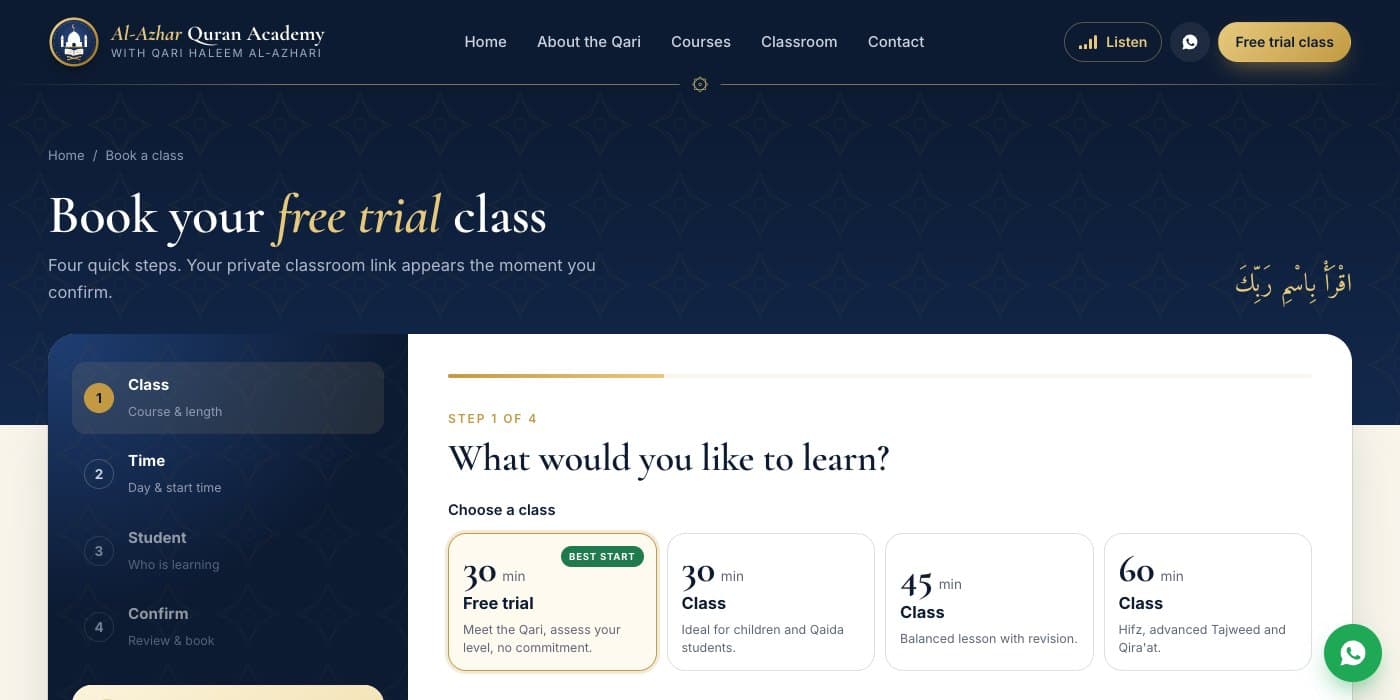
Booking a free trial in four steps
Choose the class, then a day and time shown in your own time zone, then who is learning, a child or yourself, and confirm. The private classroom link appears straight away.
- Free trial, 30, 45 and 60 minute classes
- Times converted from Pakistan time automatically
- Classroom link on the confirmation page
The Qari's dashboard
Today's classes, bookings waiting for confirmation, enrolled students and attendance this month sit at the top. Each class row has Start, a link to send the student, WhatsApp, Done and Cancel, and lists can be exported to a spreadsheet.
- Start an instant class in one click
- Attendance marked automatically
- Owner, staff and viewer access
More screens
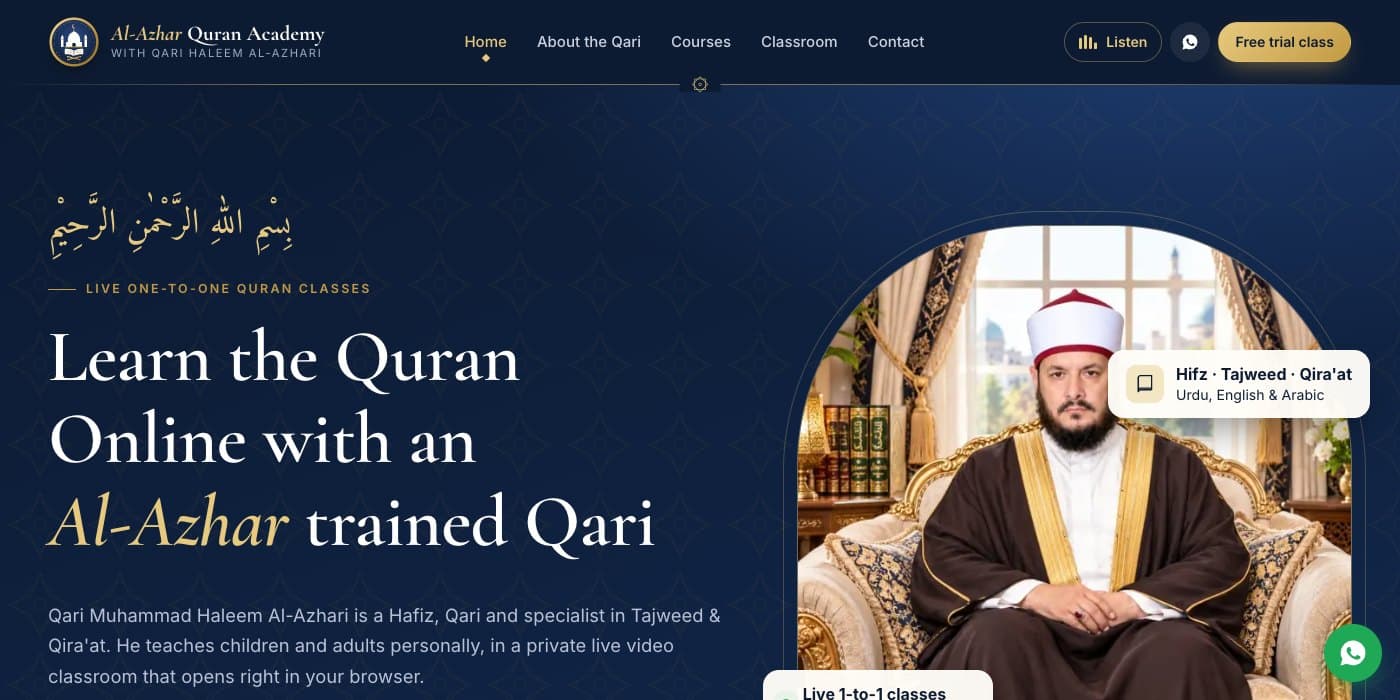
Home page
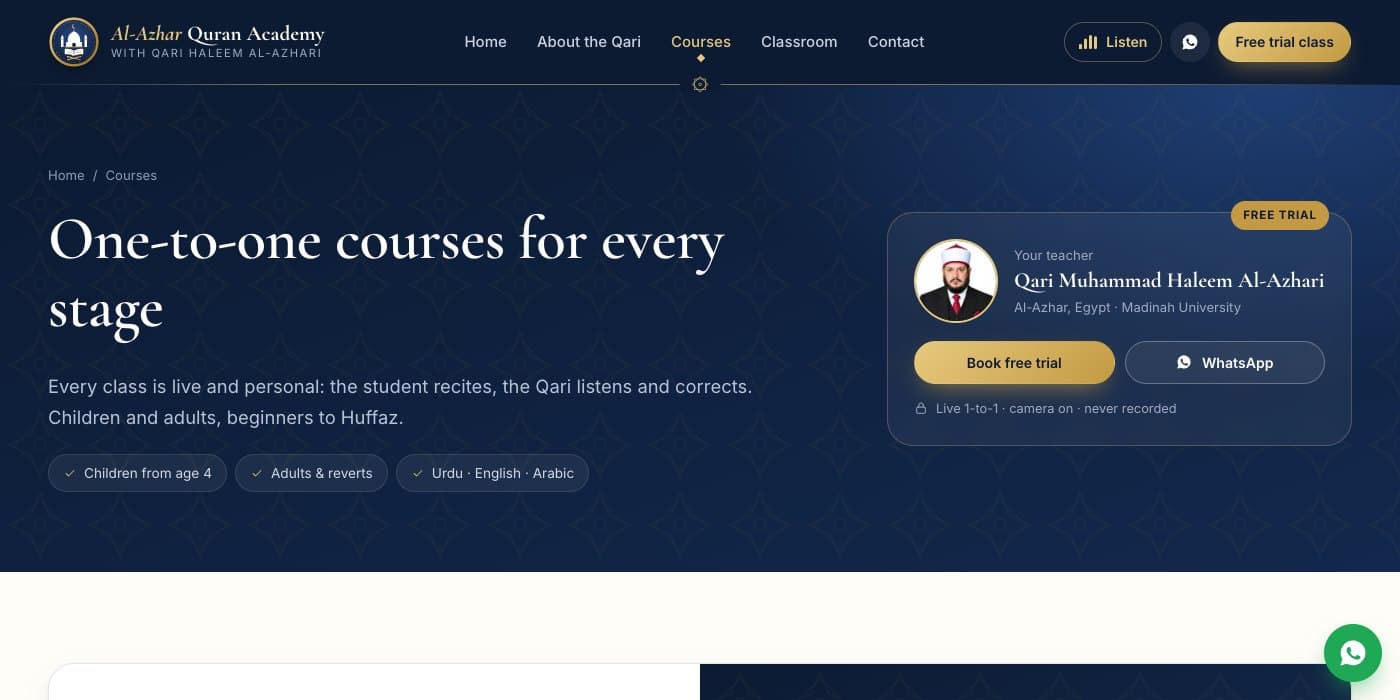
Courses for every stage
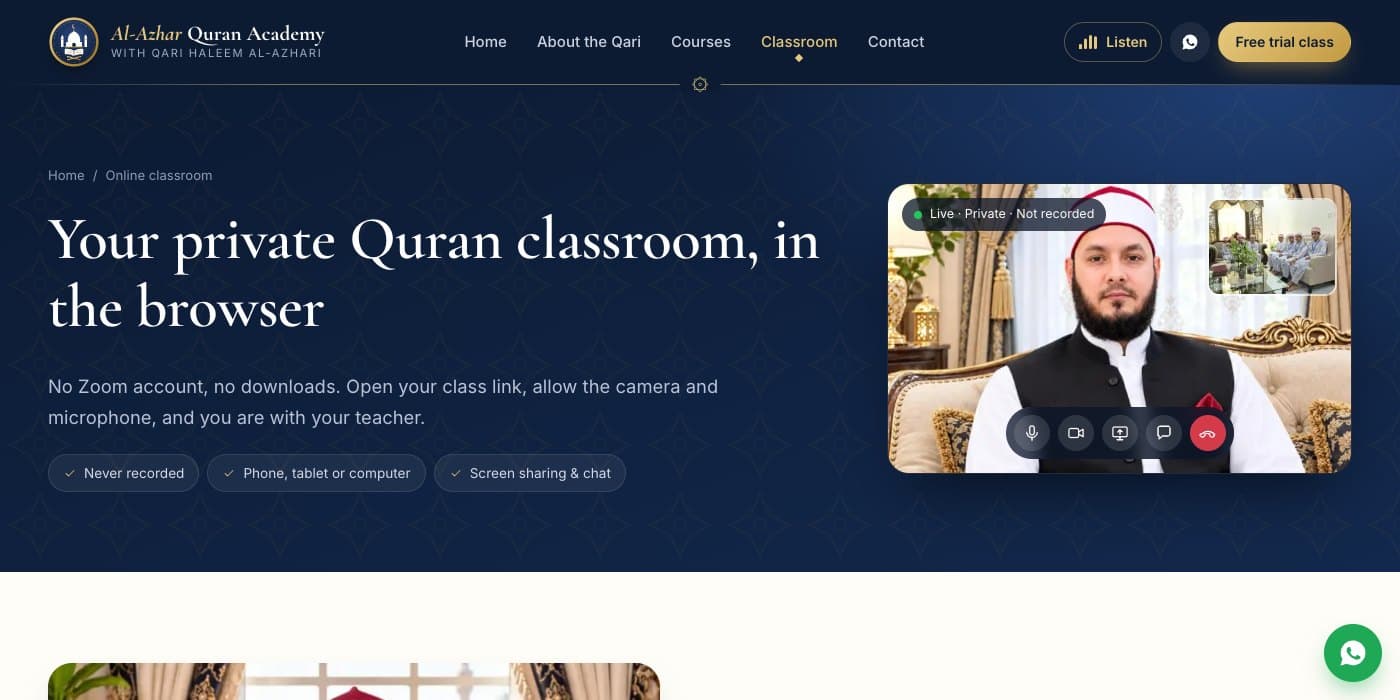
How the online classroom works
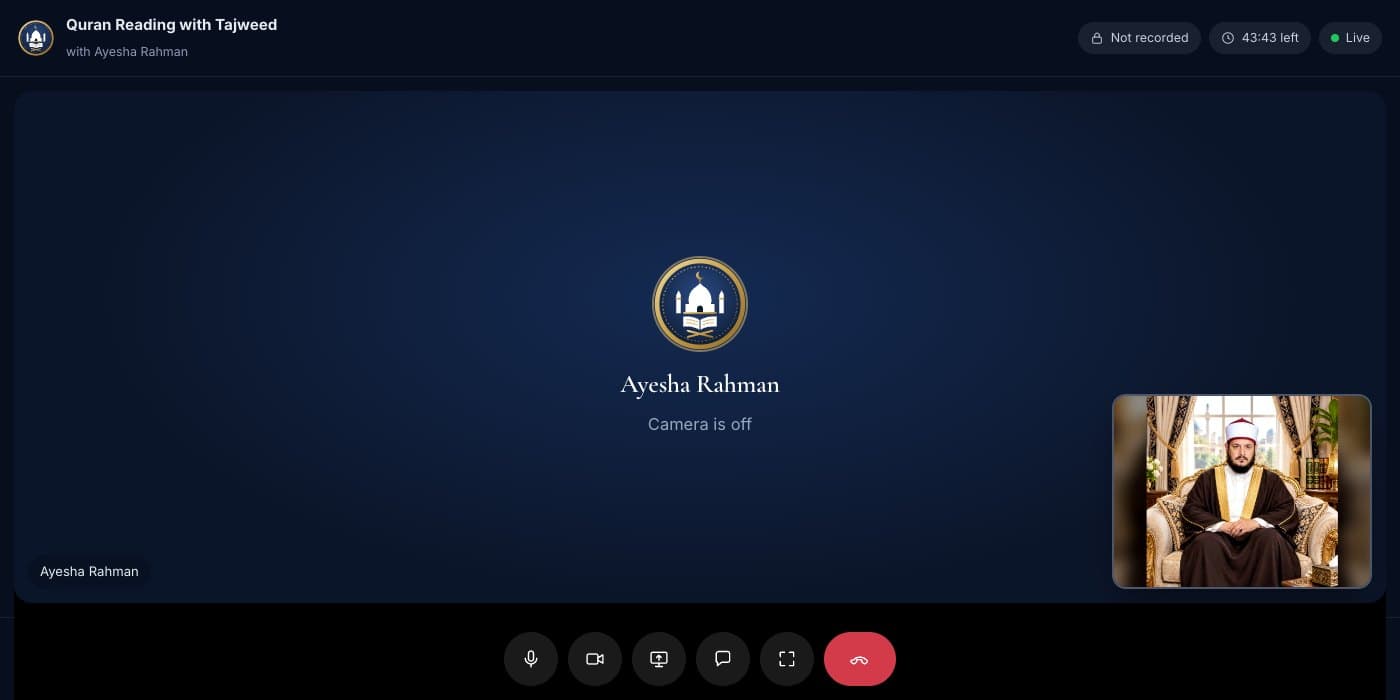
The Qari's view when a student keeps the camera off
Built with
- Next.js
- React
- TypeScript
- WebRTC
- PeerJS
- SQLite
Students, emails and phone numbers in these screens are sample data.