
Products / Operations

Handyman

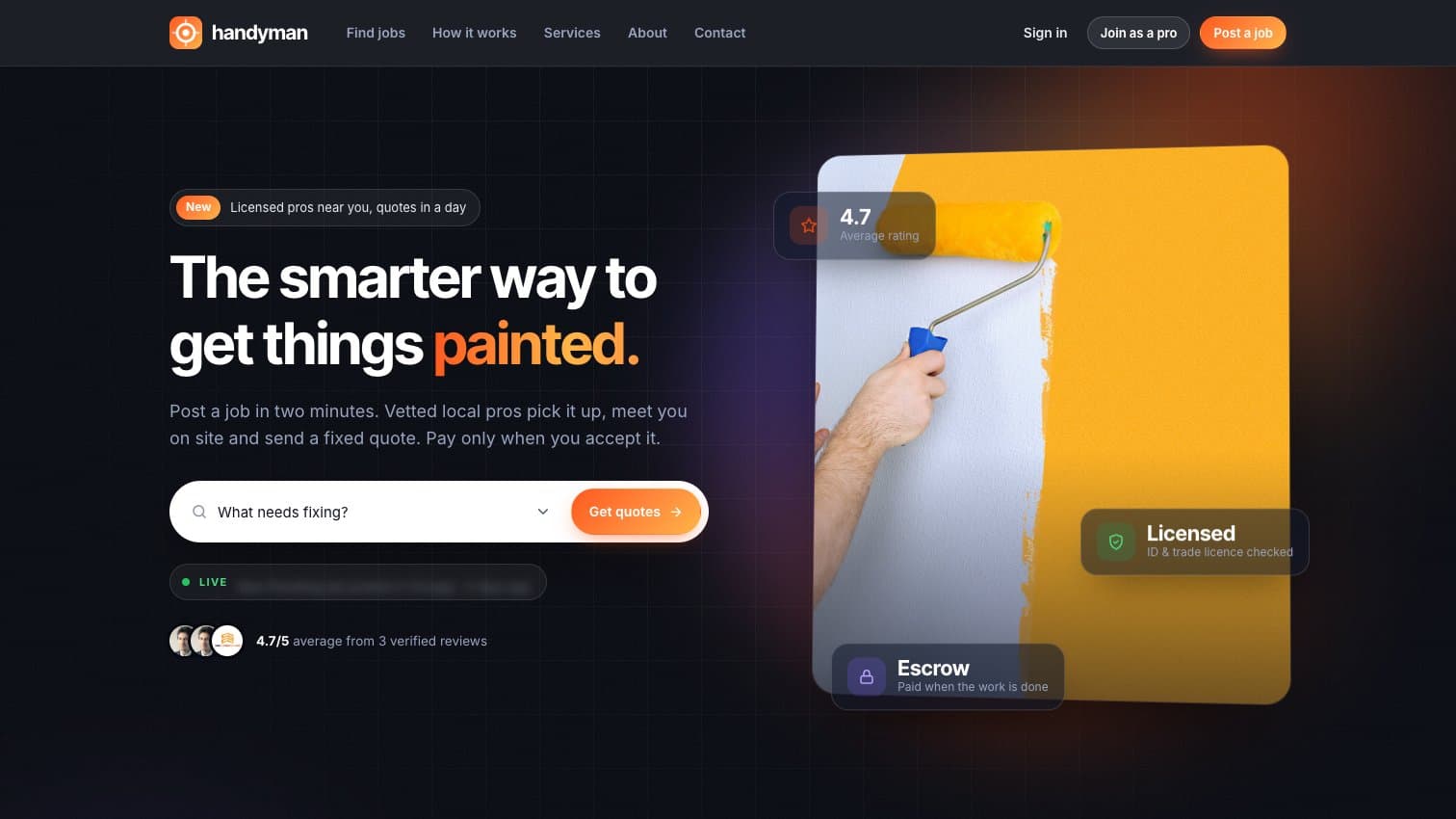
Post a job, get a fixed quote from a vetted local pro, and pay only when the work is done.

Category
Operations
Runs on
Web, Mobile browser, Web admin
Built for
Home-services startups, Property maintenance companies, Trade associations

Overview

  • Home-services startups
  • Property maintenance companies
  • Trade associations
  • Facility and building managers

Handyman is a ready-made marketplace for home repairs and odd jobs.

Home owners describe what needs fixing and nearby handymen, general workers and contractors pick the job up. The pro agrees a time to visit, looks at the work and sends a fixed quote. The home owner pays by card, but the money is held until they approve the finished job and leave a review. Admins approve every pro's licence before they can work, and run services, users, payments and the public website from one panel. The name, colours and commission are all set from the admin, so it launches under your own brand.

Built with
Next.js, Node.js, MySQL, Stripe, Twilio, Google Maps

Problems it solves

  • Home owners don't know who to trust with a repair

  • Quotes that change once the work has started

  • Paying up front and hoping the job gets finished

  • Good local tradespeople with no steady flow of work

  • Phone calls and texts to fix a time for every visit

  • No record of who did what, for how much, and how well

  • The resultPeace of mind for home ownersEvery pro is checked, the price is agreed before work starts, and the money only moves once the job is done properly.
  • The resultSteady work for local prosJobs come to them on a map, quotes are simple to send, and earnings and payouts sit in one place.

How it fits together

Modules

01

Post a job

A three-step form: what needs doing, where, and when. Home owners pick the service and choose a licensed pro, a general handyman or a contractor.

02

Job map for pros

Pros see open jobs near them on a map, search by city or zip code and pick the ones that fit their skills.

03

Visits and quotes

The pro proposes a visit time, the home owner accepts or suggests another, and after the visit a fixed quote arrives with a finish date.

04

Held payments

Card payments through Stripe are held until the home owner approves the work, then paid to the pro's own Stripe account, less your commission.

05

Reviews and disputes

Every finished job gets a star rating and a written review. If something's wrong, the home owner opens a dispute instead and your team steps in.

06

Contractor teams

Contractors add handymen already on the platform, or invite new ones by email, and take on bigger jobs together.

07

Notifications by text

Updates arrive in the app, by email and by SMS. Home owners can reply YES to confirm a visit or ACCEPT to take a quote, without opening the site.

08

Admin and website

Approve pros and their licences, manage jobs, services and users, and edit the public site's pages, blog, menus and home page images.

  1. 01PostDescribe the job in two minutes.
  2. 02QuoteA local pro visits and sends a fixed price.
  3. 03ApprovePay held safely, released when it's done.

Step by step

  1. PostA home owner describes the job, address and datePros nearby with the right skill are notified
  2. PickA pro picks the job from the mapThey join the job's queue
  3. VisitThe pro proposes a time to come roundThe home owner accepts or suggests another
  4. QuoteThe pro sends a fixed price and finish dateThe home owner accepts and pays by card
  5. FinishThe pro marks the work completeThe home owner approves and leaves a review
  6. PayoutThe review releases the held paymentThe pro is paid, the platform keeps its commission

Features

18features, ready on day one

What Handyman does out of the box. Anything missing can be added for your business.

  1. 01Three-step job postingWhat, where and when. A search on the home page can fill in the first step.
  2. 02Licensed pros, handymen or contractorsThe home owner says who they need, so plumbing goes to a licensed pro and odd jobs to a general handyman.
  3. 03Open jobs on a mapPros search by city or zip code and see every open job pinned near them.
  4. 04Job queue per jobMore than one pro can pick a job. They line up in its queue and the home owner sees who's interested.
  5. 05Visit times proposed and acceptedThe pro suggests a time to look at the work. The home owner accepts it or offers another.
  6. 06Fixed quotes with finish datesAfter the visit the pro sends one price and the date the work will be done by.
  7. 07Upfront deposits in quotesA quote can include a deposit, paid to the pro as soon as the home owner accepts.
  8. 08Card payments held until approvedThe rest of the money waits until the home owner says the job is done properly.
  9. 09Progress tracker on every jobPosted, picked, visit, quoted, paid, completed, reviewed: both sides always know where things stand.
  10. 10Star ratings and reviewsReviews appear on the pro's profile and help the next home owner choose.
  11. 11Disputes sent to the adminNot happy with the work? The home owner flags it and your team gets the details by email.
  12. 12Contractor teams and invitesContractors build a crew from handymen on the platform or invite new ones by email.
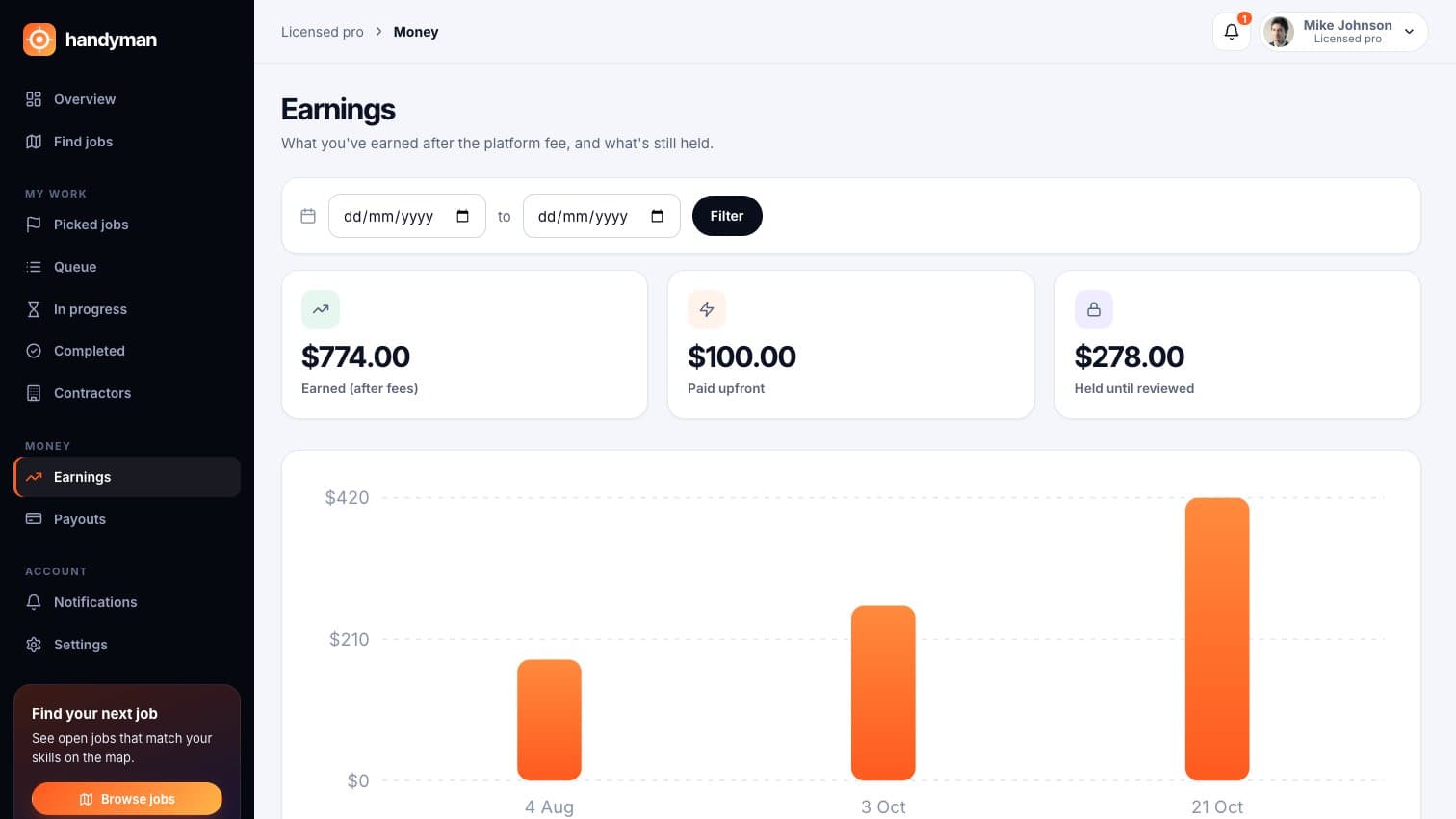
  13. 13Pro earnings and payoutsEarned after fees, paid out and still held, with a chart and date filter. Payouts go to the pro's Stripe account.
  14. 14Licence checks before approvalPros upload their driving and trade licences at sign-up. Only admins can see the copies.
  15. 15Email and SMS notificationsNew jobs, visit requests, quotes and payments reach people by email, text and the bell in the app.
  16. 16Reply by text to confirmHome owners answer YES, ACCEPT, REJECT or DONE by SMS and the job moves on.
  17. 17Admin commission settingSet the platform's cut once in Settings and it's taken from every payout.
  18. 18Pages, blog and menus editorChange the public website, write blog posts and swap home page images without a developer.

Inside Handyman

Real screens from the demo, with sample people and jobs.

For home owners

Post jobs, agree visits, accept quotes and see where every payment stands.
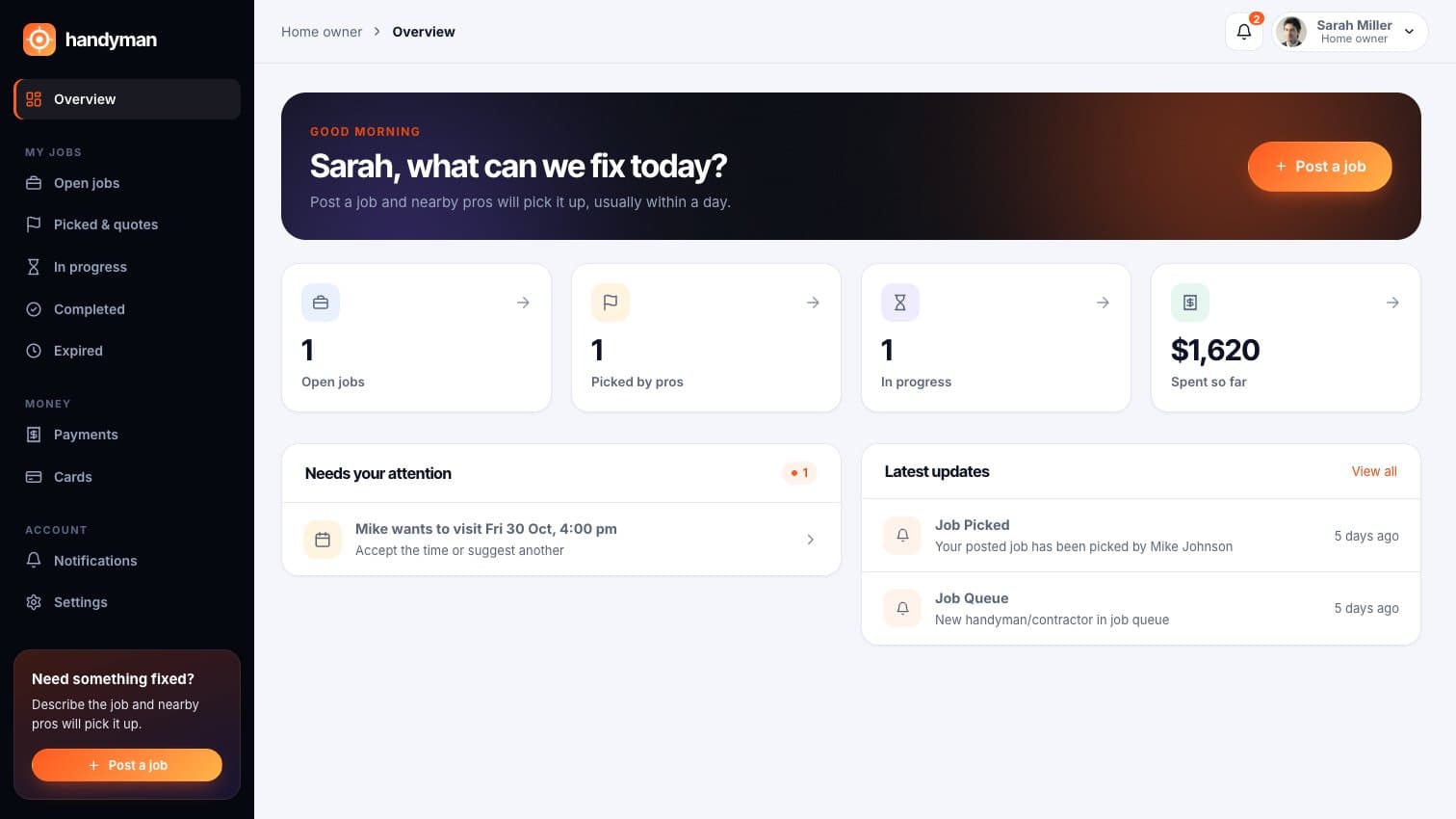
Handyman: Dashboard with what needs an answer, like a visit time to accept
Dashboard with what needs an answer, like a visit time to accept
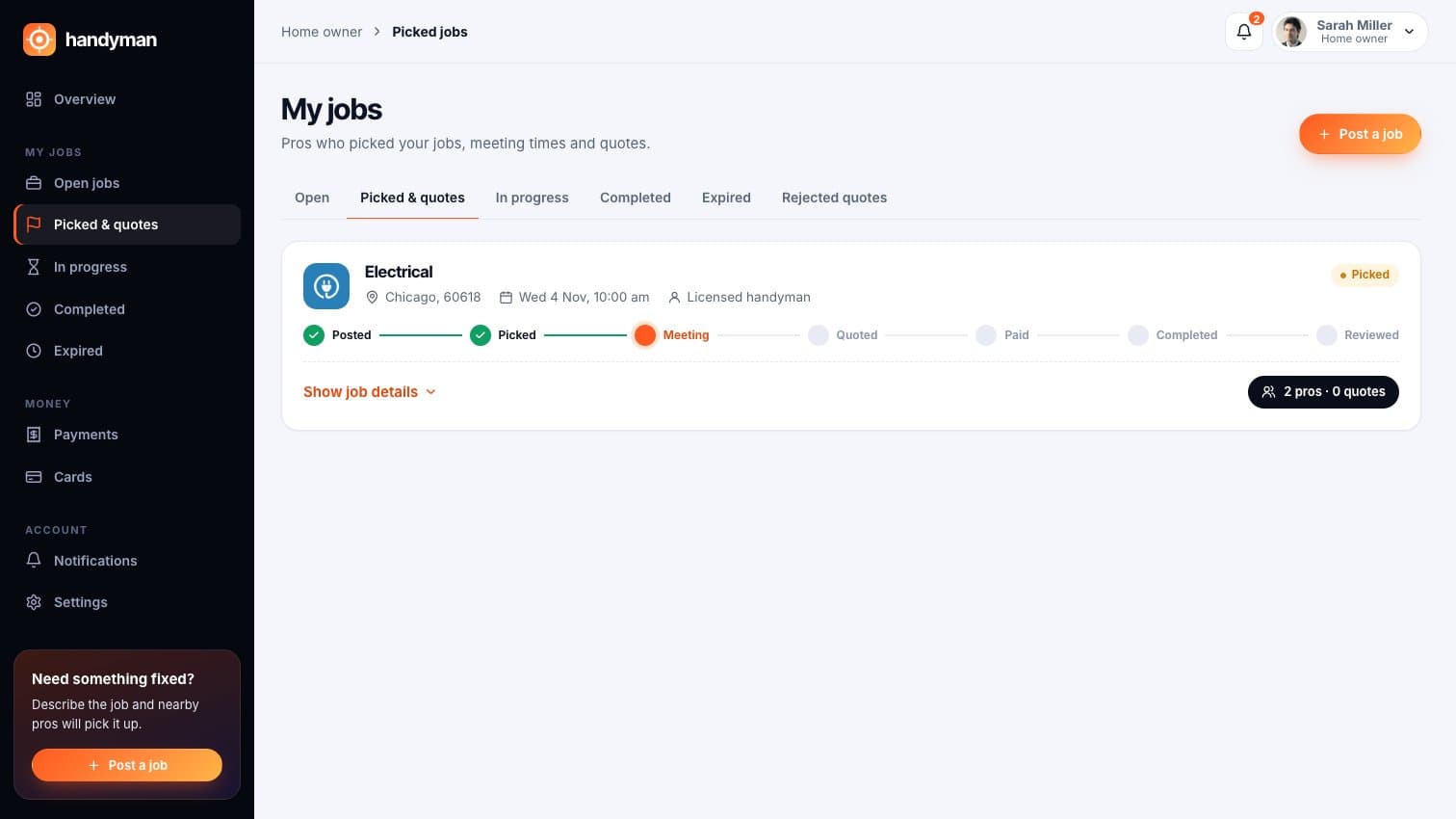
Handyman: A picked job waiting on the visit, with pros in its queue
A picked job waiting on the visit, with pros in its queue
Handyman: A contractor's quote ready to accept or reject
A contractor's quote ready to accept or reject
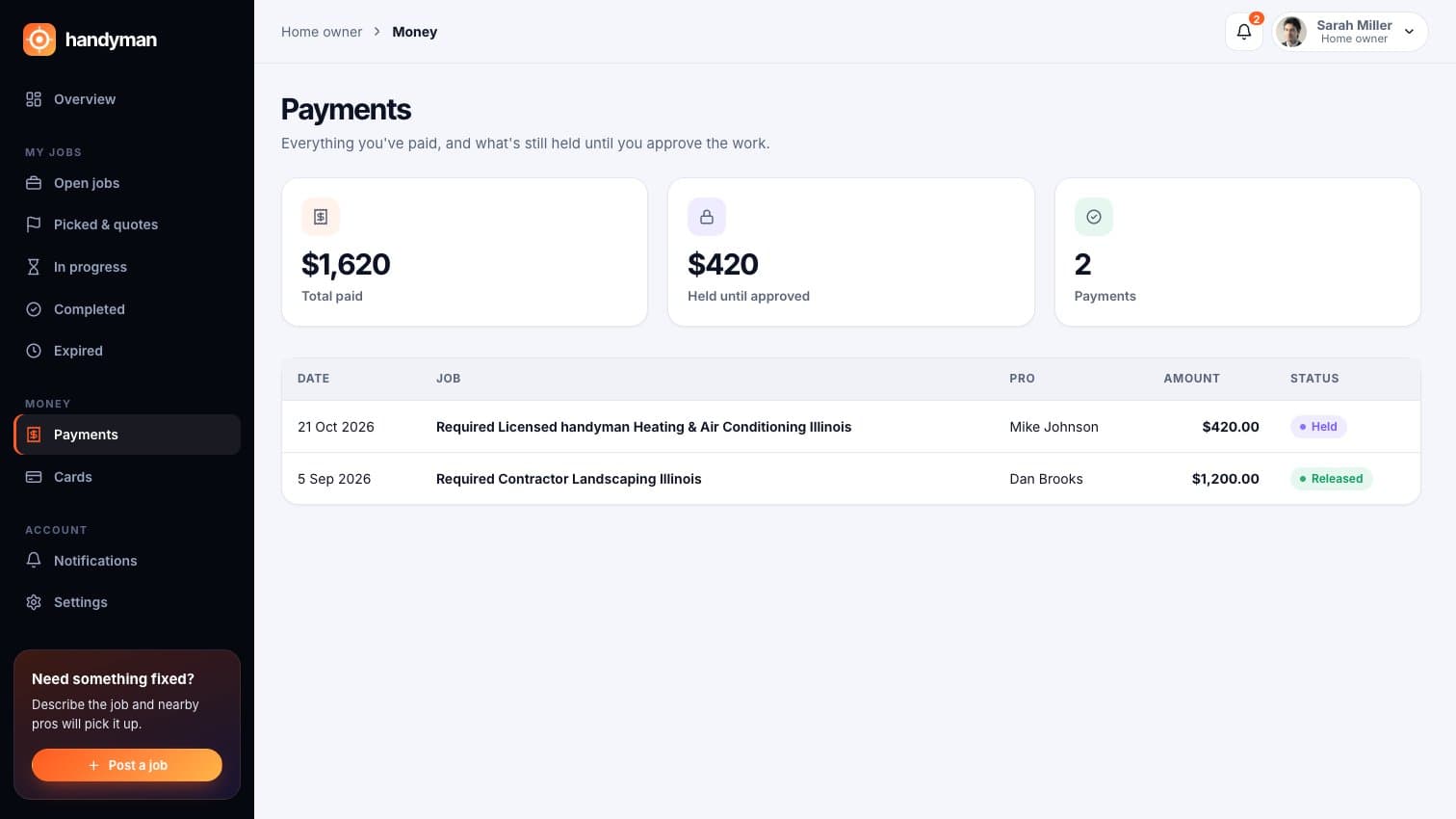
Handyman: Payments: total paid and what's still held until approval
Payments: total paid and what's still held until approval

For handymen and contractors

Find work, propose visits, finish jobs and build a team.
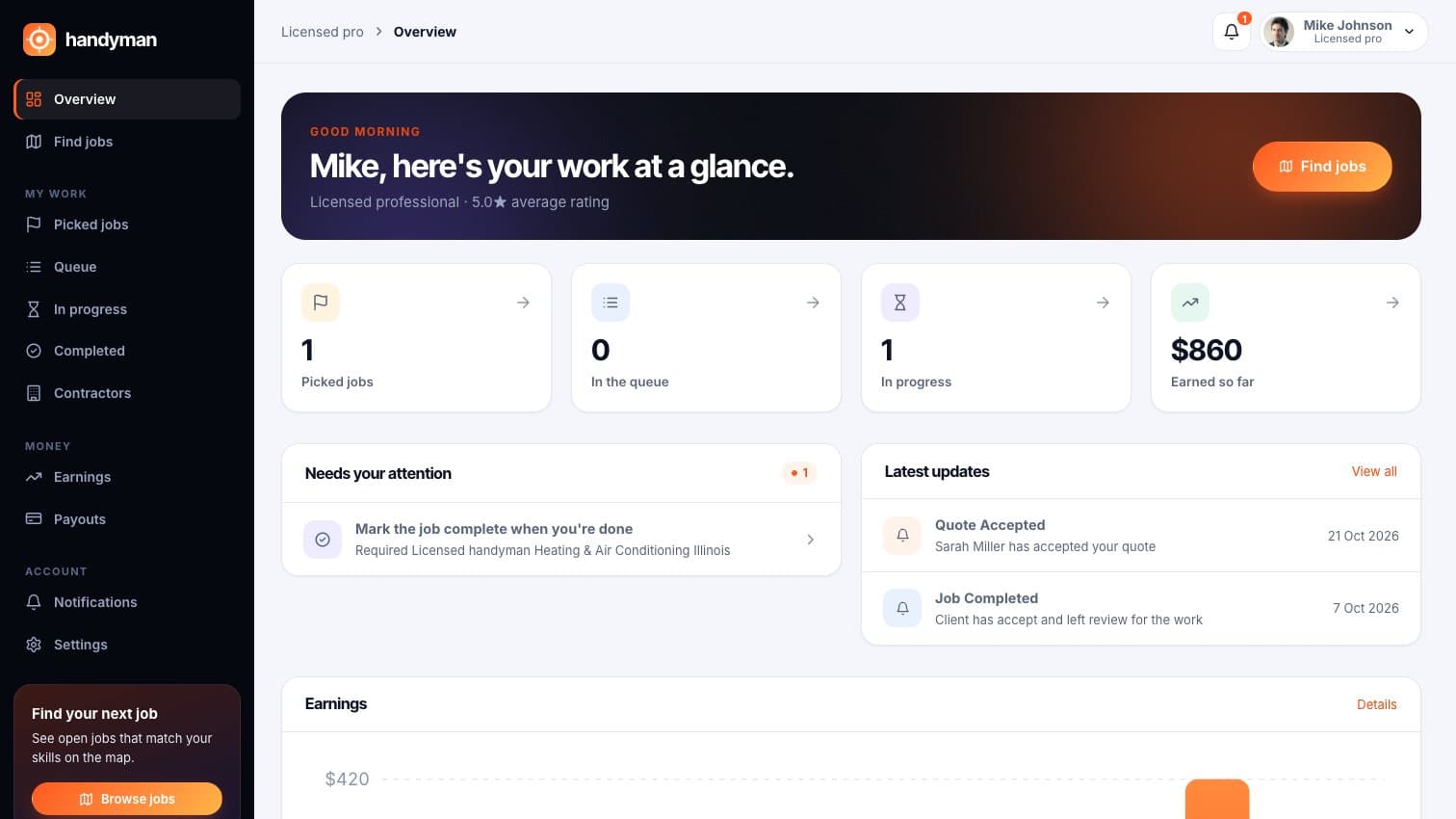
Handyman: A pro's dashboard: picked jobs, work in progress and earnings
A pro's dashboard: picked jobs, work in progress and earnings
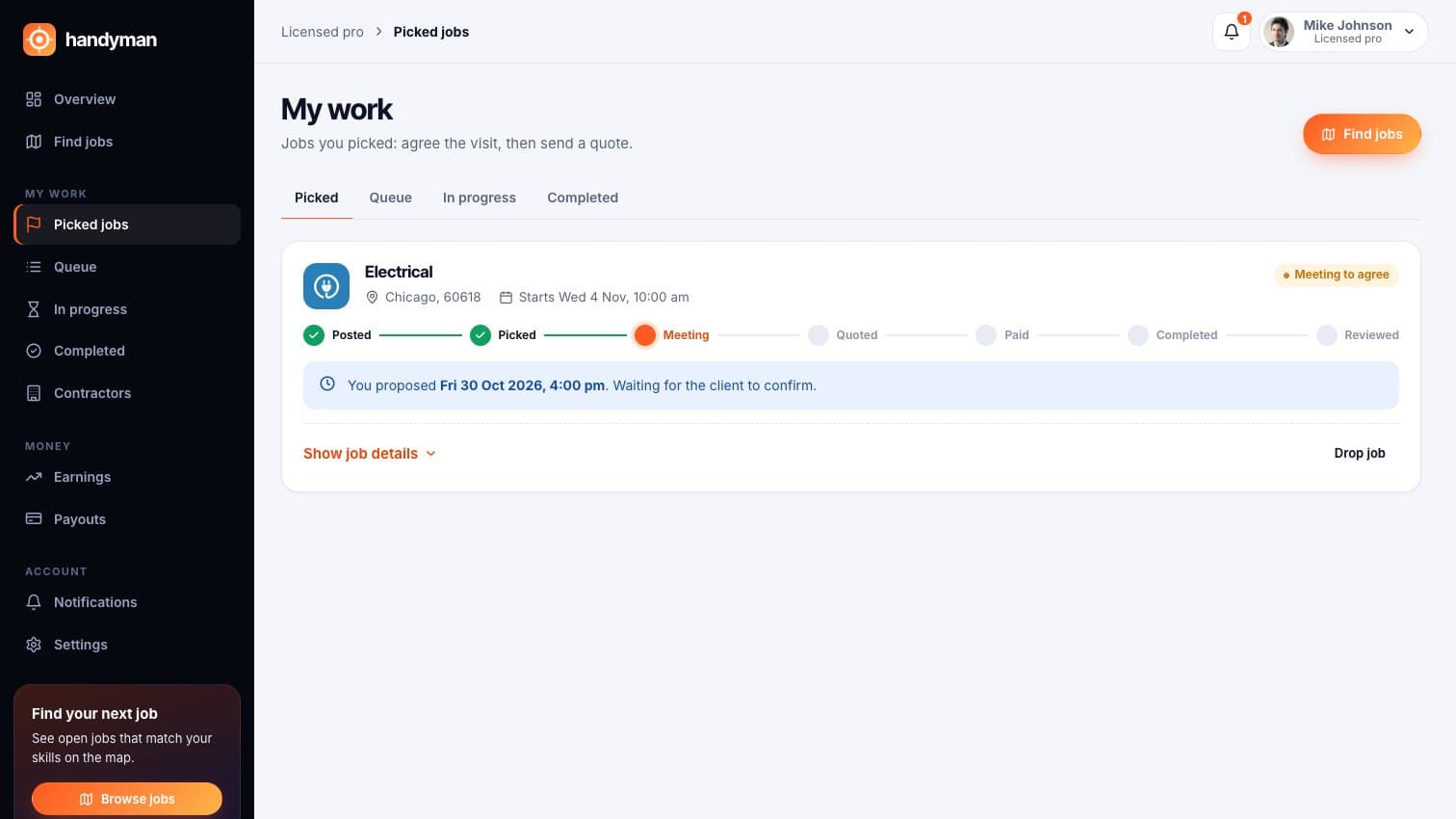
Handyman: Visit time proposed and waiting for the home owner
Visit time proposed and waiting for the home owner
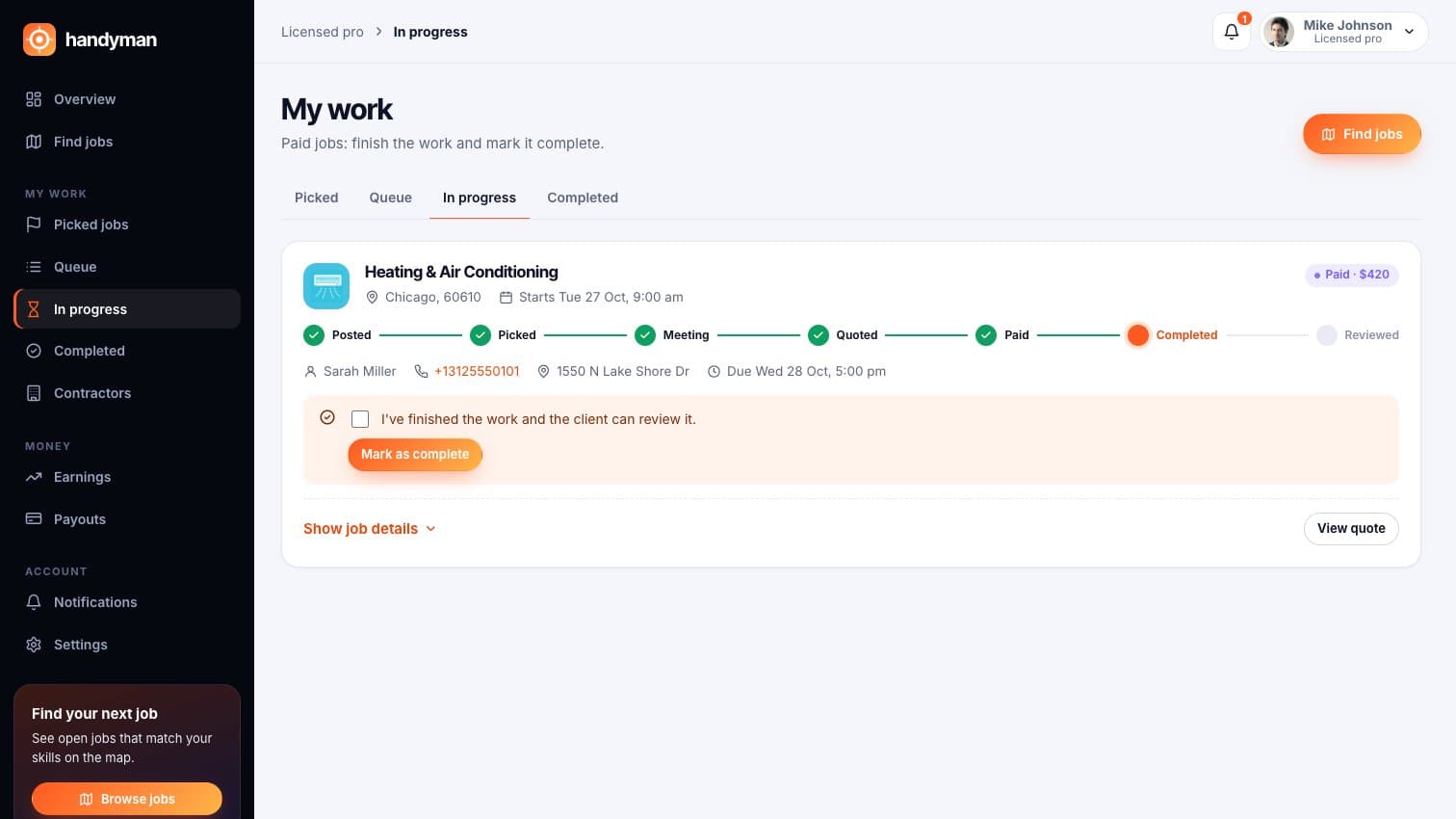
Handyman: Marking a job complete so the client can review it
Marking a job complete so the client can review it
Handyman: Finished jobs with the reviews clients left
Finished jobs with the reviews clients left
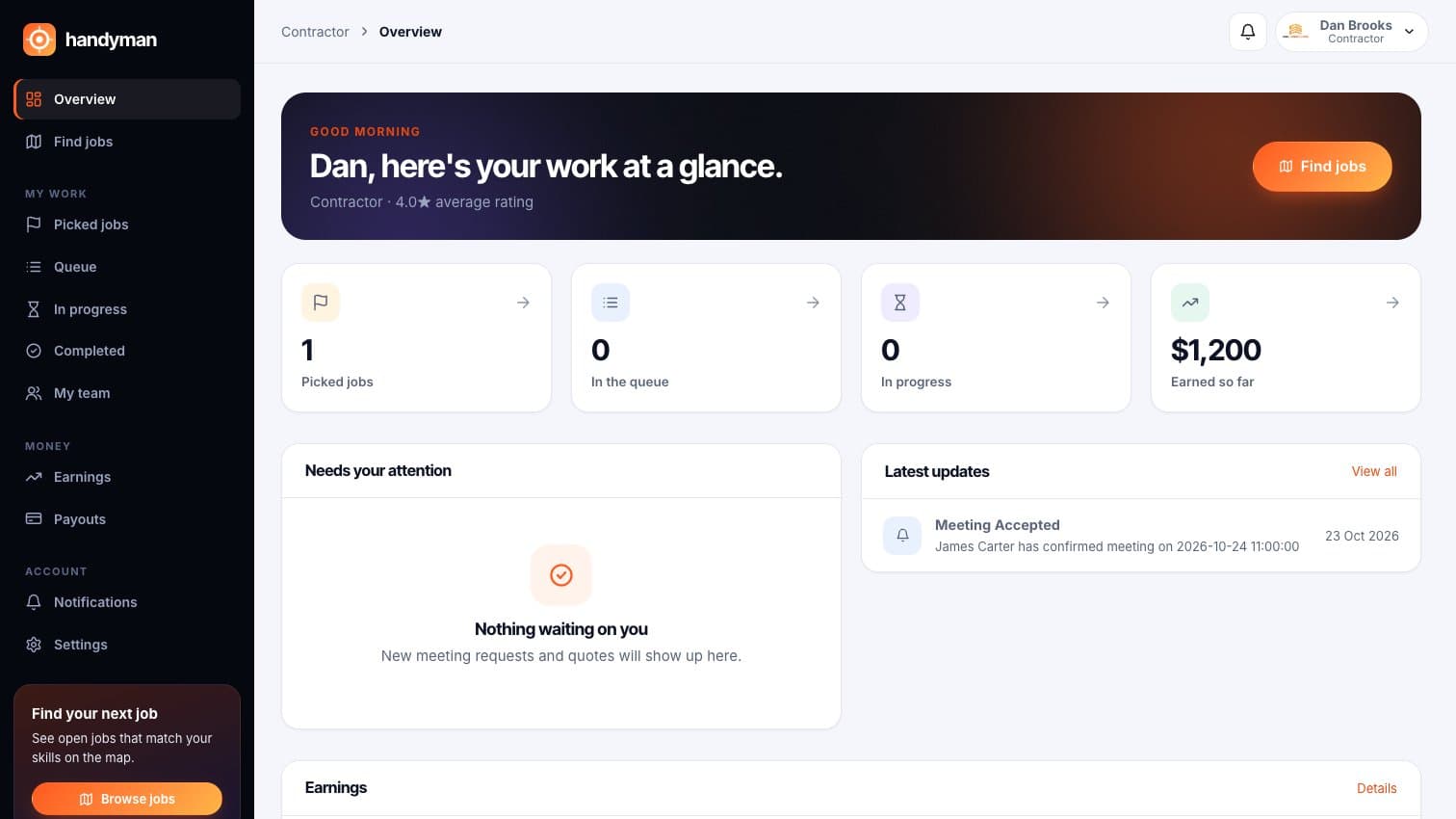
Handyman: A contractor's dashboard with confirmed visits
A contractor's dashboard with confirmed visits
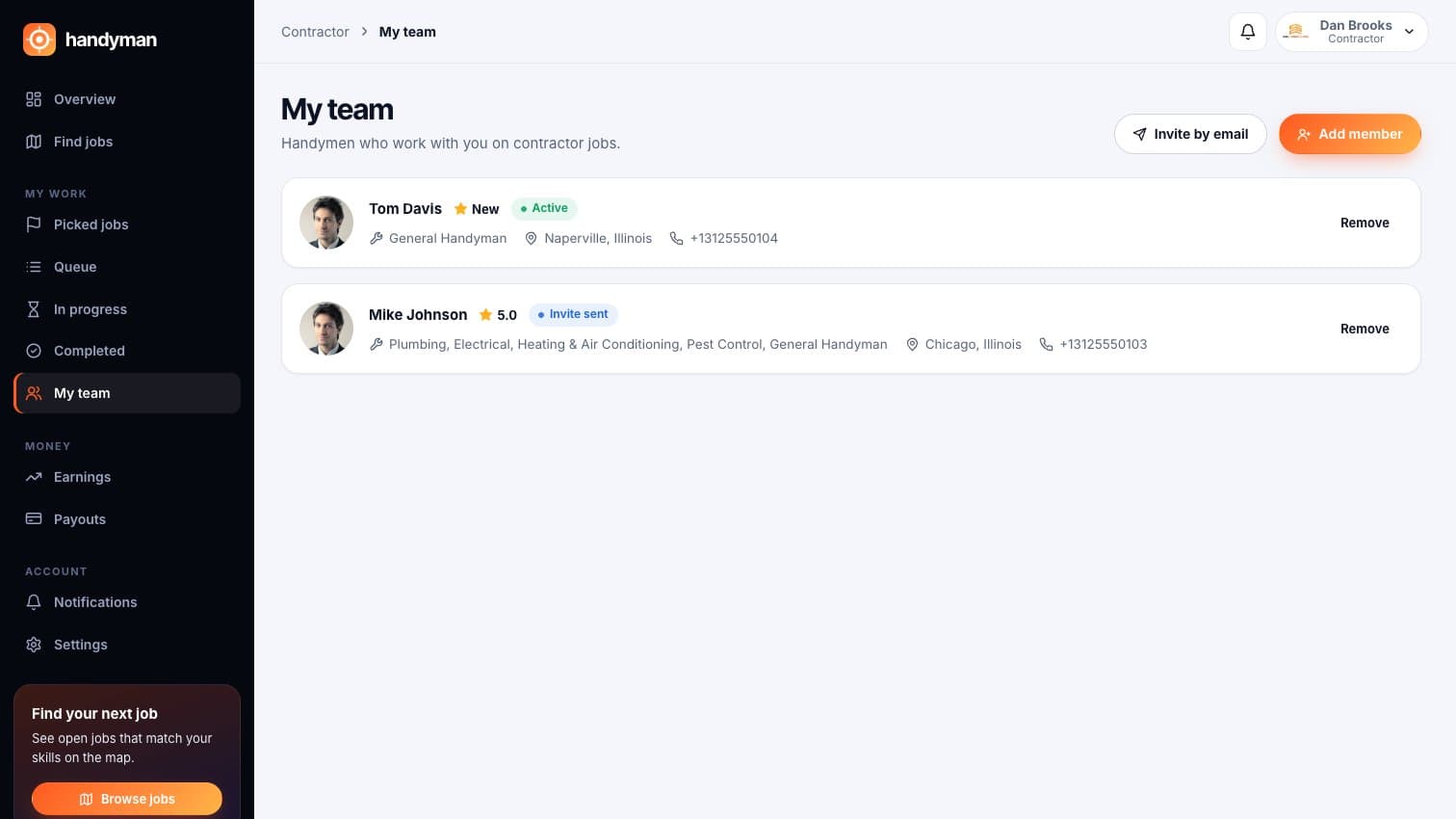
Handyman: A contractor's team, with an invite still pending
A contractor's team, with an invite still pending

For your team

Run the marketplace and the website from one admin panel.
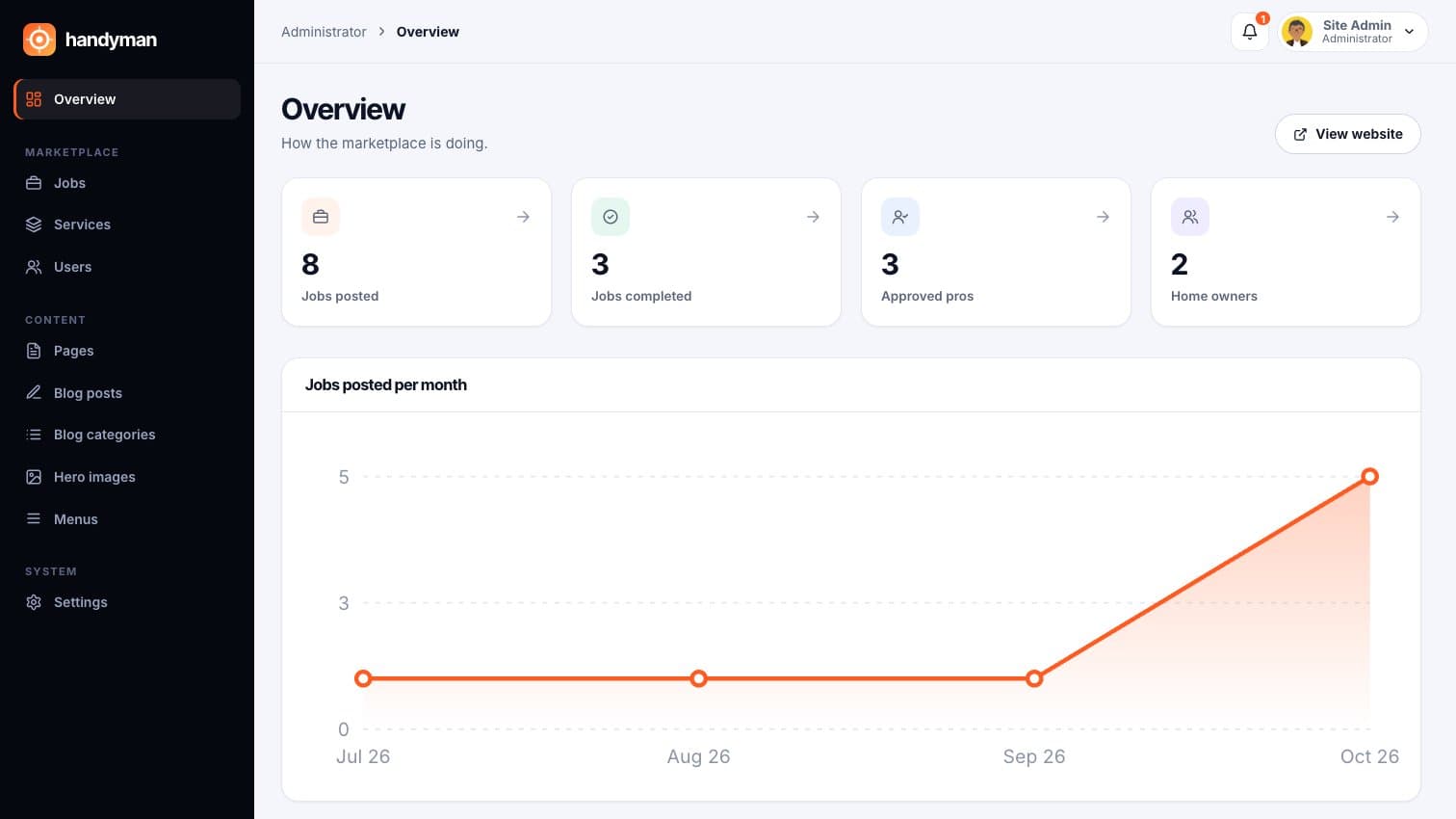
Handyman: Overview: jobs posted and completed, approved pros, home owners
Overview: jobs posted and completed, approved pros, home owners
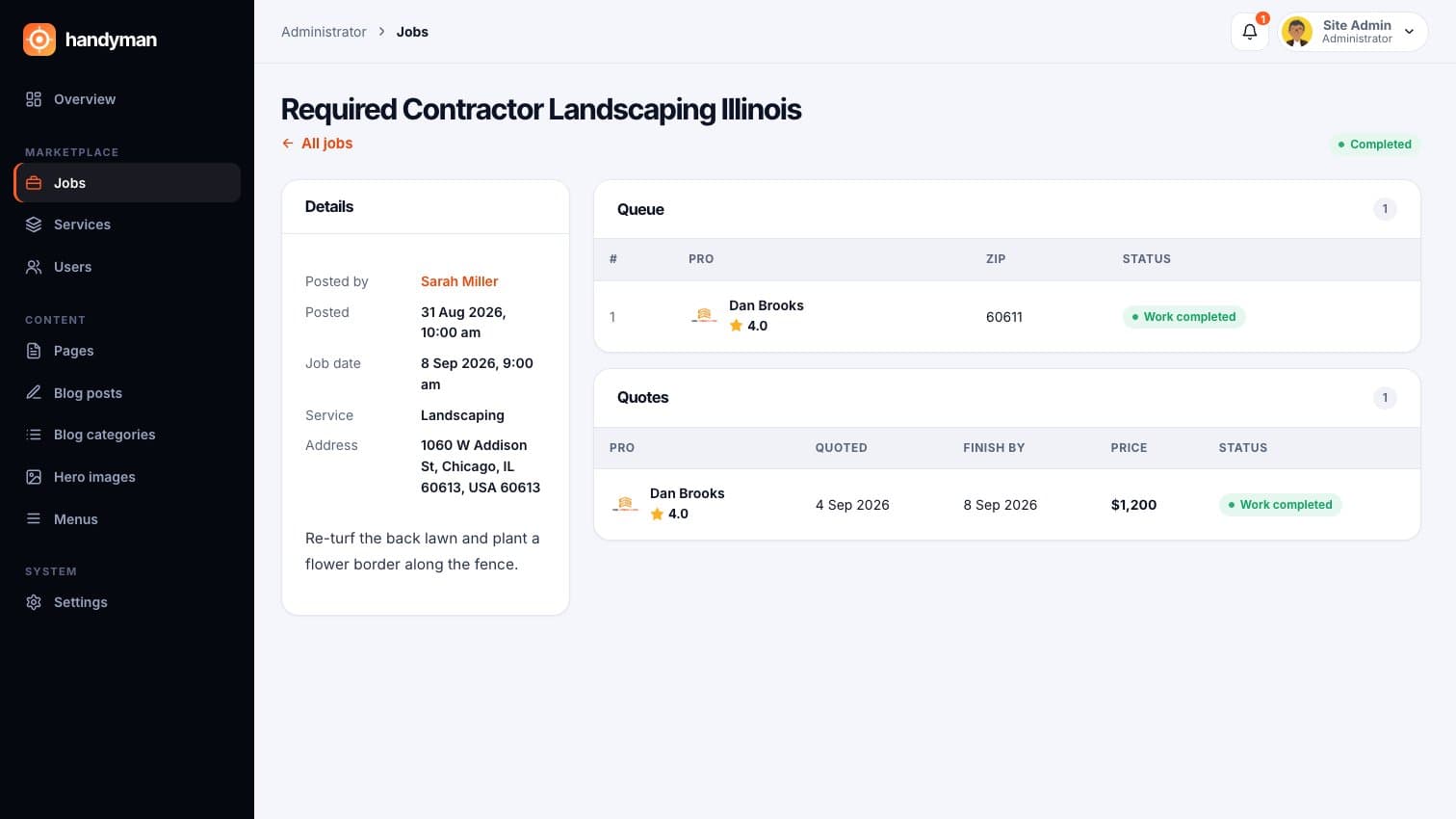
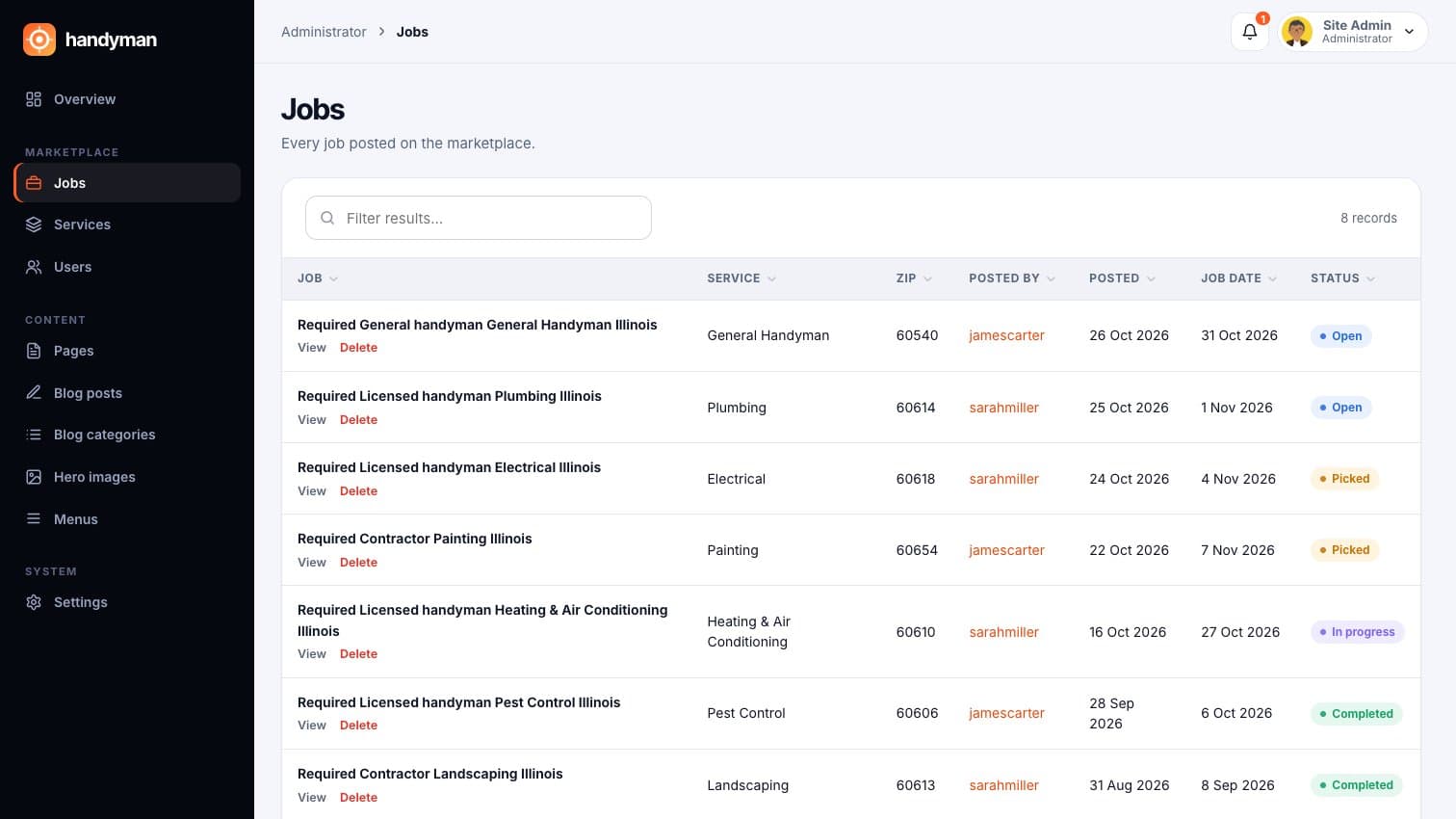
Handyman: Every job on the platform with its status
Every job on the platform with its status
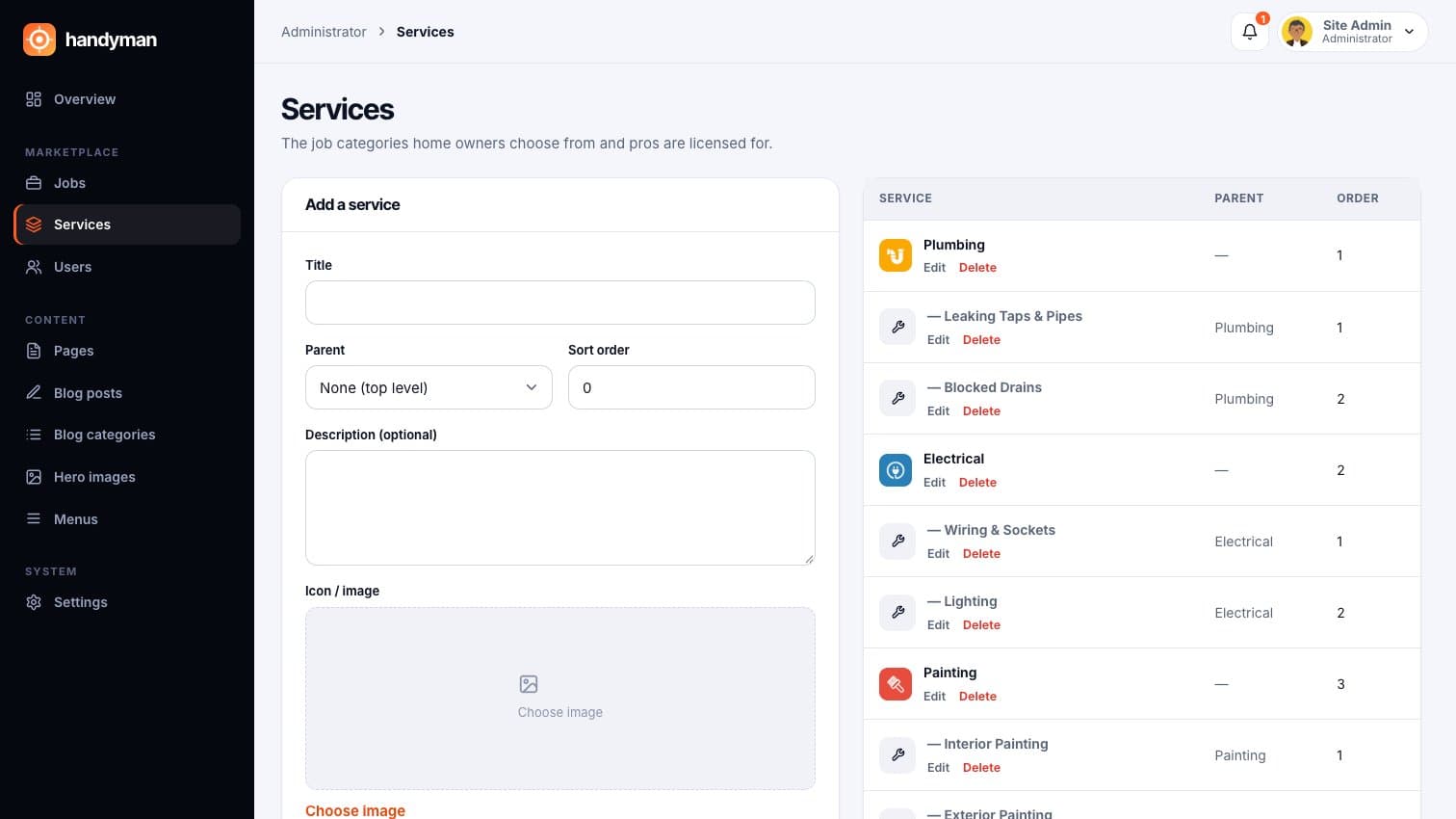
Handyman: Services and sub-services home owners choose from
Services and sub-services home owners choose from
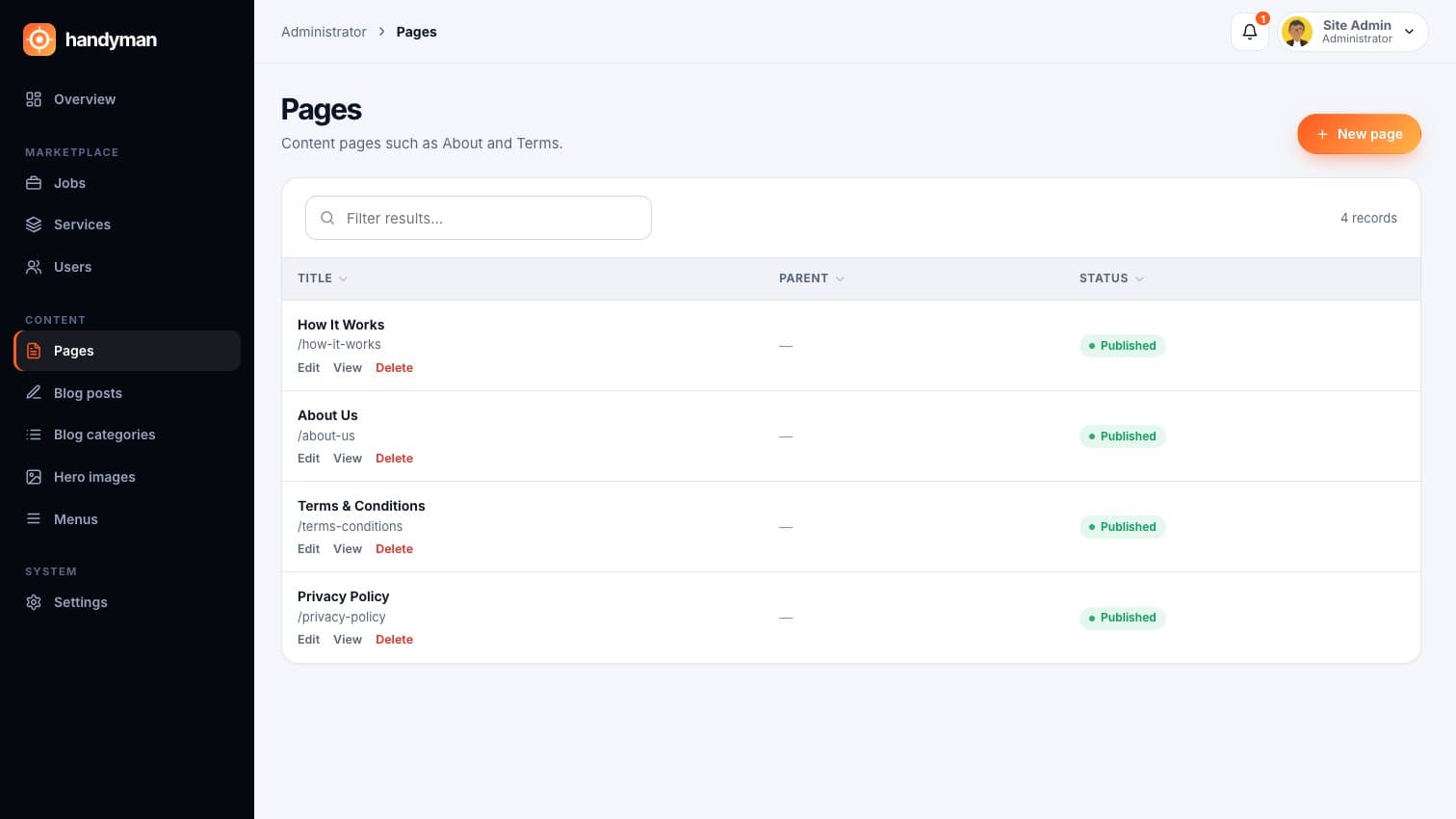
Handyman: The public website's pages, edited from the admin
The public website's pages, edited from the admin

Use cases

Who runs Handyman, and what they use it for.

  • A local home-services startupLaunch a marketplace for your city with your own name, and grow it area by area as more pros sign up.
  • A property maintenance companySend repair jobs across your buildings to a vetted pool of handymen, with every quote and payment on record.
  • A trade association or co-opGive your members a steady stream of local jobs, and give home owners a trusted place to find them.
  • A contractor with a crewTake bookings online, quote fixed prices, and share the work with your own team of handymen.
  • A real estate or letting agencyOffer landlords and tenants a fix-it service under your brand and earn a commission on each job.
  • An existing directory siteTurn a list of tradespeople into bookings and payments, so you earn from jobs, not just listings.

Getting started

How we take Handyman from your plans to go-live.

  1. 01Agree your brand name, colours, services and commission
  2. 02We set up your Stripe, email, SMS and maps accounts
  3. 03Add your service categories and the areas you cover
  4. 04Approve your first pros and test a job from start to finish
  5. 05Go live on your own domain

What we need from you

  • Your brandName, logo and colours, plus the business details shown in emails and on the site.
  • A Stripe accountFor card payments from home owners and payouts to pros. We connect it for you.
  • Your services and areasThe jobs you'll offer, from plumbing to landscaping, and the cities or zip codes you cover.
  • A domain and emailWhere the site lives and the address its emails come from.
  • A Google Maps keyFor the job map and address search. We can create it with you.
  • A Twilio number (optional)Only if you want text messages and replies by SMS.

What you get

The marketplace

4 included
  • Public website with search and job map
  • Home owner dashboard
  • Handyman and contractor dashboards
  • Admin panel

Set up for you

4 included
  • Stripe payments and payouts
  • Email and SMS notifications
  • Maps and address search
  • Your brand, services and commission

After launch

3 included
  • Walkthrough for your admin team
  • Help importing pros and jobs you already have
  • Changes and new features on request

Questions

Who is Handyman for?

Anyone who wants to run a home-services marketplace: a startup, a maintenance company or an association of tradespeople. Home owners post jobs, pros pick them up, and your team runs it from the admin panel.

How do home owners know a pro can be trusted?

Pros upload their driving and trade licences when they sign up, and an admin approves them before they can pick any job. Every finished job gets a star rating and a review on the pro's profile.

When does the pro get paid?

If the quote includes a deposit, the pro gets it as soon as the home owner accepts. The rest is held until the home owner approves the finished work, then it goes to the pro's Stripe account, minus your commission.

How does the platform make money?

You set a commission percentage in the admin panel and it's taken from each job's payout automatically.

What if something goes wrong?

The home owner can open a dispute instead of approving the work. It goes straight to your admin team, and the payment stays held until it's sorted.

Can several pros go for the same job?

Yes. Pros who pick a job join its queue, so the home owner can see who's interested and get a quote they're happy with.

Do people need to download an app?

No. Everything works in the browser on a phone or computer, and the key steps can be answered by text message.

Can it carry our own name?

Yes. The name, logo, contact details, currency and commission are all set in the admin panel.

We already have pros and customers on another site. Can we move them?

Usually, yes. We look at your current data and bring across the pros, home owners and jobs that matter.

How do I see a demo?

Request a demo and we'll walk you through a job from posting to payout, as a home owner, a pro and an admin.

See Handyman live.

We'll walk you through it live, online or on-site, set up the way your business works.