

Work / Case study
Volunteer Management System
One system for the hospital's whole volunteer programme, from first application to final certificate
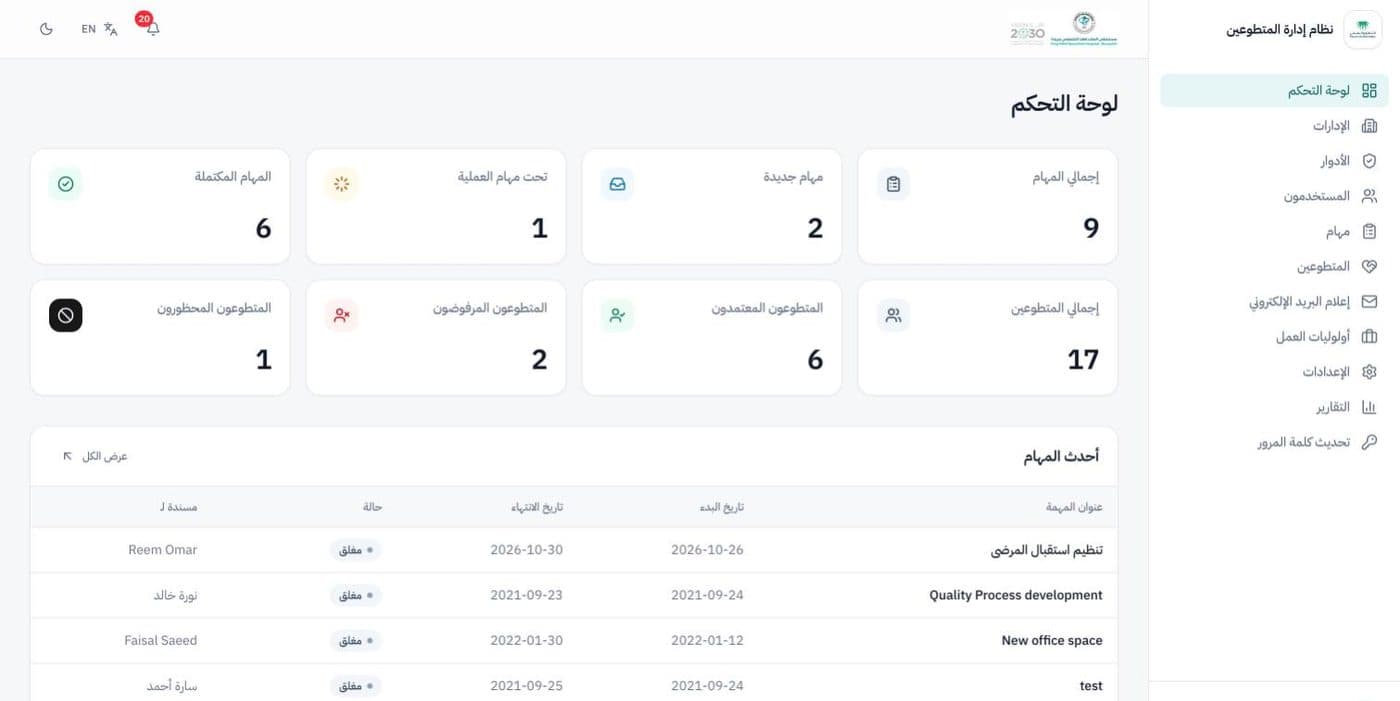
Recruiting, placing and recognising volunteers, all in one place.
King Fahd Specialist Hospital in Buraidah runs a volunteer programme across its departments. We built the system that runs it: people apply online, staff review and approve them, departments assign tasks and track hours, and every volunteer leaves with a certificate printed on the hospital's own design.
- 10Modules, from online applications to printed certificates and ID cards
- 3Views: hospital admin, department staff and volunteers
- 2Languages, Arabic (right to left) first, plus English
- 1Click from a closed task to the volunteer's certificate
What the hospital needed
Volunteers give the hospital their time across many departments. The programme needed one place to run it, fairly and accurately, from the first application to the final certificate.
- Take applications online and review them against the hospital's criteria.
- Give each department its own view of its volunteers and tasks.
- Record every volunteer's hours accurately, task by task.
- Issue certificates, contracts and ID cards on the hospital's official designs.
- Work in Arabic first, with English for international staff and volunteers.
Our solution
One volunteer journey
Apply, get reviewed, get approved, take on tasks, log hours, receive a certificate: every step happens in the same system, with nothing kept on paper or in spreadsheets.
Arabic first, right to left
Every screen is designed for Arabic and right-to-left reading first, with a full English version and light and dark themes.
The right access for every role
Roles built from individual permissions decide who can review, assign or report, and volunteers only ever see their own tasks, files and documents.
Print-ready documents
Certificates, contracts and ID cards print straight from the browser on the hospital's official designs, with Arabic text shaped correctly.
What we built
A dashboard for every role
Administrators see the whole programme at a glance: tasks by status, volunteers approved, rejected or blacklisted, and the latest work. Department staff see a chart of their own tasks, and volunteers see their assigned and completed tasks and their certificates.
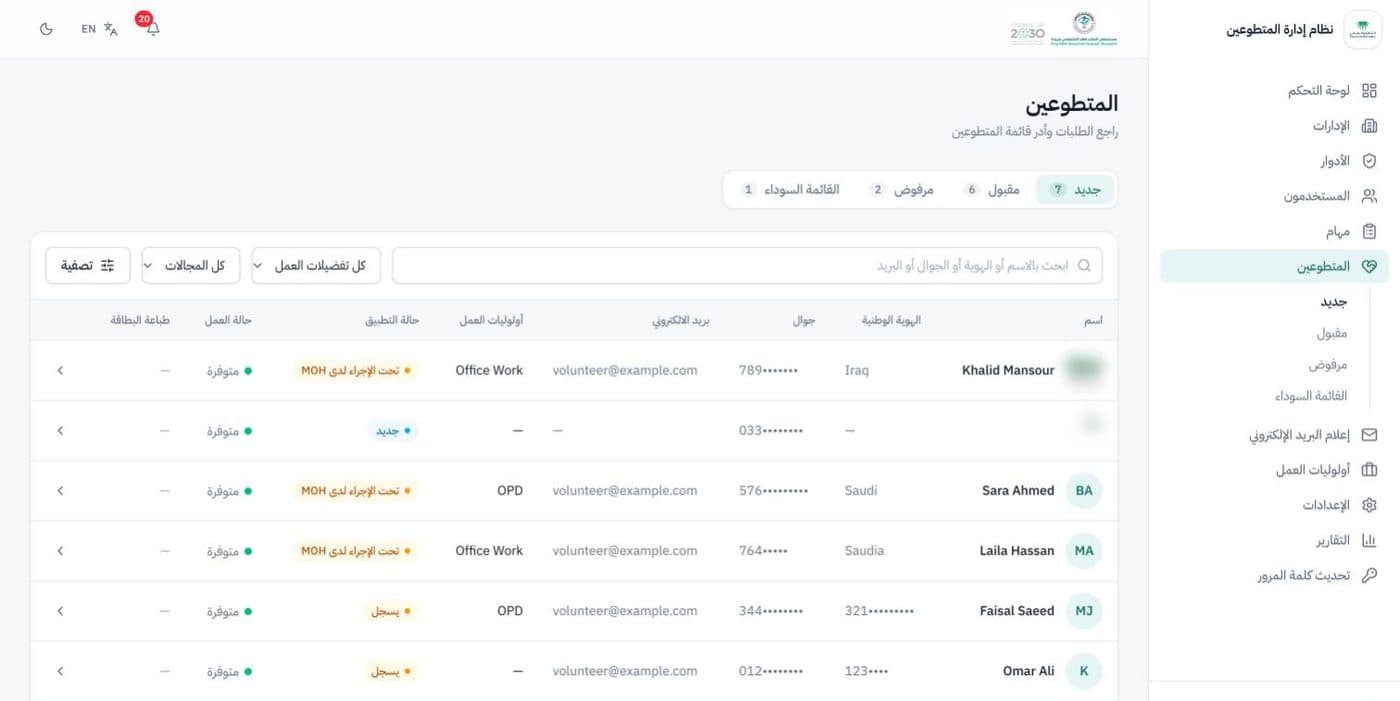
Applications, reviewed in one place
New applications arrive from a public form. Staff review them in status tabs, search and filter by work preference and field, and move each volunteer through review, approval, rejection or the blacklist with a full history.
- Search by name, national ID, mobile or email
- Status history on every profile
- Volunteer ID card printed from the list
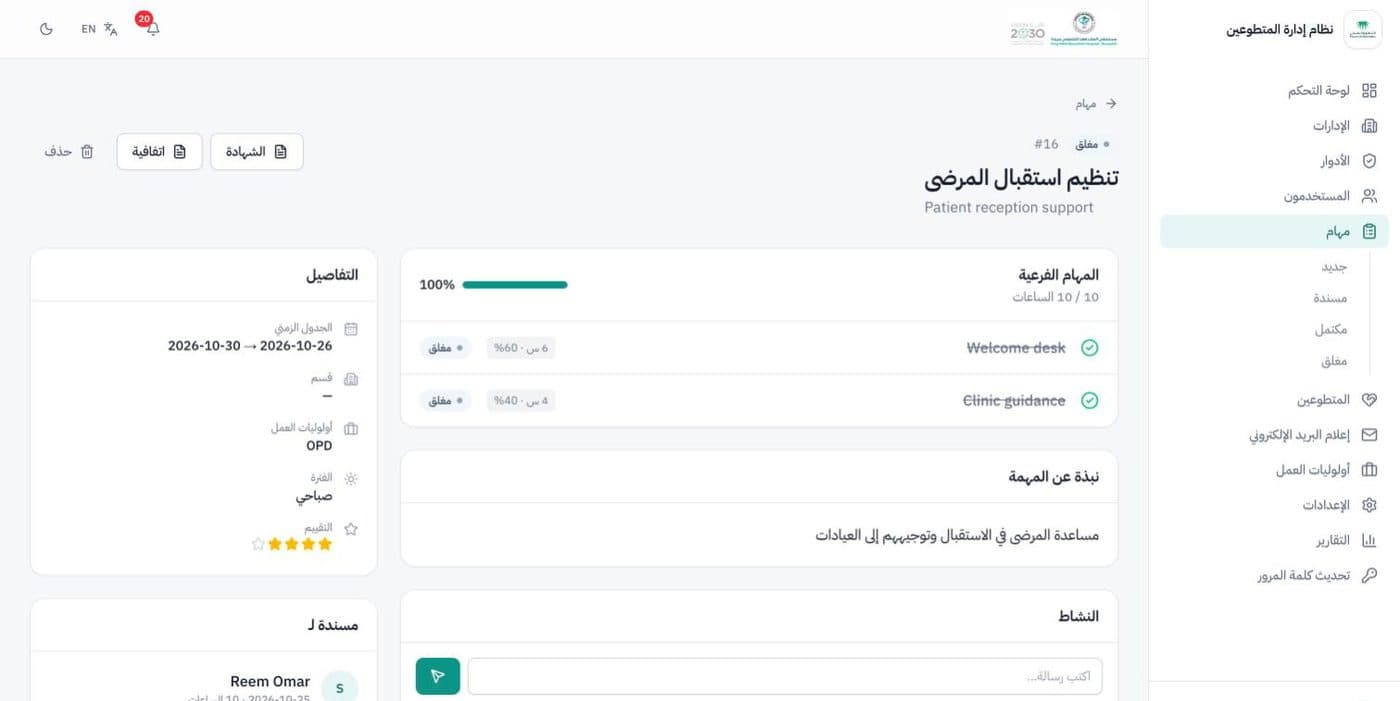
Tasks with sub-tasks and weighted hours
Each task is split into sub-tasks with a share of the hours, assigned to a volunteer and tracked to completion. An activity feed records every change, and closing a task adds a rating and the volunteer's hours.
- Attachments and comments on each task
- Progress from the weighted sub-tasks
- Certificate and contract one click away
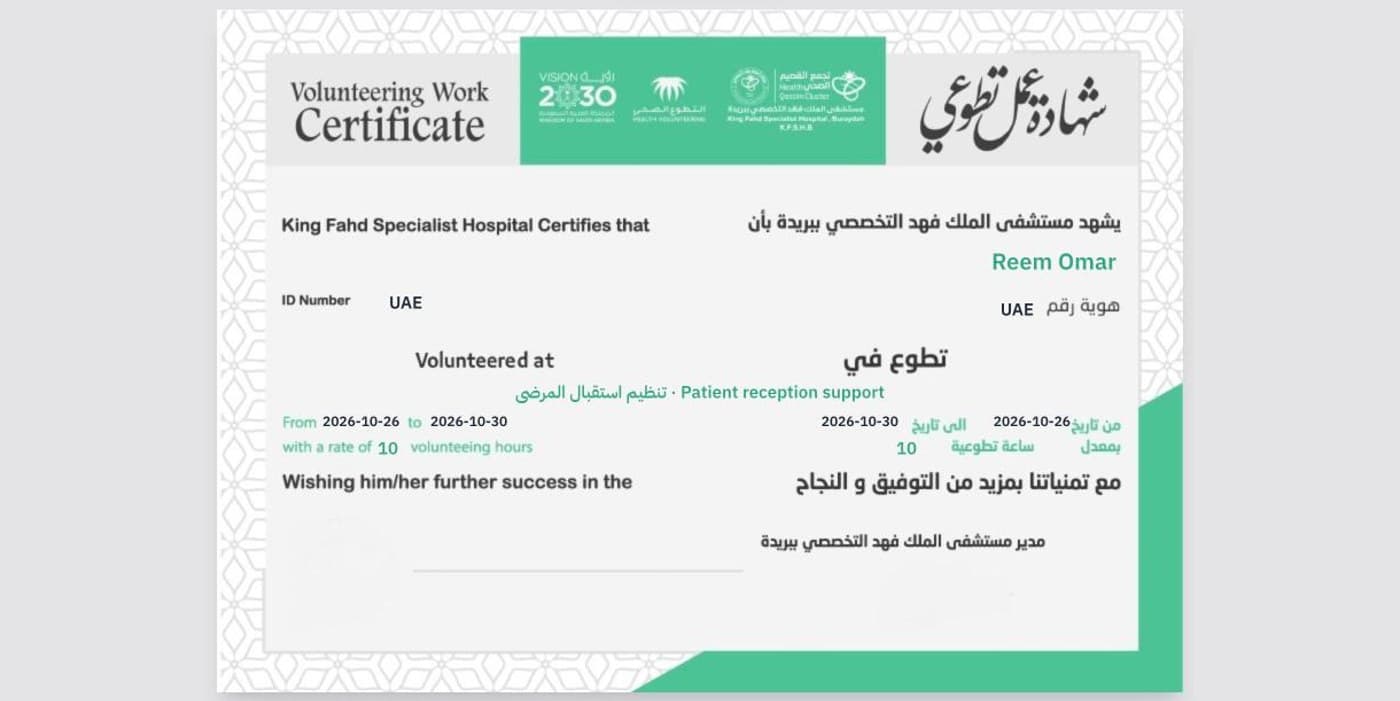
Certificates on the hospital's own artwork
When a task is closed, the volunteer's certificate is ready to print in Arabic and English on the hospital's official design, with their name, the task, the dates and the hours filled in. Contracts and volunteer ID cards work the same way.
- Printed or saved as PDF straight from the browser
- Arabic text shaped correctly in every document
- Signature and stamp set once in Settings
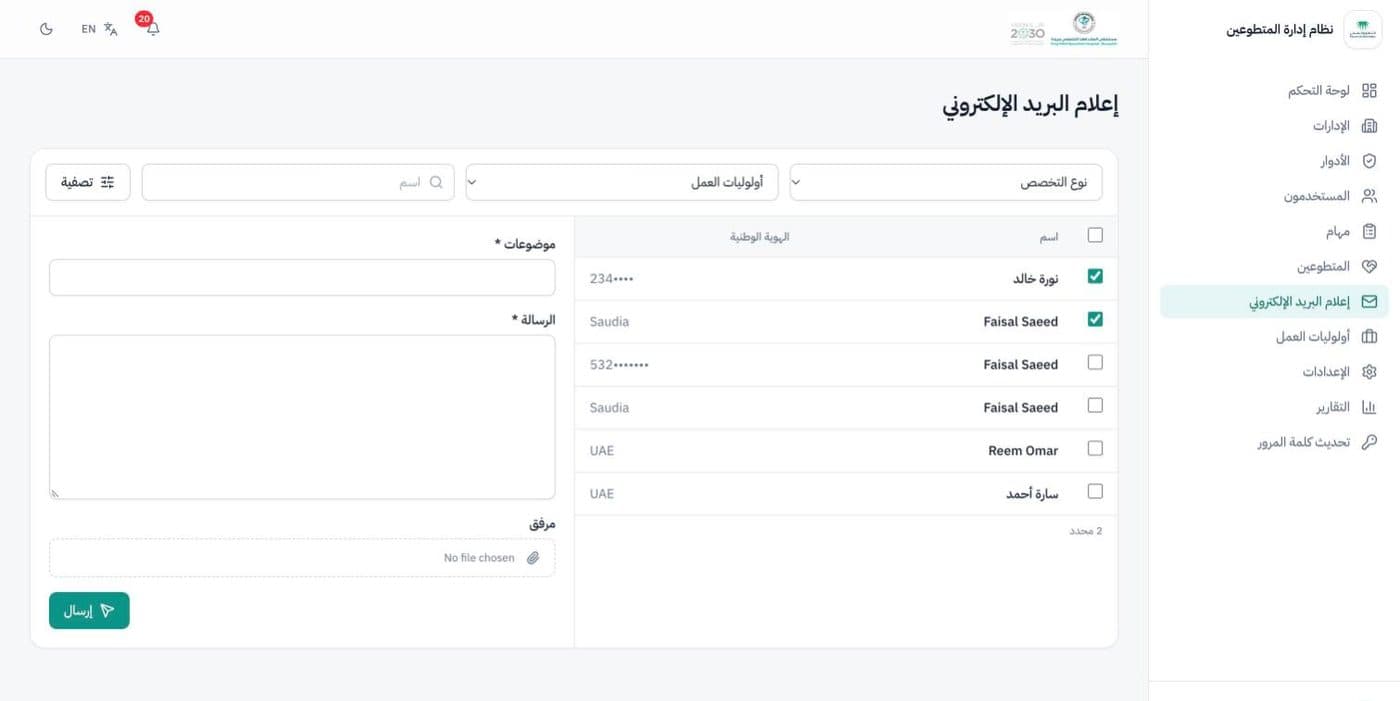
Email volunteers in a few clicks
Staff filter approved volunteers by field and work preference, tick who should hear from them, and send a message with an attachment, so shift changes and invitations reach the right people.
- Filter by specialty, work preference or name
- Pick recipients one by one or all at once
- Attach a schedule, form or guide
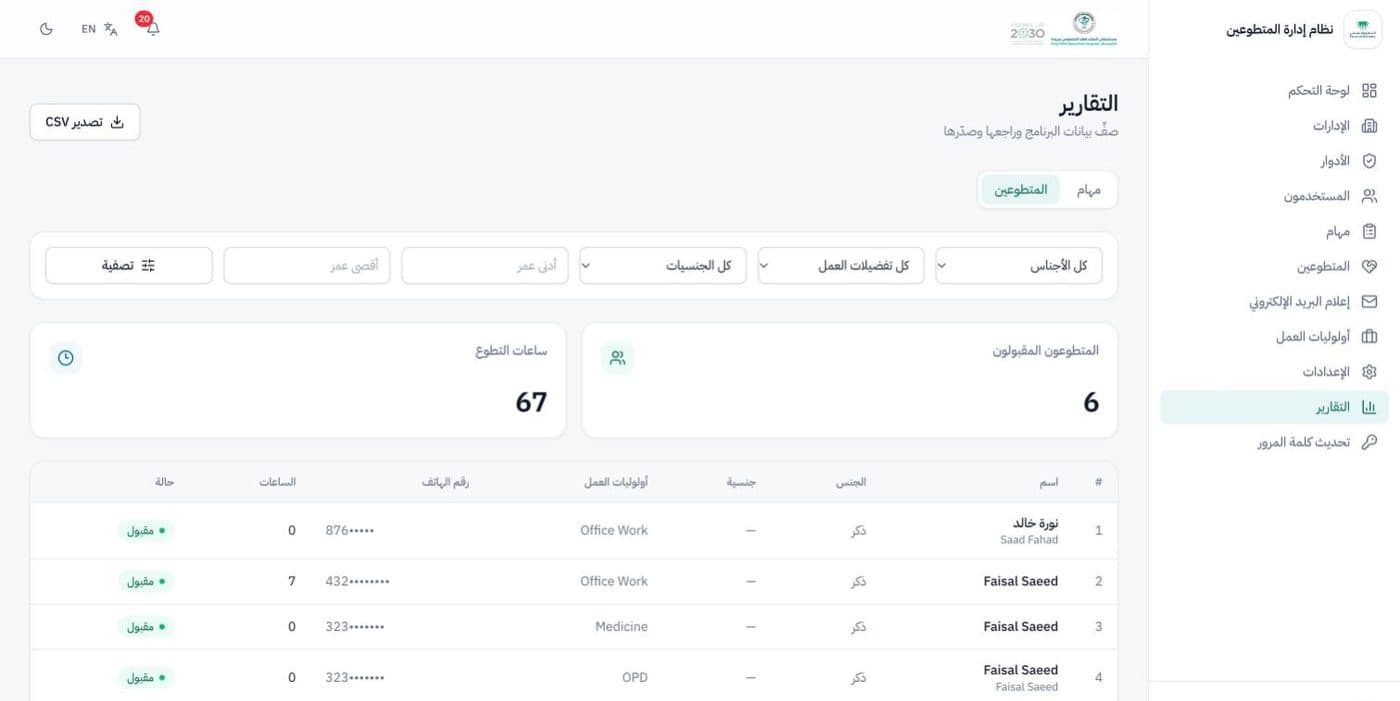
Reports you can export
Task and volunteer reports with filters for department, dates, gender, nationality, work preference and age, with totals at the top and a CSV export for anything else.
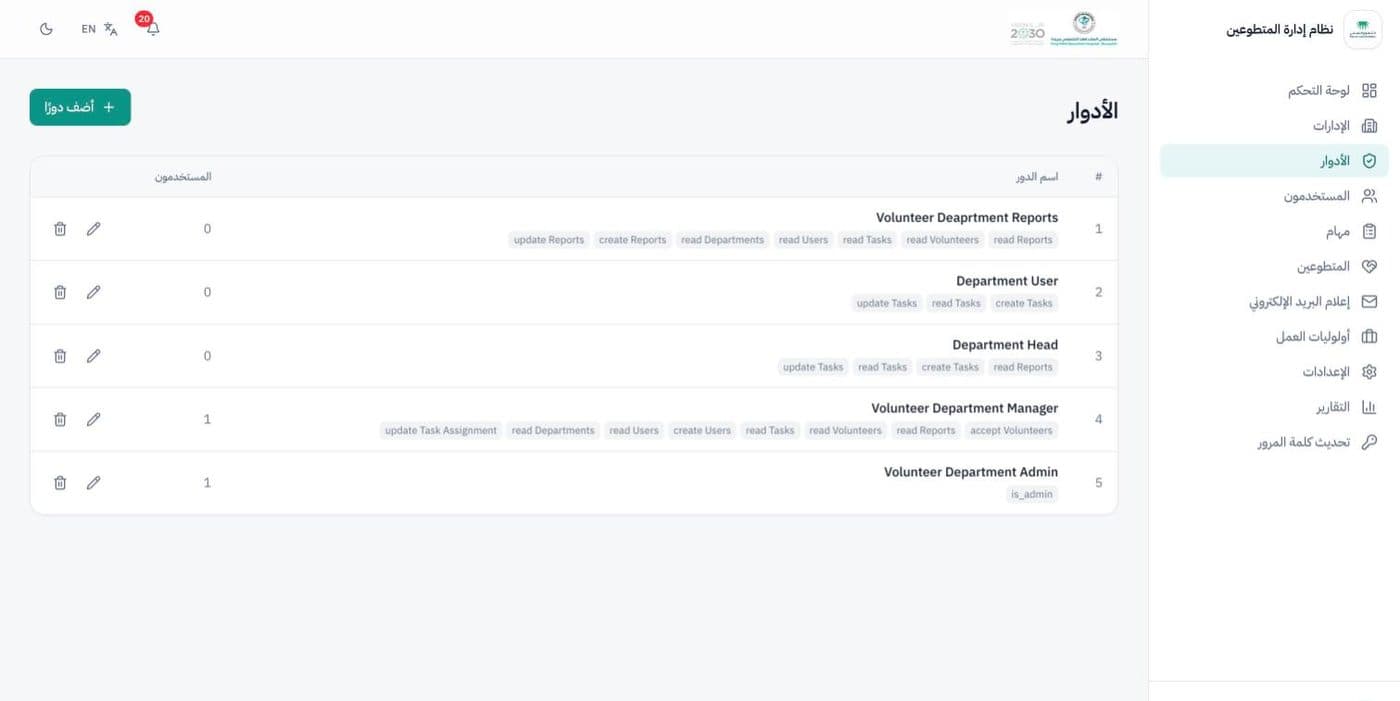
Roles and permissions
Staff accounts get roles built from individual permissions, so the hospital decides exactly who can review applications, assign tasks or see reports.
More screens
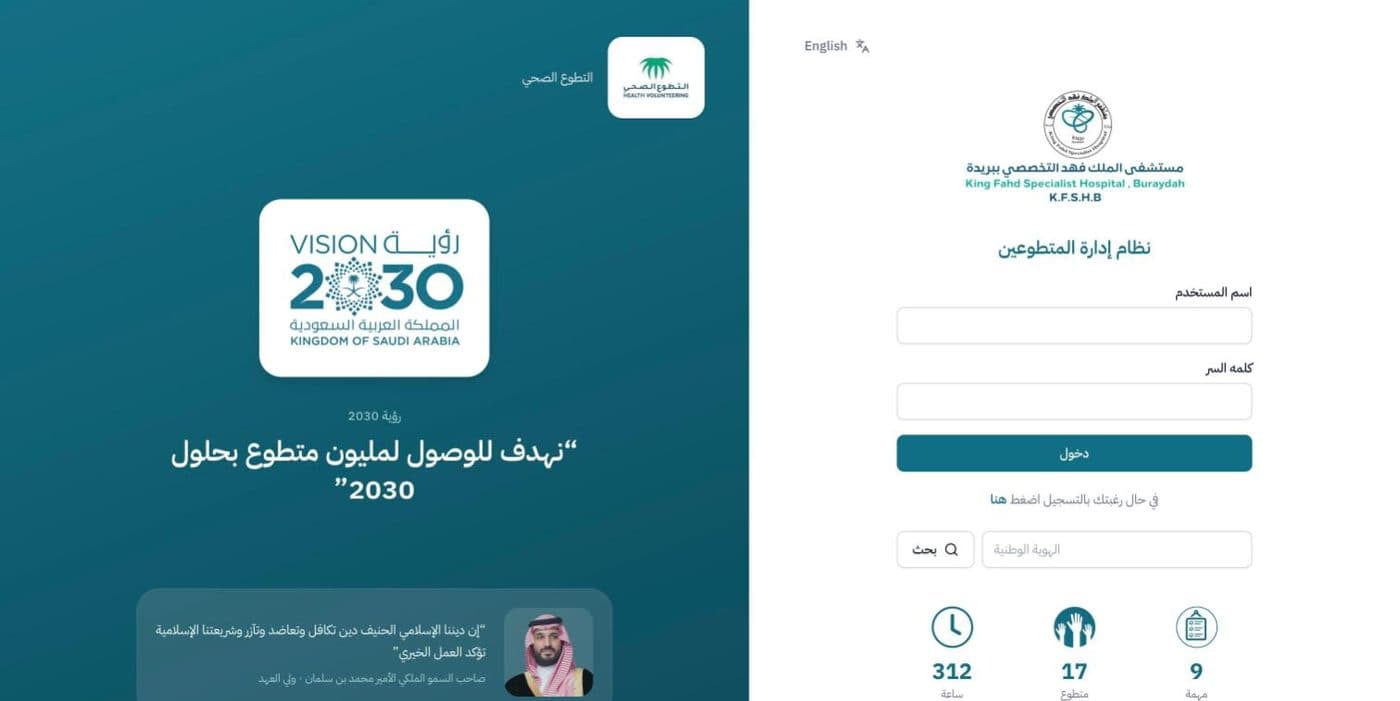
Sign-in, in the hospital's branding with live programme totals
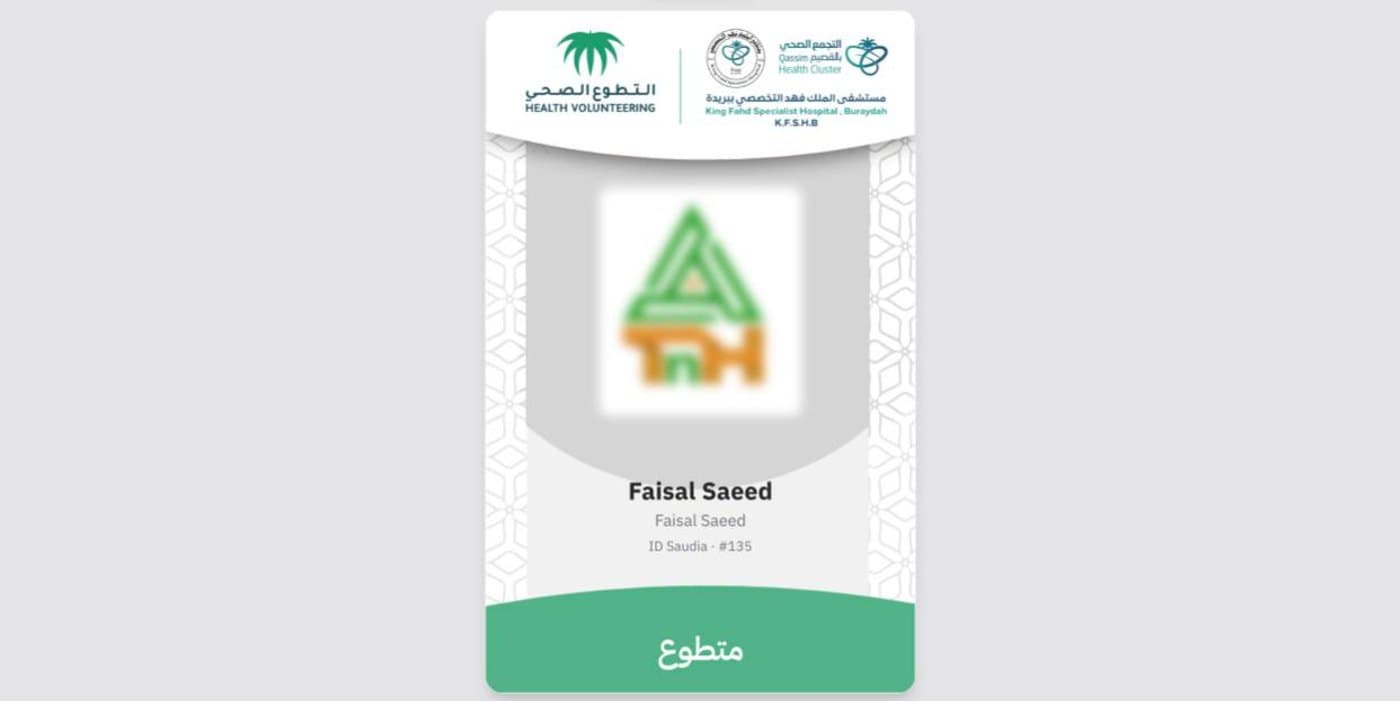
Volunteer ID card, ready to print
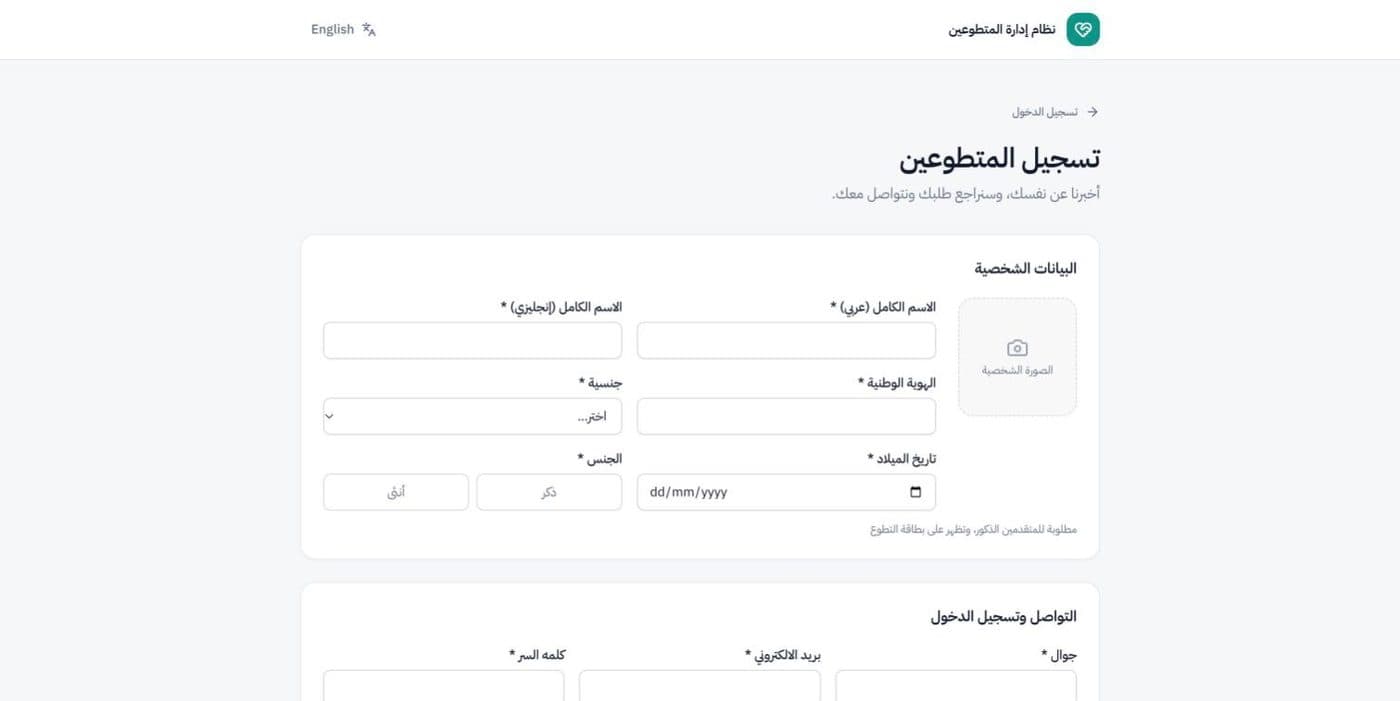
Public application form for new volunteers
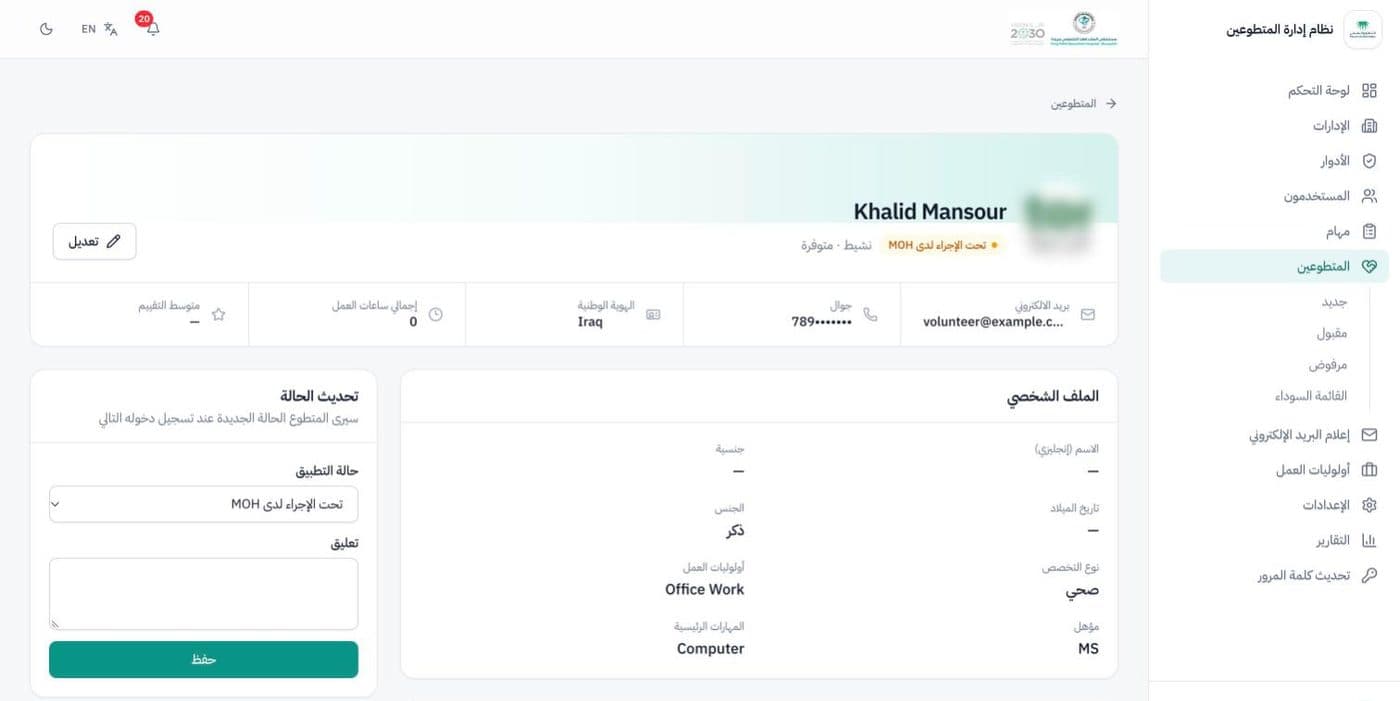
Volunteer profile and status update
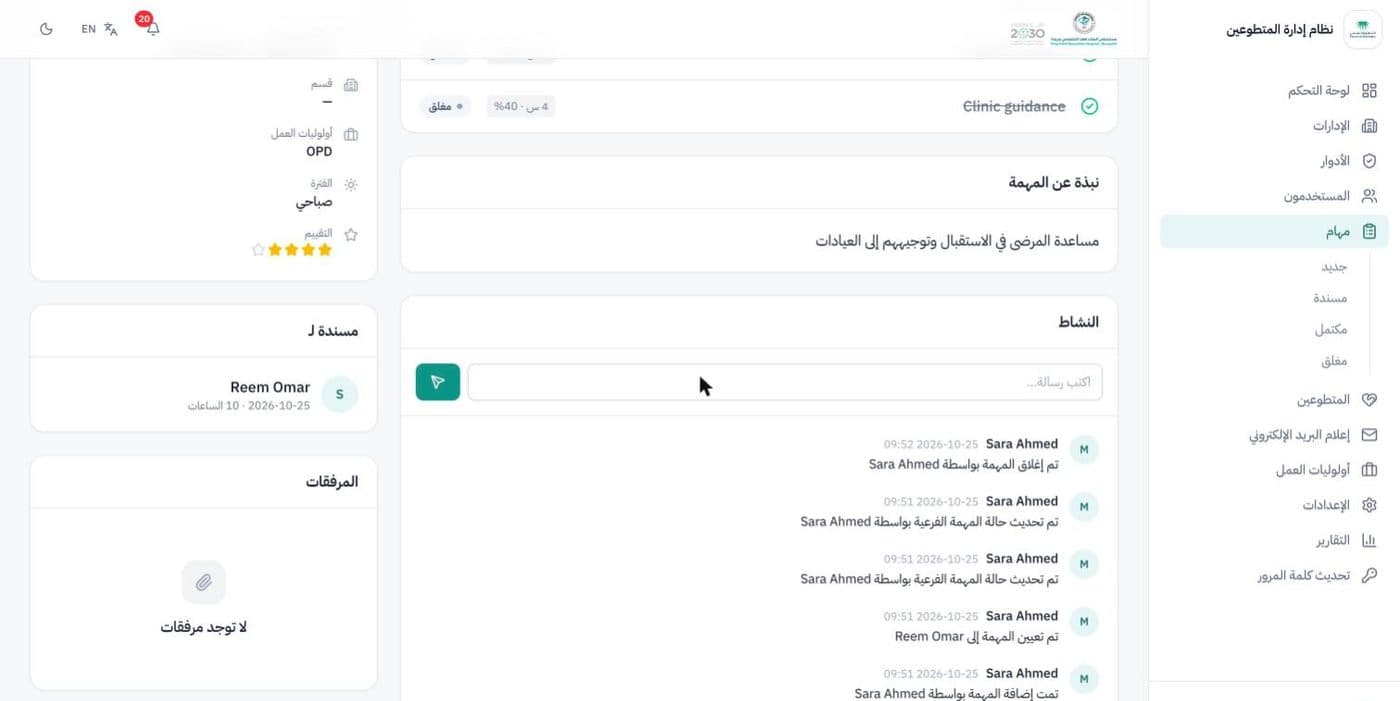
Every change logged in the task's activity feed
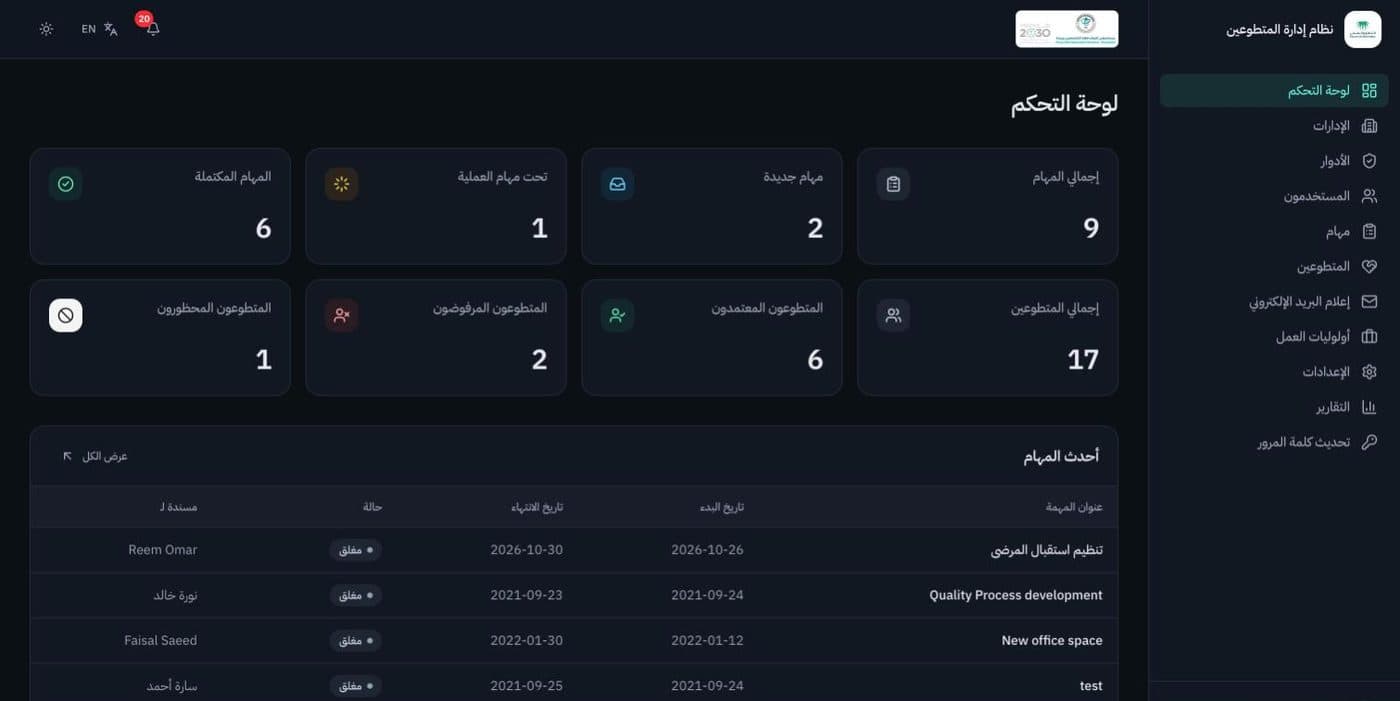
Dark mode
Built with
- Next.js
- React
- TypeScript
- Prisma
- MySQL
- Tailwind CSS
Volunteer names, emails, phone and ID numbers in these screens are sample data, and the signature and stamp are blurred.