

Work / Case study
3S Portal (Student Services)
One portal where every student can ask for help, share an idea or say thank you
Every student request heard, tracked and answered.
The College of Computer at Qassim University wanted students to reach the right people without chasing emails or office visits. We built 3S Portal, the Student Services Portal: students raise help requests, suggestions and appreciations, staff assign and resolve them, and the college keeps everyone informed with announcements.
- 3Ways to reach the college: get help, post a suggestion, send an appreciation
- 7Statuses that follow each request, from lodged to closed or reopened
- 2Dashboards: a personal one for everyone, plus an admin view of the college
- 2Languages, English and Arabic (right to left)
What the college needed
Students had questions and problems about teaching, labs, timetables and fees, and ideas worth hearing. The college needed one place to take them in and make sure each got an answer.
- Let students raise a request, idea or thank-you in a minute, with files attached.
- Route each request to the right department and staff member.
- Keep the student updated at every step, with a conversation on the request.
- Send announcements to students, staff or both, by college and department.
- Report on the issues students raise most, by college and department.
Our solution
One request journey
Lodged, assigned, in progress, completed and closed, or rejected and reopened: every step is logged on the request and the student is notified.
The right people see it
Staff roles are tied to a college and department, so each team sees its own requests plus anything assigned to them, and students only ever see their own.
Announcements that land
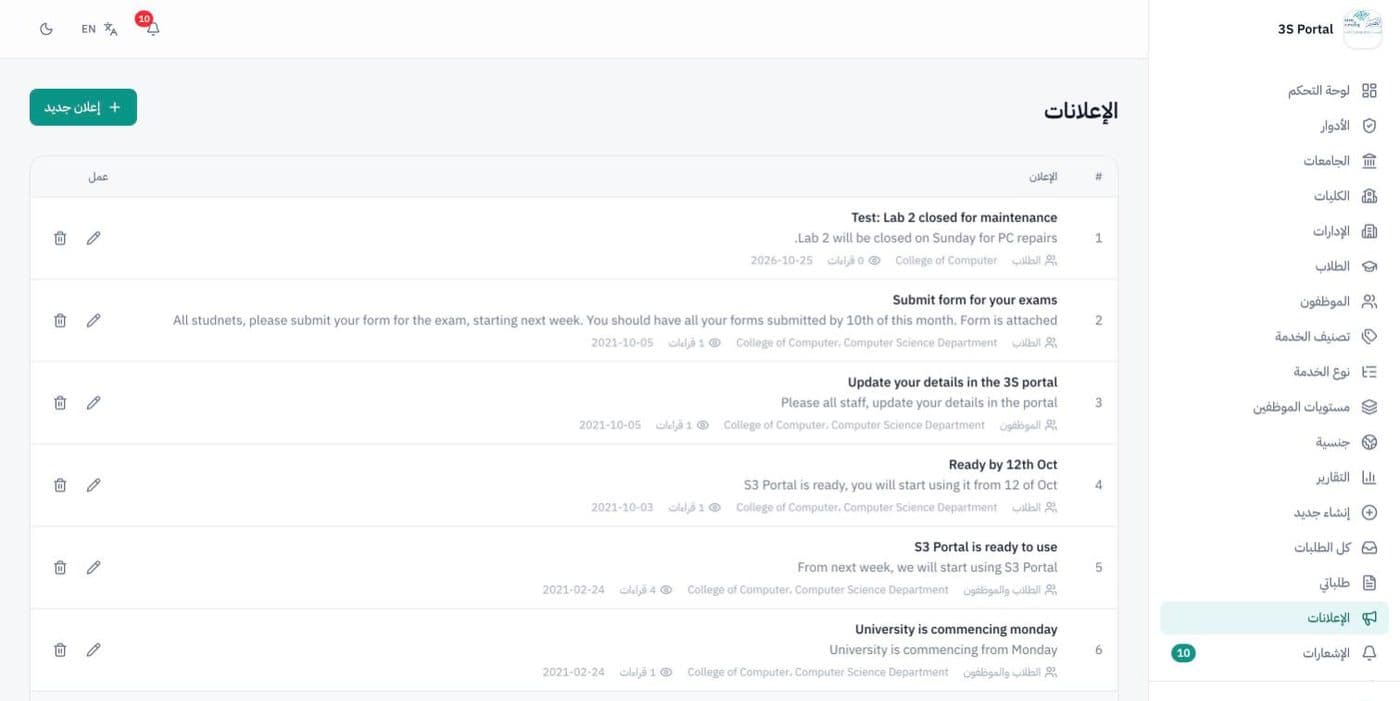
News goes to students, staff or both, filtered by college and department, with attachments and a count of how many people have read it.
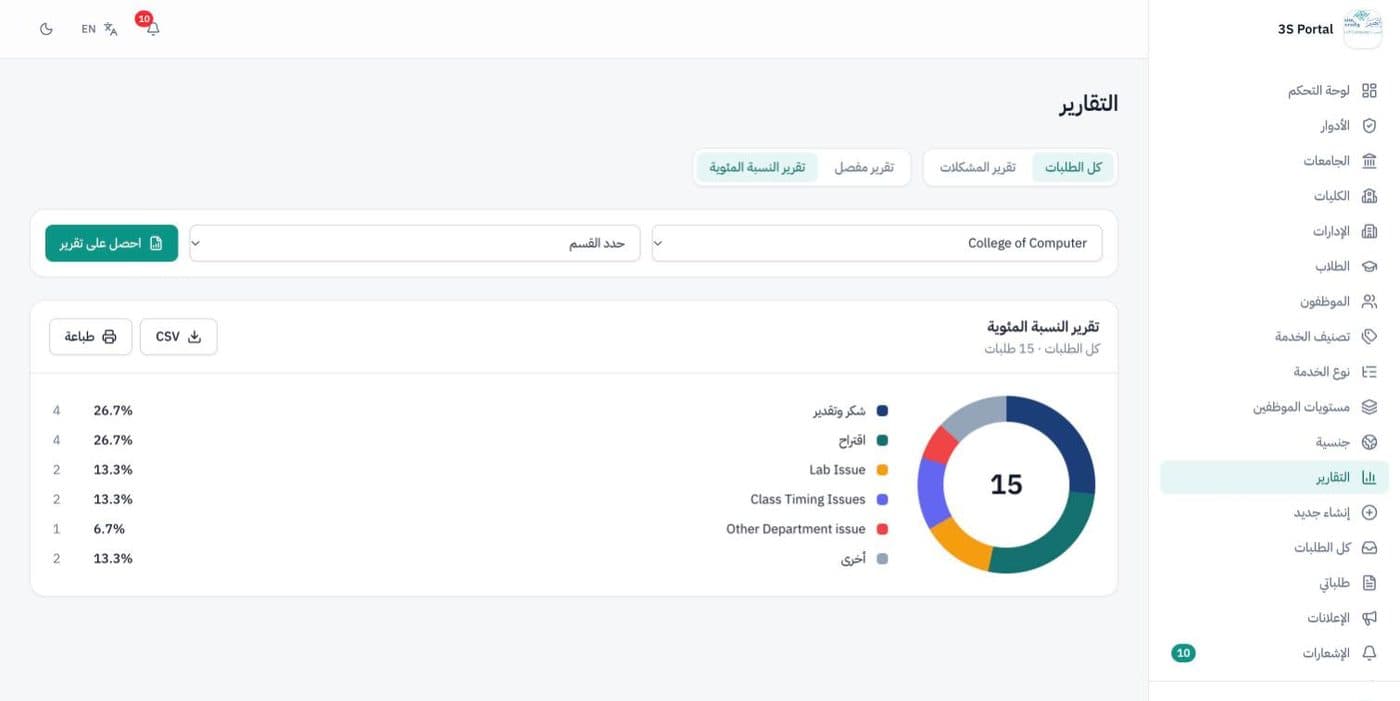
Reports that show the trends
Detailed and percentage reports of the most common issues, with an average time to resolve, printed or exported to a spreadsheet.
What we built
The whole college at a glance
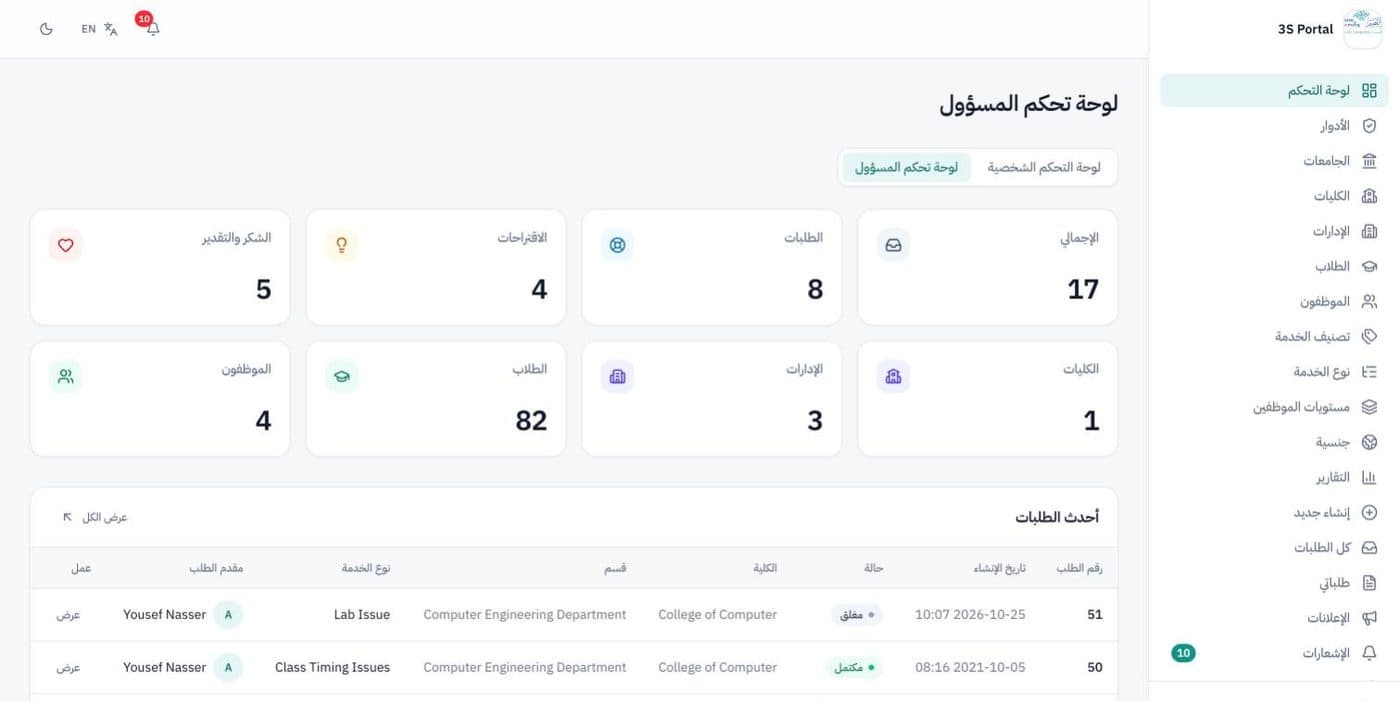
The admin dashboard counts every request, suggestion and appreciation alongside colleges, departments, students and staff, with the latest requests underneath. Every user also gets a personal dashboard of their own requests.
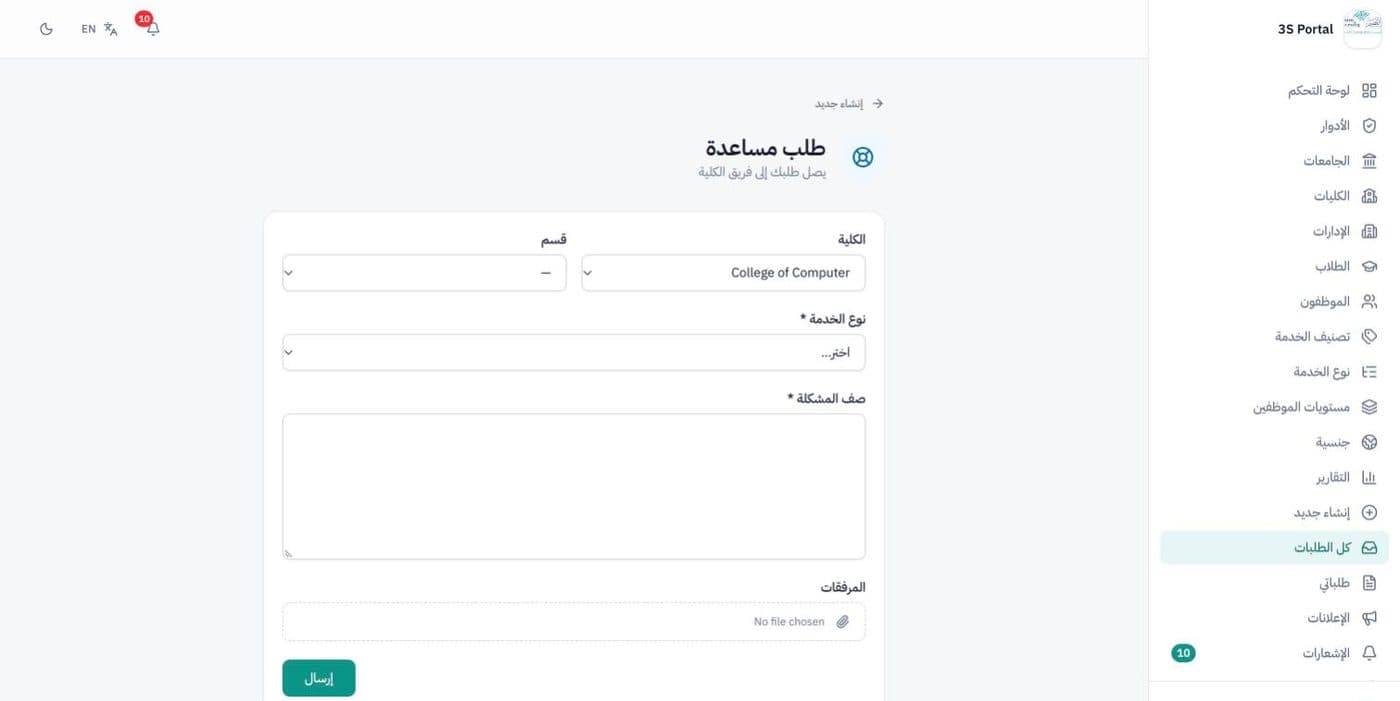
Asking for help takes a minute
Students choose what they want to do, pick the college, department and type of service, describe the issue and attach files. The request goes straight to the right team.
- Get help, post a suggestion or send an appreciation
- Service types set by the college
- Files attached to any request
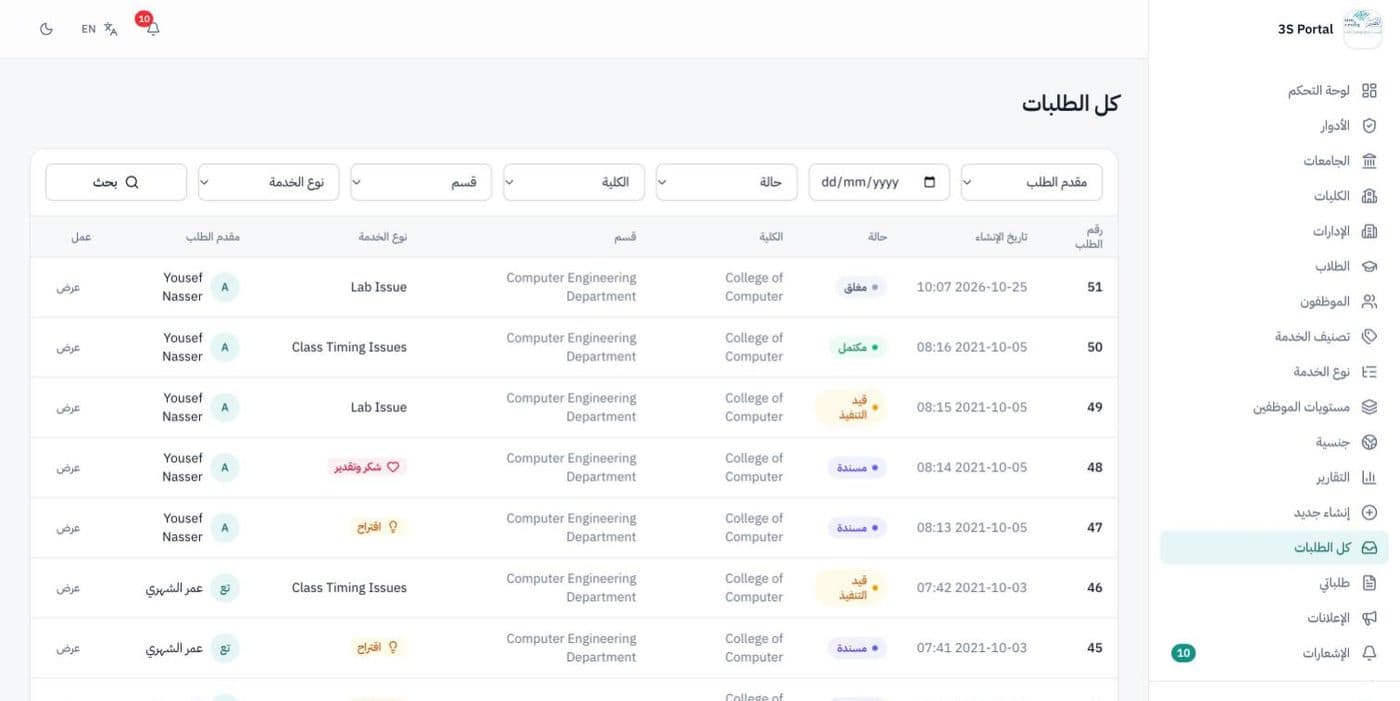
Every request, filterable
Staff see all requests with their reference, date, status, college, department, service type and the student who raised it, and narrow the list with a filter for each.
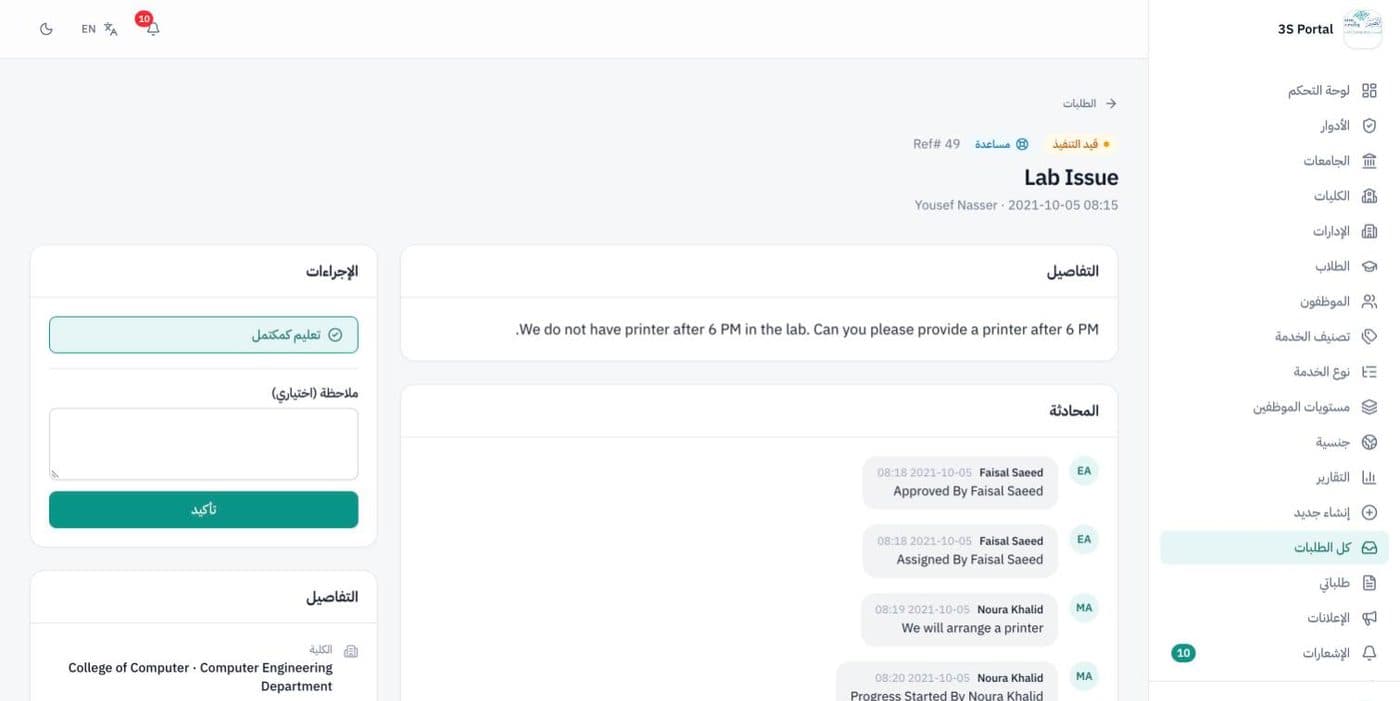
A conversation on every request
Each request shows its status, the student's description and a conversation where staff and the student talk it through. Assigning, starting and completing it are one click each, and every step is written into the conversation.
- Assign, start, complete, close or reopen
- Notes added to each step
- The student is notified every time
Announcements by college and department
The college posts news to students, staff or both, chooses the colleges and departments it applies to, attaches files and sees how many people have read each one.
Reports on what students raise
Choose a college and department to see the share of each issue type, or the detailed list, then print it or export it to CSV.
More screens
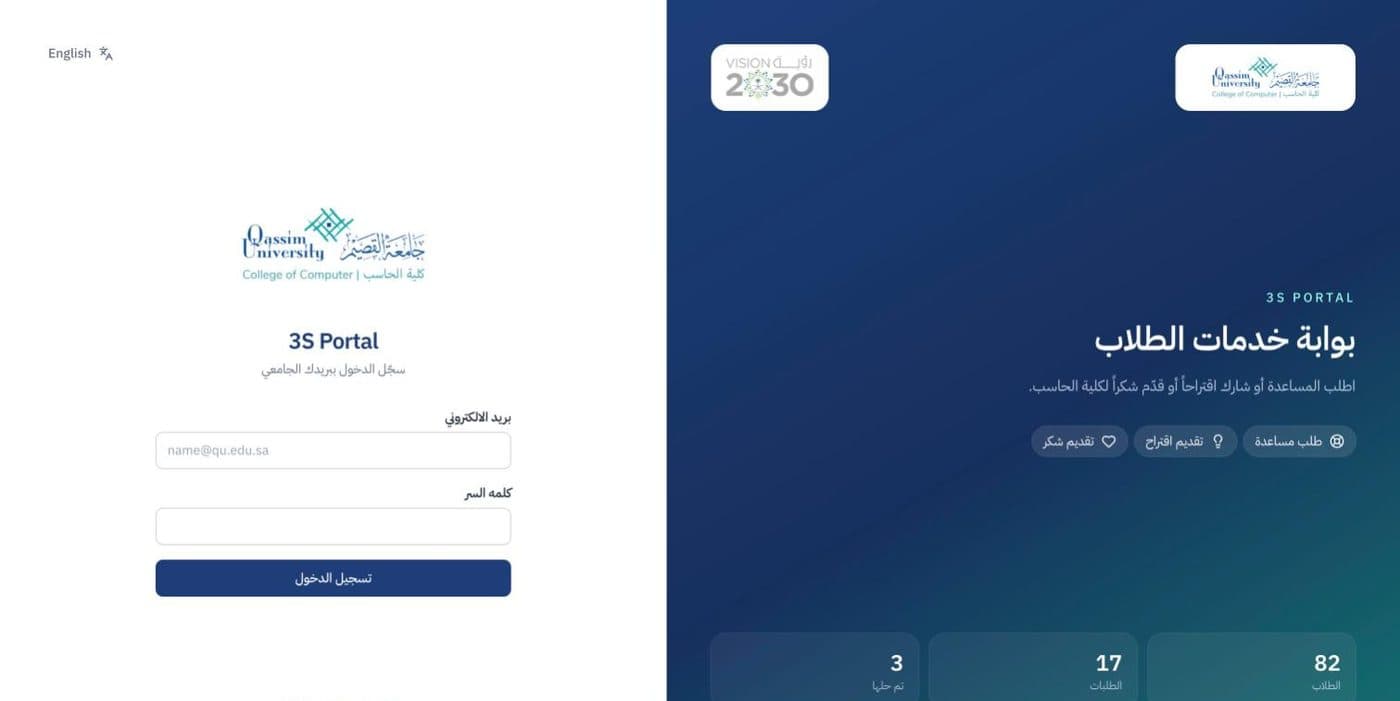
Sign-in, with live totals of students, requests and resolved issues
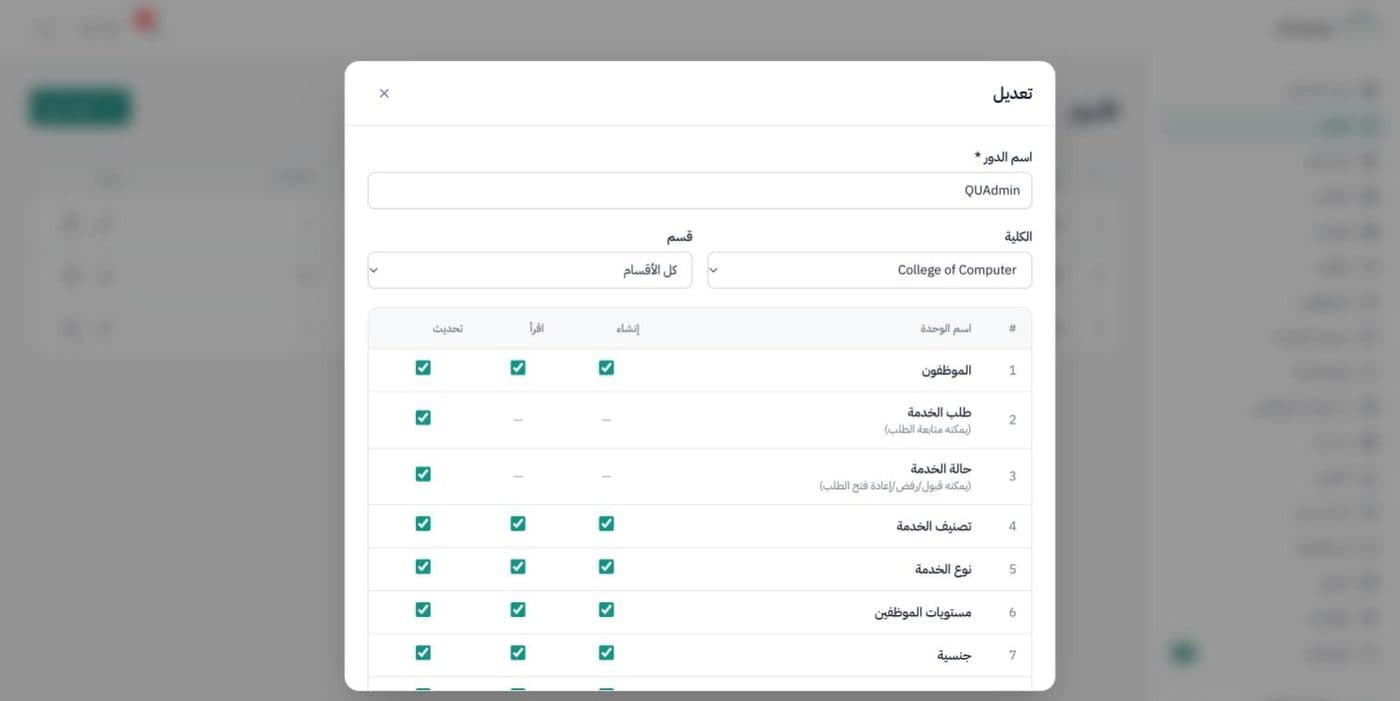
Roles built module by module, tied to a college and department
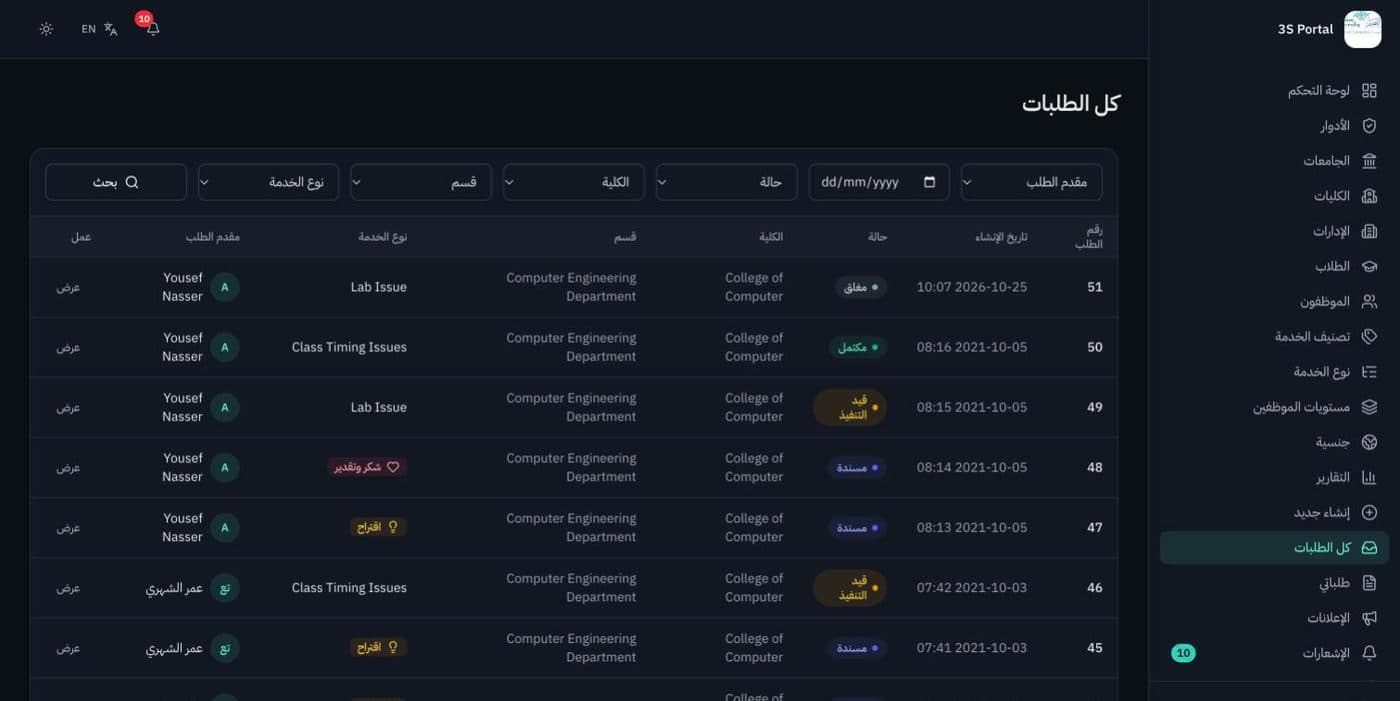
Dark mode
Built with
- Next.js
- React
- TypeScript
- Prisma
- MySQL
- Tailwind CSS
Student and staff names, emails and ID numbers in these screens are sample data.