
Products / Operations

Enterprise Suite

One ERP for buying, making, selling, accounts and people.

Category
Operations
Runs on
Web
Built for
Manufacturers, Pharma & nutraceuticals, Trading & distribution companies

Overview

  • Manufacturers
  • Pharma & nutraceuticals
  • Trading & distribution companies
  • Multi-department organisations

Enterprise Suite runs a whole company from one system.

An ERP for manufacturers and trading companies, with twelve modules on one database: supply chain, procurement, production, sales and distribution, QC and QA labs, accounts, cash, time office, HR, payroll and marketing. A purchase starts as a department's demand and moves through requisition, quotation, purchase order, gate pass, GRN and voucher, and every step posts to the stores and the ledgers. Each person sees only the screens their role allows. We first built it to run Nutrifactor Laboratories' factory in Faisalabad, and it now comes with your own name, logo and colours.

Built with
Next.js, React, TypeScript, Prisma, MySQL
Read the Nutrifactor Laboratories case study →
Problems it solves

  • Each department on its own spreadsheet or tool

  • Purchases approved over phone calls and paper

  • Stock in the store that doesn't match the books

  • Month-end accounts and payroll done by hand

  • Everyone able to see and change everything

  • The resultOne version of the truthStores, production, sales and accounts work from the same records, so stock and the books agree.
  • The resultApprovals you can traceEvery demand, requisition, PO and voucher shows who checked and approved it, and when.
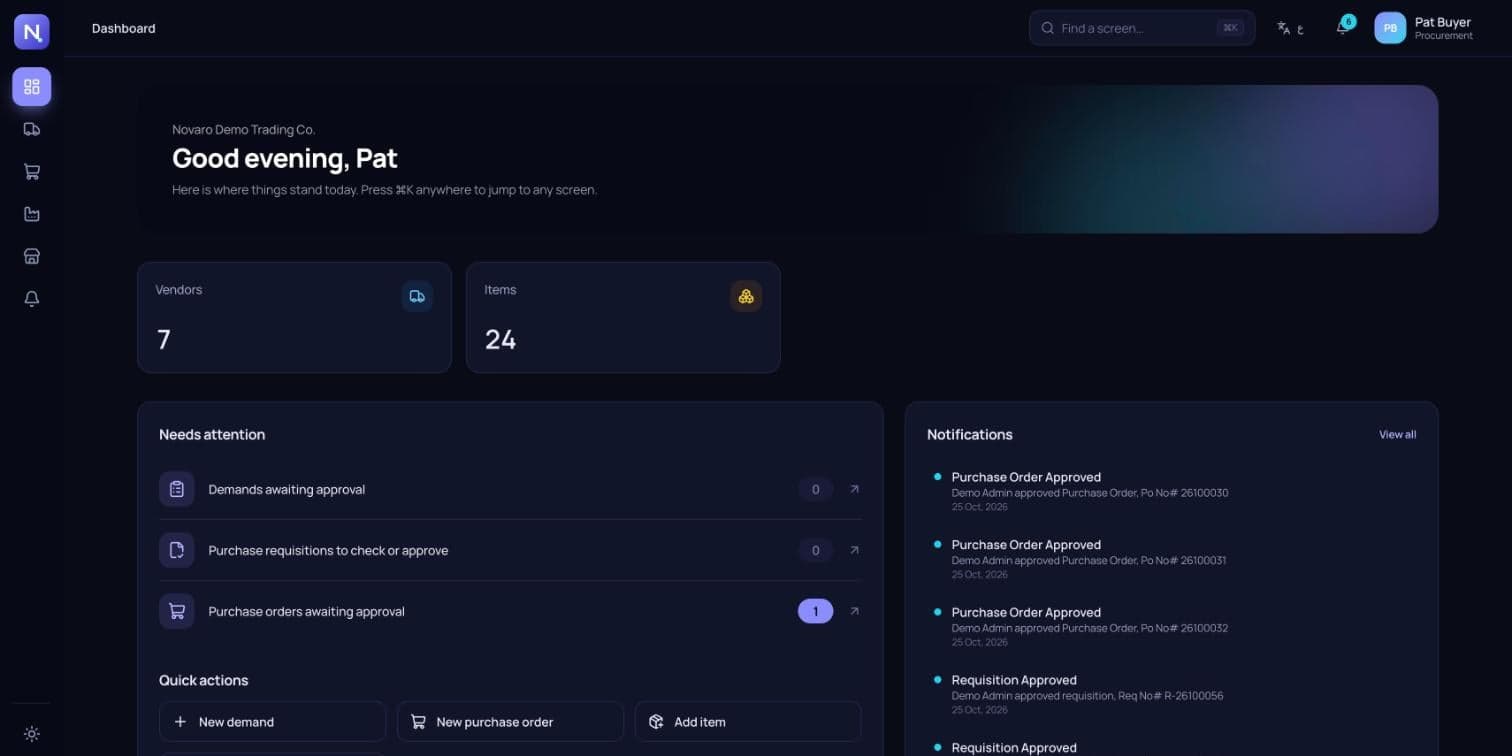
  • The resultEach role, its own workspaceA procurement officer sees procurement. An accountant sees accounts. Nobody wades through screens they don't need.
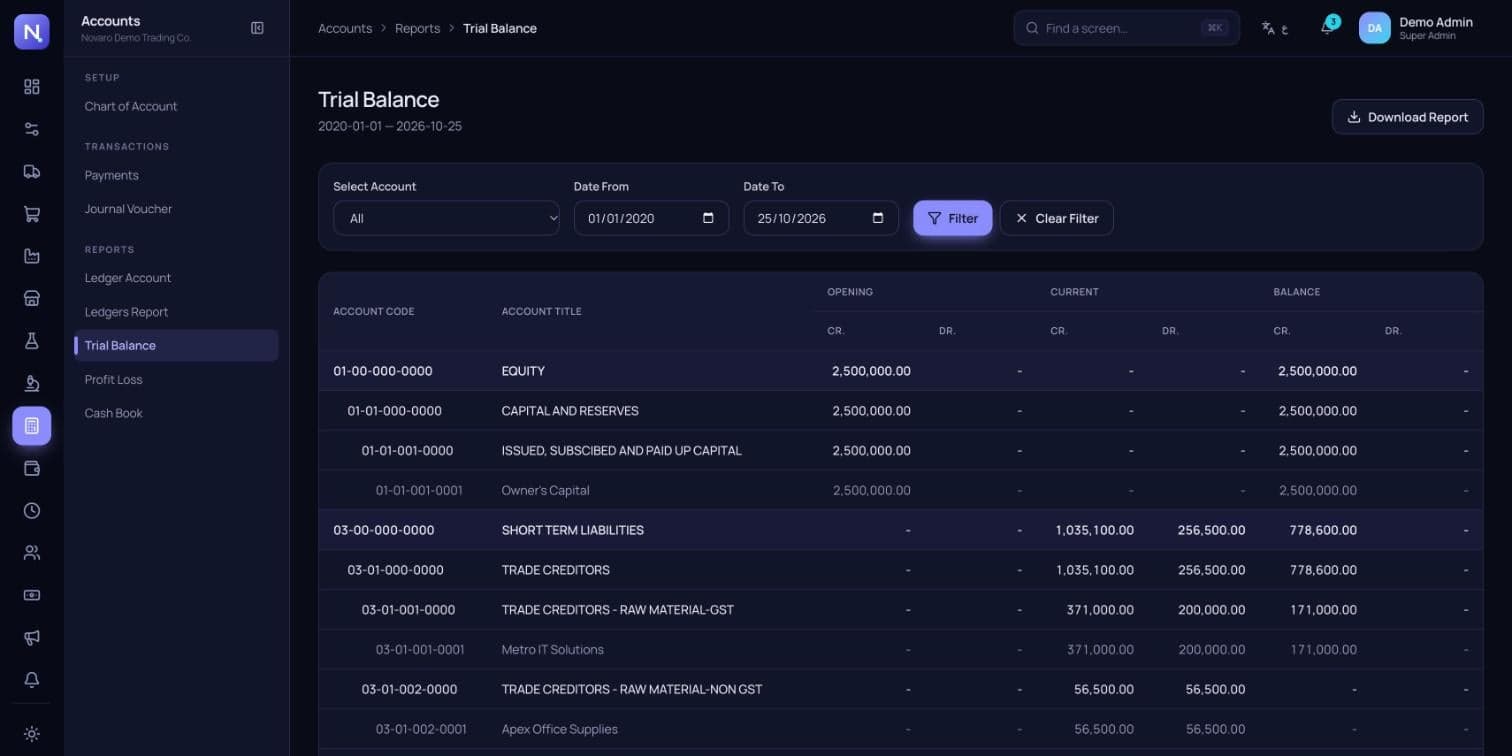
  • The resultMonth-end without the scrambleLedgers, trial balance, profit and loss and salary sheets come straight from the day's transactions.

How it fits together

Modules

01

Supply Chain

Raw materials, vendors, demand sheets, purchase orders, GRNs, return notes and material ledgers.

02

Procurement

Demands, purchase requisitions, quotations, purchase orders, inward and outward gate passes, GRN, GIN and purchase vouchers.

03

Production

Products and recipes, batches dispensed from GRNs, finished goods, stock transfers, work in process and yield.

04

Sales & Distribution

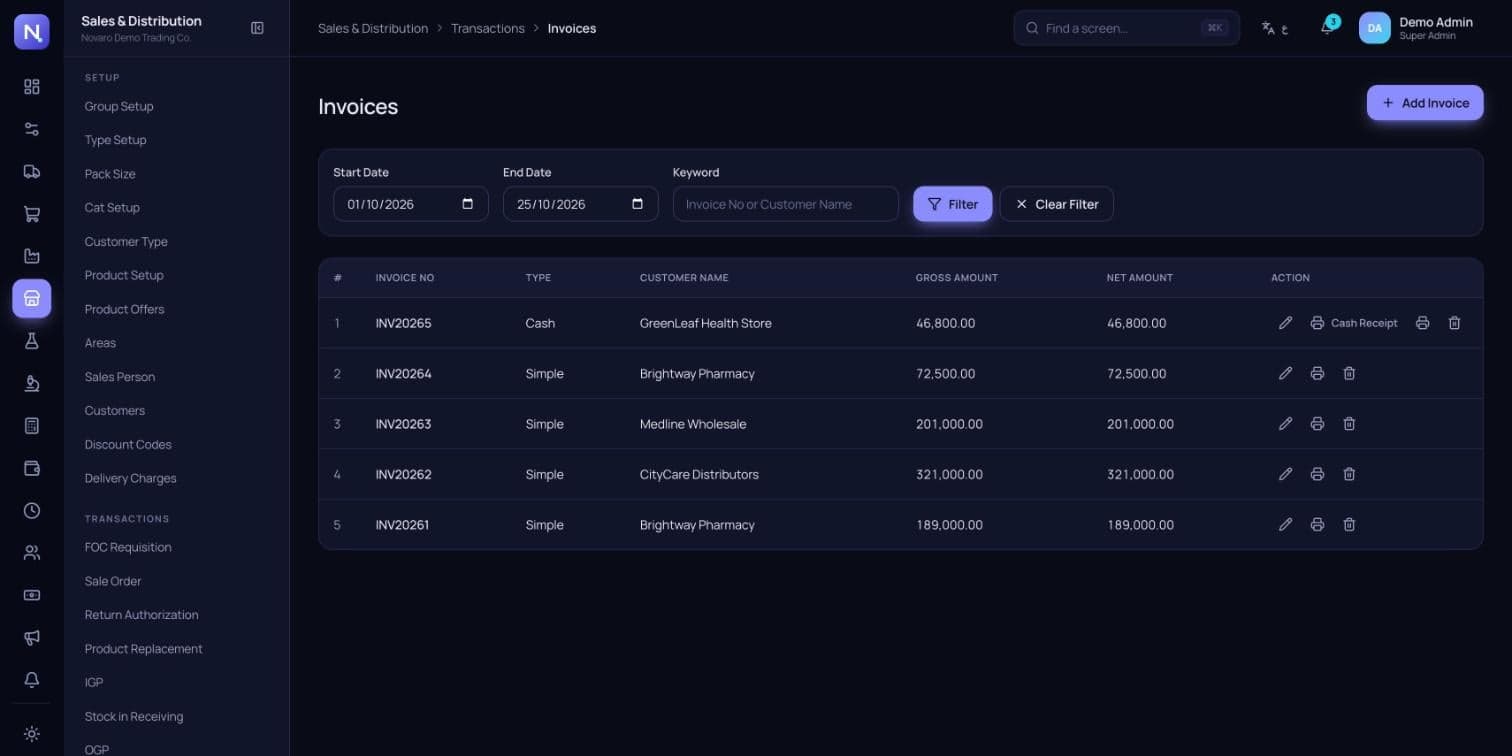
Customers, areas, sales persons, sale orders, delivery challans, invoices, returns and sale registers.

05

QC & QA labs

Lab stores, receipt and issue notes, and quality checks on incoming GRNs and running batches.

06

Accounts & Cash

A four-level chart of accounts, payments, journal vouchers, ledgers, trial balance, profit and loss, cash book and petty cash.

07

HR & Payroll

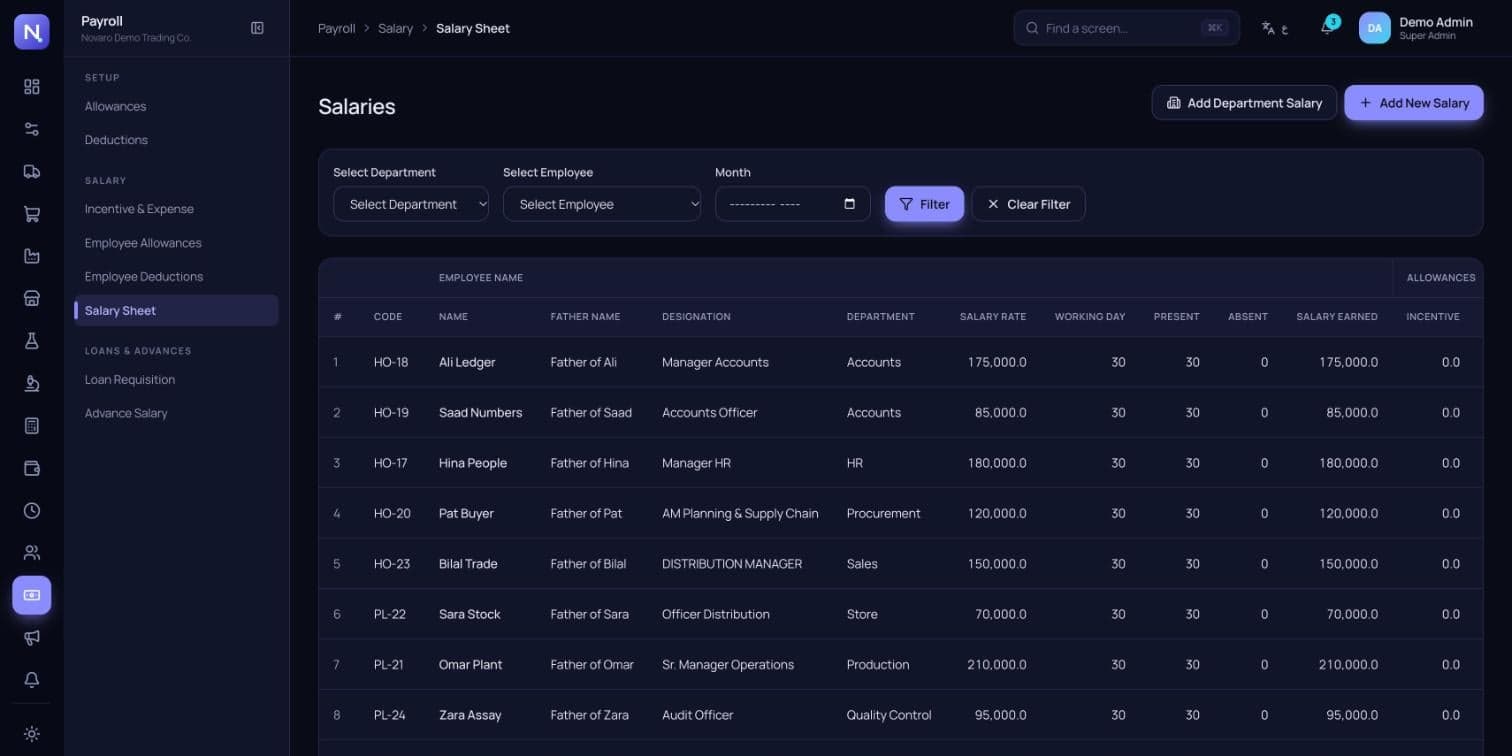
Employees, departments, applicants and screening, EPR, allowances, deductions, salary sheets, loans and advances.

08

Time Office & Marketing

Gate passes and returnable items at the gate, plus a separate store for marketing material.

Step by step

  1. DemandA department raises a demand for what it needsSent to the right approver
  2. RequisitionProcurement turns it into a purchase requisitionChecked, then approved
  3. QuotationVendors' quotations are compared side by sideBest offer picked and signed off
  4. Purchase orderA PO is raised against the approved requisitionApproved, held or rejected
  5. ReceiveGoods arrive on an inward gate pass and GRNStock updated in the store
  6. PayA purchase voucher is approvedPosted to the vendor's ledger and the trial balance

Features

20features, ready on day one

What Enterprise Suite does out of the box. Anything missing can be added for your business.

  1. 0112 modules on one database
  2. 02Demand to payment in one flow
  3. 03Quotation comparison sheets
  4. 04Check and approve steps on every document
  5. 05Inward and outward gate passes
  6. 06GRN, GIN and return notes
  7. 07Batches, recipes and yield
  8. 08QC and QA checks
  9. 09Invoices and sale registers
  10. 10Four-level chart of accounts
  11. 11Trial balance and profit and loss
  12. 12Petty cash with approval queue
  13. 13Salary sheets, loans and advances
  14. 14Create, read, update and delete rights per screen
  15. 15⌘K screen finder
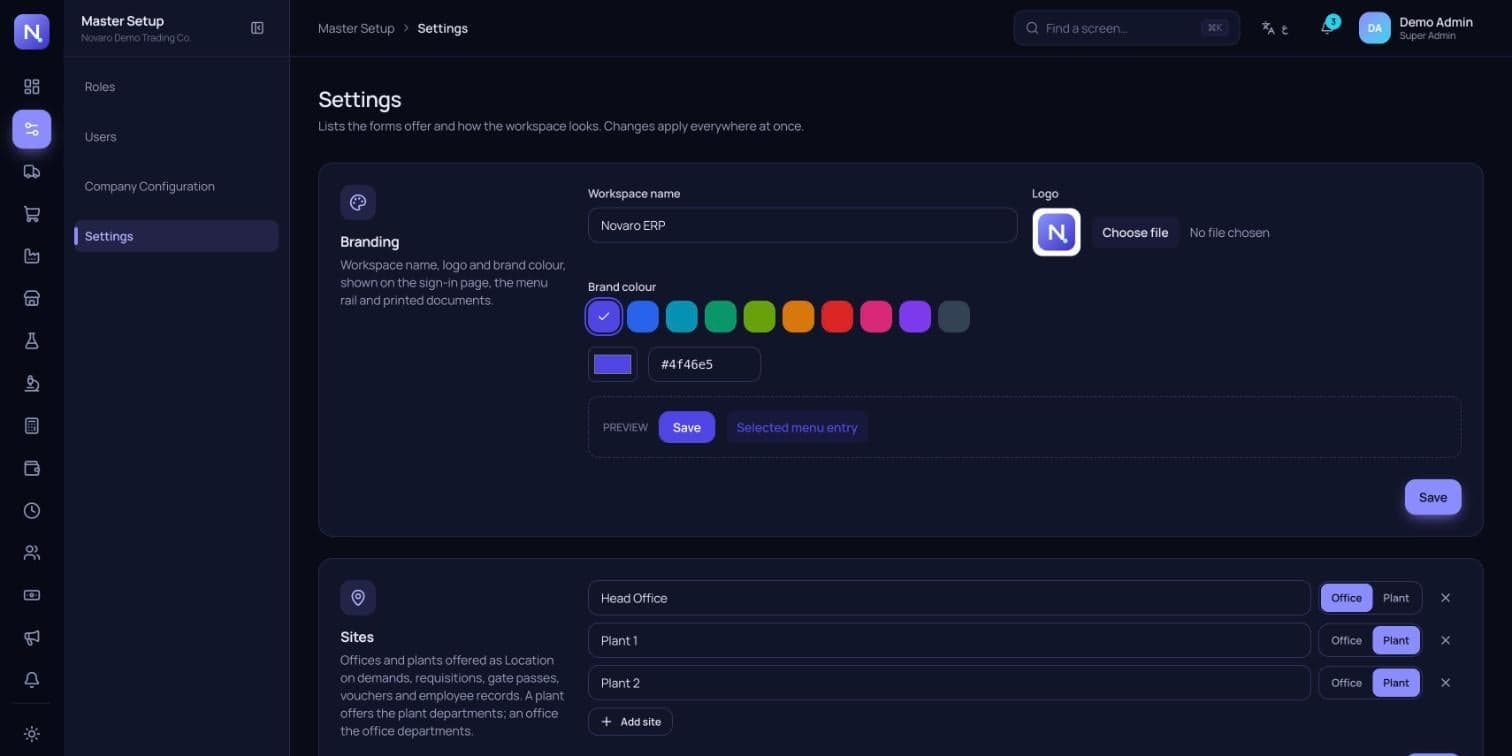
  16. 16Your name, logo and brand colour
  17. 17English and Arabic
  18. 18Light and dark themes
  19. 19Print-ready documents
  20. 20140+ screens and reports

Getting started

How we take Enterprise Suite from your plans to go-live.

  1. 01Map your departments, sites and approval steps
  2. 02Set up your chart of accounts, items, vendors and customers
  3. 03Load opening stock and opening balances
  4. 04Create roles and users for each department
  5. 05Add your name, logo and colours
  6. 06Train each team, then run the first month side by side with your old process

Questions

Can I try it?

Demos are guided. Request a demo and we'll walk you through it with a demo company, signed in as different roles.

Is it only for pharma?

No. It was first built for a nutraceutical manufacturer, but the modules suit any company that buys materials, makes or stocks products and sells them on.

Can we use only some modules?

Yes. Turn on the modules you need now, and add the rest later. Roles hide anything a person doesn't use.

Can it carry our brand?

Yes. Your workspace name, logo and brand colour show on the sign-in page, the menu and printed documents.

Does it work in Arabic?

Yes. The interface switches between English and Arabic, with right-to-left layout.

See Enterprise Suite live.

We'll walk you through it live, online or on-site, using a building like yours.